How to Setup a Combine in FieldView™ Cab App Prior to Harvest
Overview
Getting your combine set up prior to harvest ensures you will be ready to go when it is time to harvest your fields. This walk through will help make sure you are ready when your crops need to be harvested.
Combine Setup in FieldView™ Cab App
On the Equipment page, tap + Add New Equipment and select Combine. Enter the combine's Make, Series, and Model, then assign a unique name. The Combine Setup page will display.
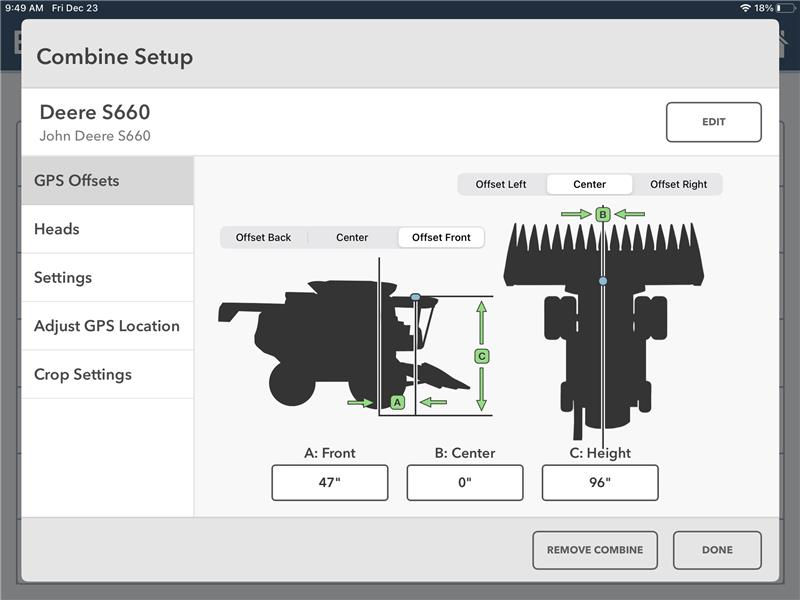
The Combine Setup page will ask for 3 basic GPS Offset measurements:
- The distance forward or backwards from the center of the front axle to the location of the GPS unit.
- The distance left or right from the vertical center of the Combine to the location of the GPS unit.
- The height distance from the ground to the location of the GPS unit.
Next, add one or more Combine Heads by tapping + Add New Head on the Heads page in Combine Setup.
Combine Heads will be assigned a name automatically but tapping the Edit button next to the Head name will allow the Head to be given a unique name.
Identify the Head Type as a Row Crop or Platform Head and then enter the necessary Offset Measurements for each one:
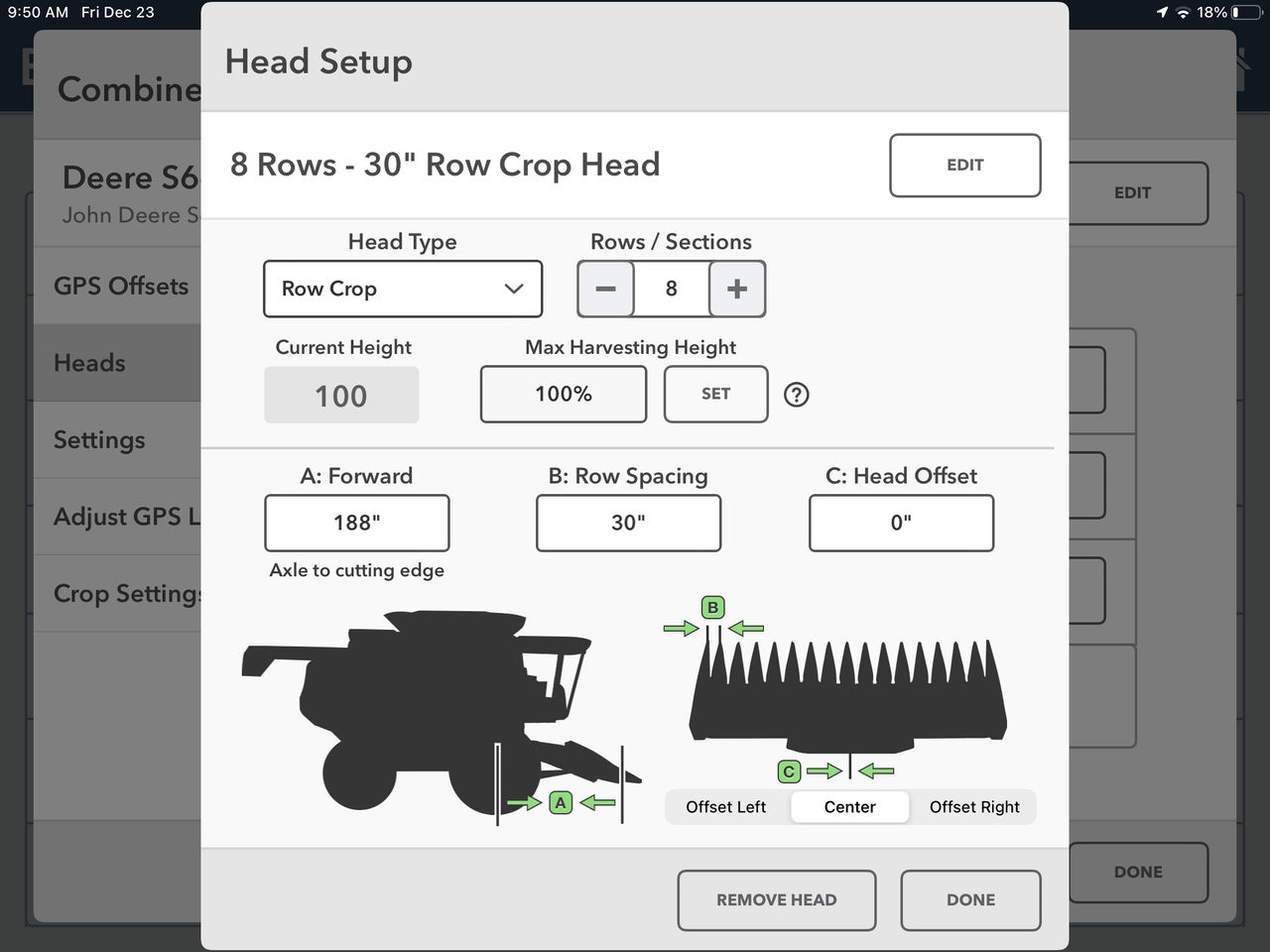
1. Row Crop Heads need the following measurements:
- Max Harvesting Height
- Row spacing (inches/cm)
- Number of Rows
- Head Offset measurement
- Axle to Cutting Edge measurement
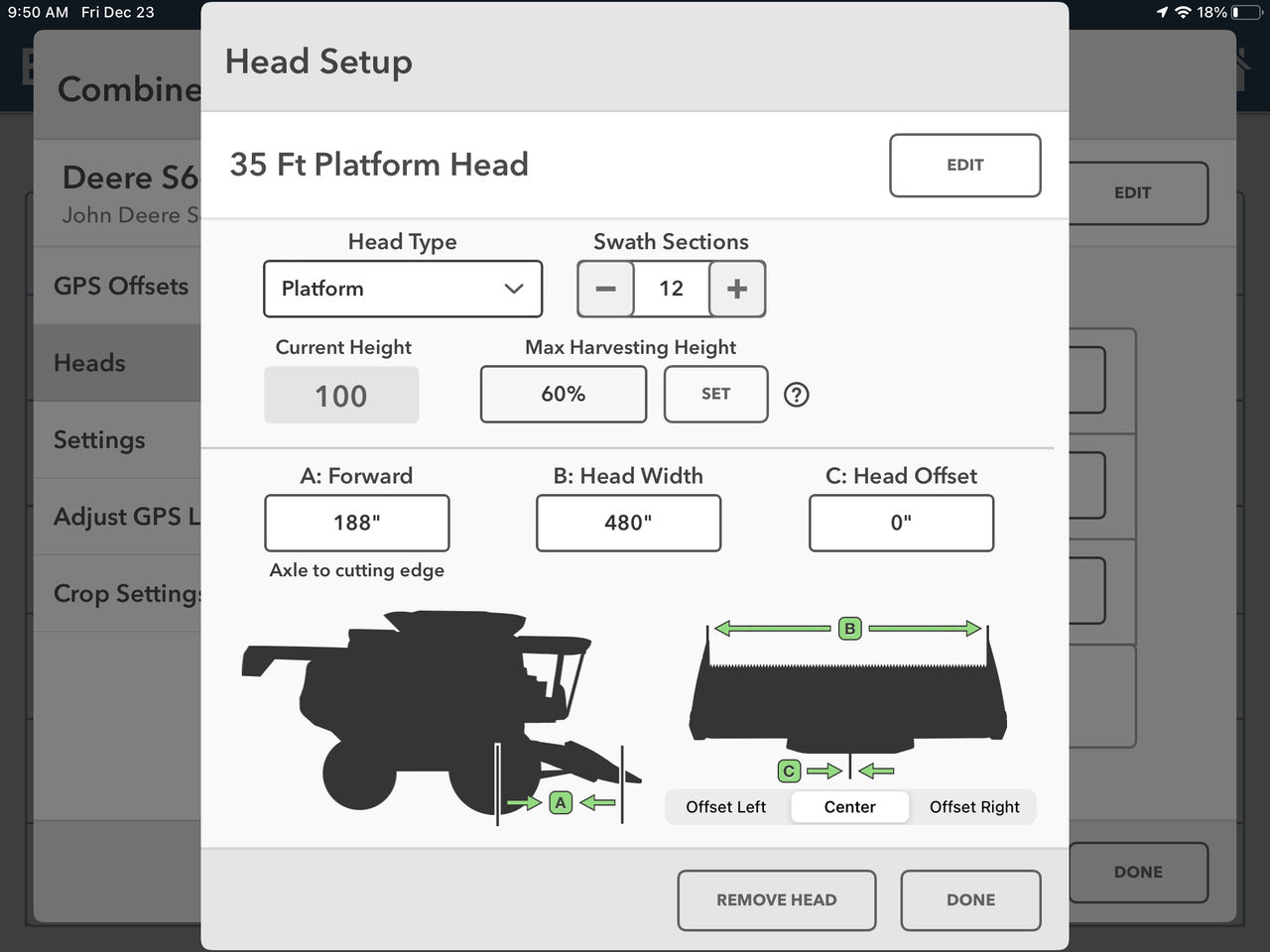
2. Platform Heads need the following measurements:
- Max Harvesting Height
- Number of Sections
- Head Width
- Head Offset measurement
- Axle to Cutting Edge measurement
Setting Max Harvesting Height for Each Head
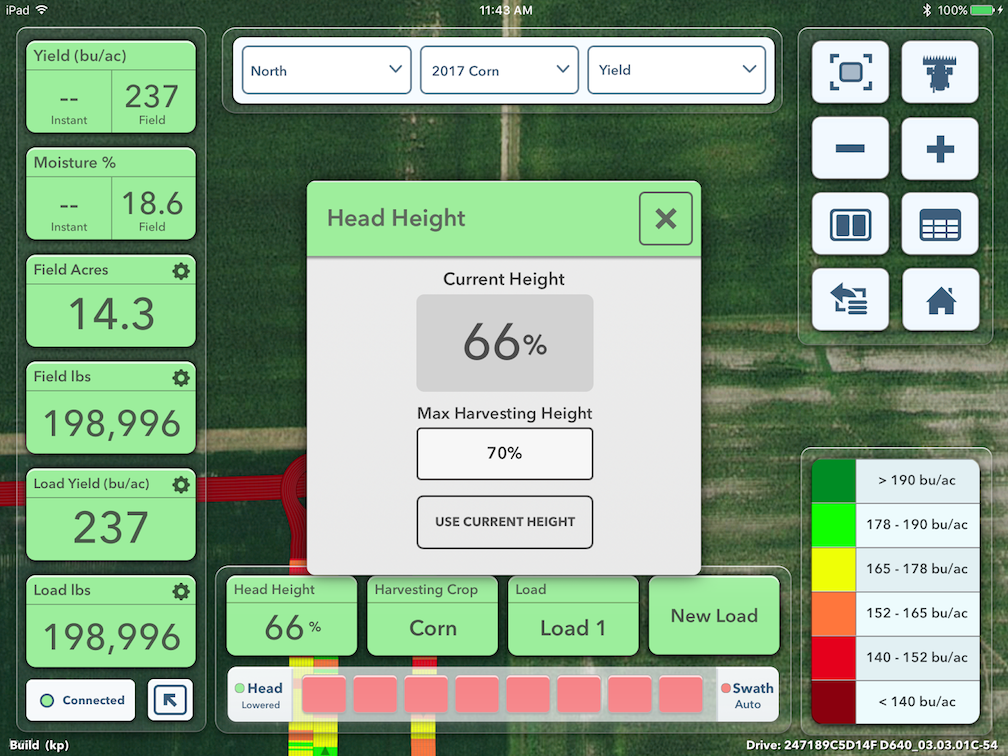
The Max Harvesting Height also must be set for each Head prior to Harvesting. While connected to the Combine with a Head installed, lift the Head to the highest possible point that could be used while harvesting, and tap Use Current Height. When the current head height is below Max Harvesting Height the Combine will be considered to be in a harvesting state and when the current head height is above Max Harvesting Height, the Combine will no longer be in a harvesting state.
The Max Harvesting Height can also be set from the Map by tapping on the Head Height button.
Other Combine-Related Options Under Settings
There are a number of other Combine related options under the Settings page:
- Shared Swath (formerly Coverage Streaming) allows multiple combines to harvest in the same field at the same time while accounting for previously harvested areas of the field. Each combine will stop collecting yield and acres in real-time while traveling through an area of the field that has already been harvested. This results in more accurate real-time reporting. Shared Swath is not visualized on the map in any way and is separate from the normal CloudSync and maps building from other iPad® devices.
- During Harvest, shared swath exists on both Precision Planting 20|20 YieldSense® monitors and FieldView™ Drives. For shared swath to work, both combines must be using Drives and/or 20|20s. During Harvest operations, a Drive will swath to a Precision Planting 20|20 YieldSense® monitor.
- Automatic Swath Sensitivity adjusts how quickly portions of the combine head will be considered as not harvesting while entering a previously covered area of the field. The five positions (Less Sensitive, .35, .50, .65, More Sensitive) are ranked in order of how much overlap of the head into an existing harvested area is necessary before it’s regarded as not harvesting. Sensitivity should be turned down if portions of the head are becoming inactive while still actively harvesting on all rows.
- Moisture Source displays the source that is supplying moisture readings (only used when connected to 20|20 YieldSense).
- Moisture Lag is the number of seconds between the time the crop is harvested and the moisture is measured (only used when connected to 20|20 YieldSense).
- Flow Sensor Lag is the number of seconds between the time the crop is harvested and when it passes over the mass flow sensor. This accounts for the delay between the Combine harvesting an area and the map filling in behind it. If you find that passes are not lining up correctly on the map at the end of the field this delay should be adjusted.
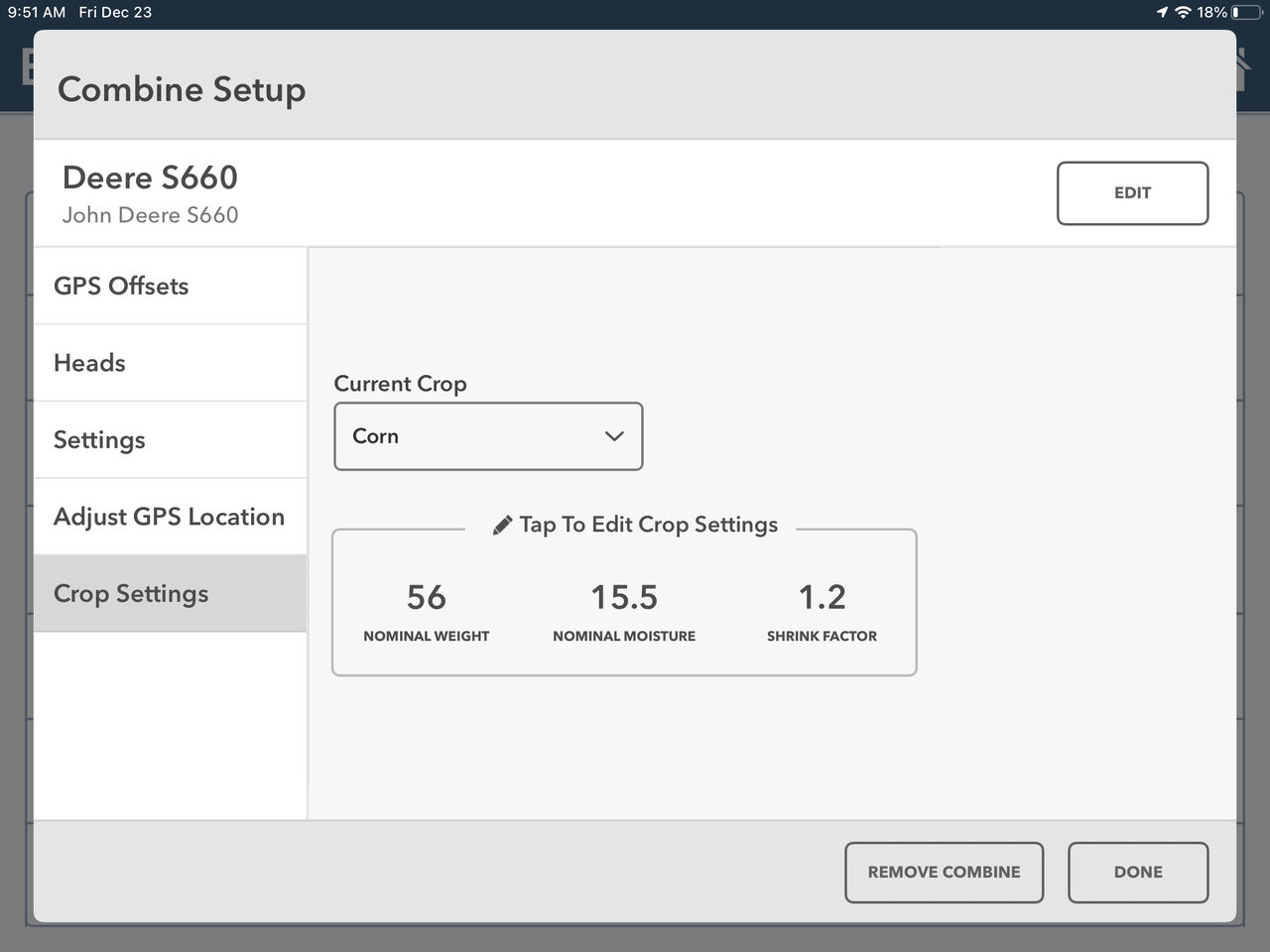
- Crop Settings can be edited in Combine Setup. Tap Crop Settings on the left, select the crop at the top, and tap on the current Crop Settings to edit. Crop Settings can also be edited from the Map page when harvesting by tapping on the Harvesting Crop button.