Learn How to Use RemoteView in FieldView Cab
Overview
RemoteView is an easy and powerful tool for everyone within a farming operation to view exactly what the operator in the cab is seeing.
Available on: Apple iOS™
Important Notes:
**All iPad® devices in an organization should be updated to the current Cab app version in order to successfully use RemoteView**
RemoteView is possible when:
An active FieldView paid subscription exists on the FieldView account(s)
Both the remote iPad® device and the iPad® in the cab are logged into the same FieldView account OR have been invited/accepted by another FieldView user with a paid subscription
Both the remote iPad® and iPad® in the cab have an internet connection
The remote iPad® is not currently connected to a FieldView Drive, Precision Planting® 20|20, or other device
Starting a RemoteView Session
A RemoteView session can be initiated in two primary ways when connected to the same FieldView account
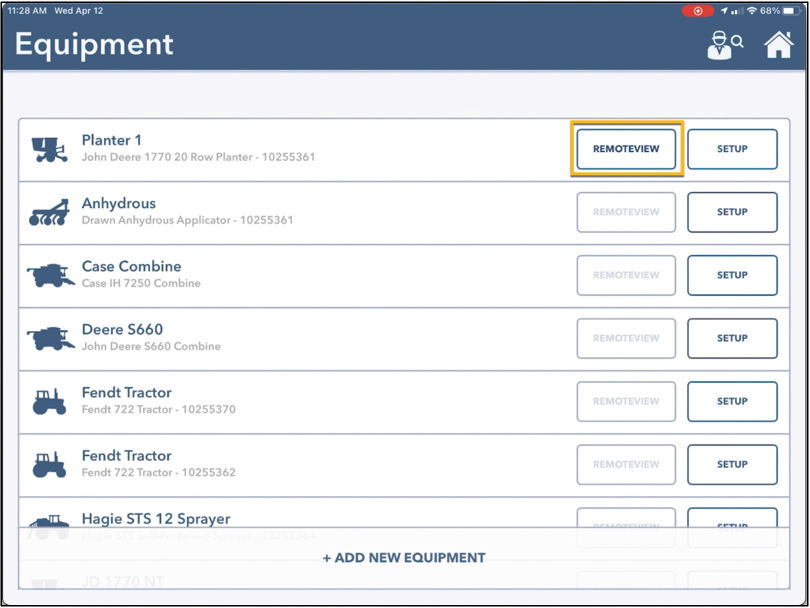
1. In FieldView Cab app, navigate to the Equipment page to view the list of all planters, tractors, combines, and sprayers in the operation. Equipment that is currently connected to FieldView Cab on an iPad® with an internet connection will be available for RemoteView
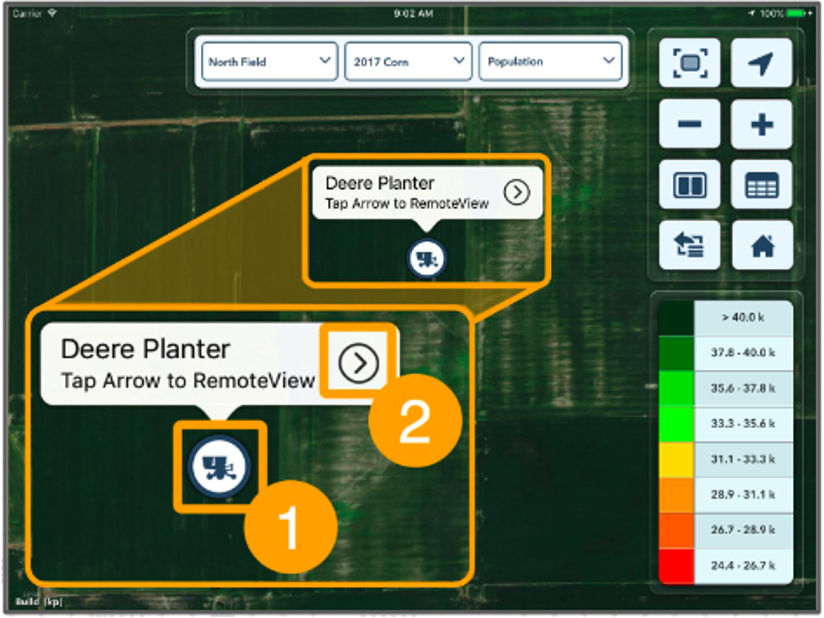
2. In FieldView Cab app, from the map page of an active field, tap the location of currently connected equipment. After tapping on the icon identifying the Equipment’s location, simply tap the arrow located to the right of the name
During a RemoteView Session
- Once connected in a RemoteView session, real-time data from the connected equipment will be visible in the map screen and real-time metrics will be visible in the Metrics Pane
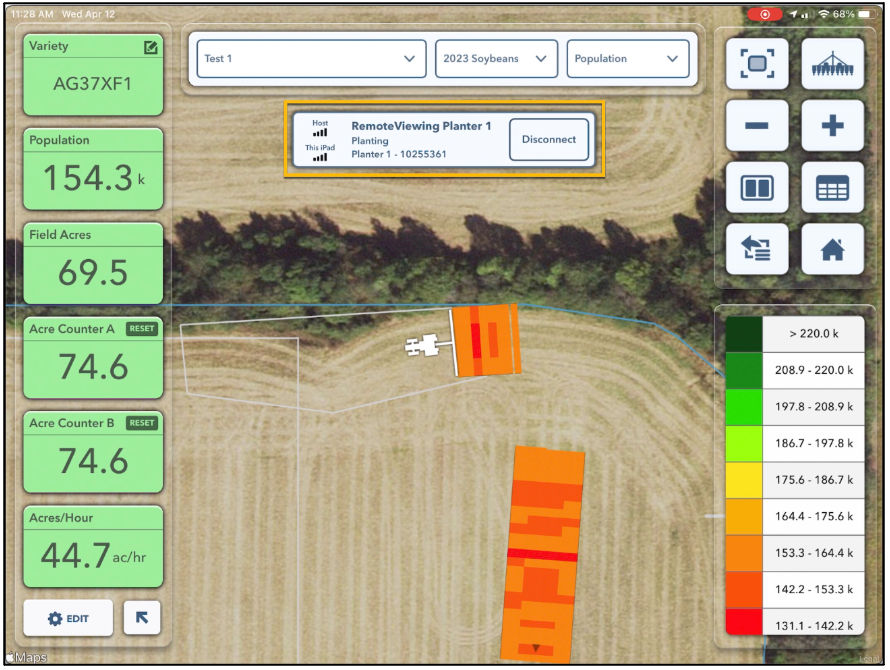
- The name of the equipment being viewed using RemoteView will be displayed in the middle of the Map under the Map Selector
- Selecting Disconnect will end the current RemoteView session
- Changing the map view, editing the legend, or even opening a report will not impact the view for the operator in the equipment that is collecting the data
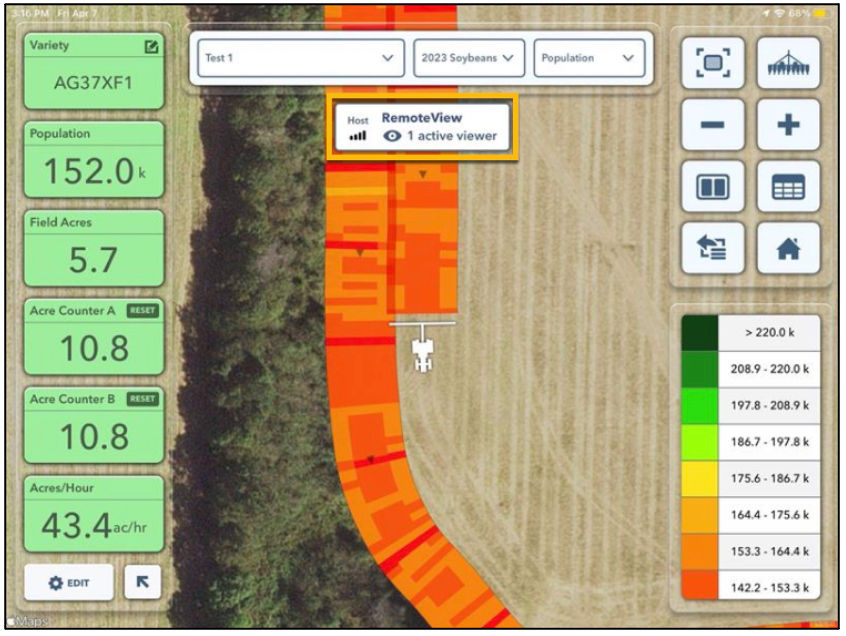
- A connection status will appear for both the RemoteView iPad® and the operating machine iPad®
- Connection status on the operating machine iPad® notifies the operator when viewers are connected to the RemoteView service
- The RemoteView iPad® shows the name of the connected machine and connection status to the host account as well as the connection status to the internet
- Data populated prior to the RemoteView session for the active field will not display for the remote viewer - only data collected while in the RemoteView session will populate
RemoteView iPad® (viewing data)
Operating Machine iPad® (collecting data)
RemoteView Session Timeouts
The viewer has a (3) timeout periods:
60 minute active connection - if a viewer has a RemoteView session active and visible over 60 mins the viewer will be automatically disconnected
15 minute inactive connection - if a viewer starts a RemoteView session and then minimizes the app, the viewer will be disconnected from the RemoteView session after 15 minutes
Lost internet reconnect - when a viewer loses connection RemoteView will attempt to reconnect for 90 seconds, after that time it will timeout and close the View session