How to Download the FieldView™ Platform Apps
Steps on how to download the FieldView™ platform apps on Apple iOS™ and Android™ devices
Follow these steps for downloading apps on an Apple iOS™ device:
1. Navigate to the App Store®

2. Click on the Search button or Search bar (located at the top of the screen)

3. Type "FieldView" in the search bar and select Search

- Both FieldView™ Cab and Climate FieldView™ apps will populate in the search results
4. Tap Get next to the FieldView Cab and Climate FieldView apps
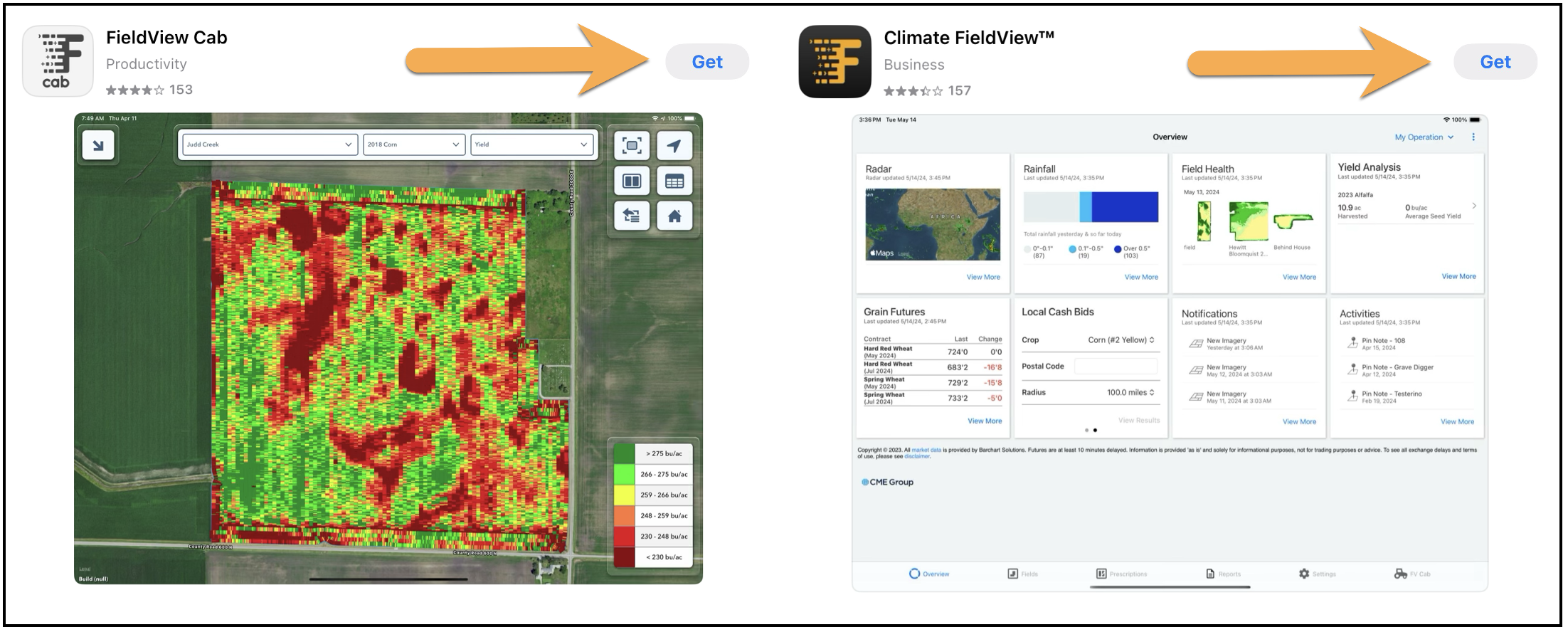
- A prompt will appear to enter your Apple ID or to utilize Touch ID to confirm the purchase
- Once the Apple ID has been confirmed, the app will begin to download
NOTES:
- The FieldView Cab app can only be downloaded to iOS devices
- The Climate FieldView app can be downloaded on iPad®, iPhone®, and Android™ devices
Once both apps have been downloaded, you are now ready to begin realizing the value of the FieldView platform.
Follow these steps for downloading the FieldView™ app on an Android™ device:
1. Navigate to the Google Play™ store
2. Tap the Search button

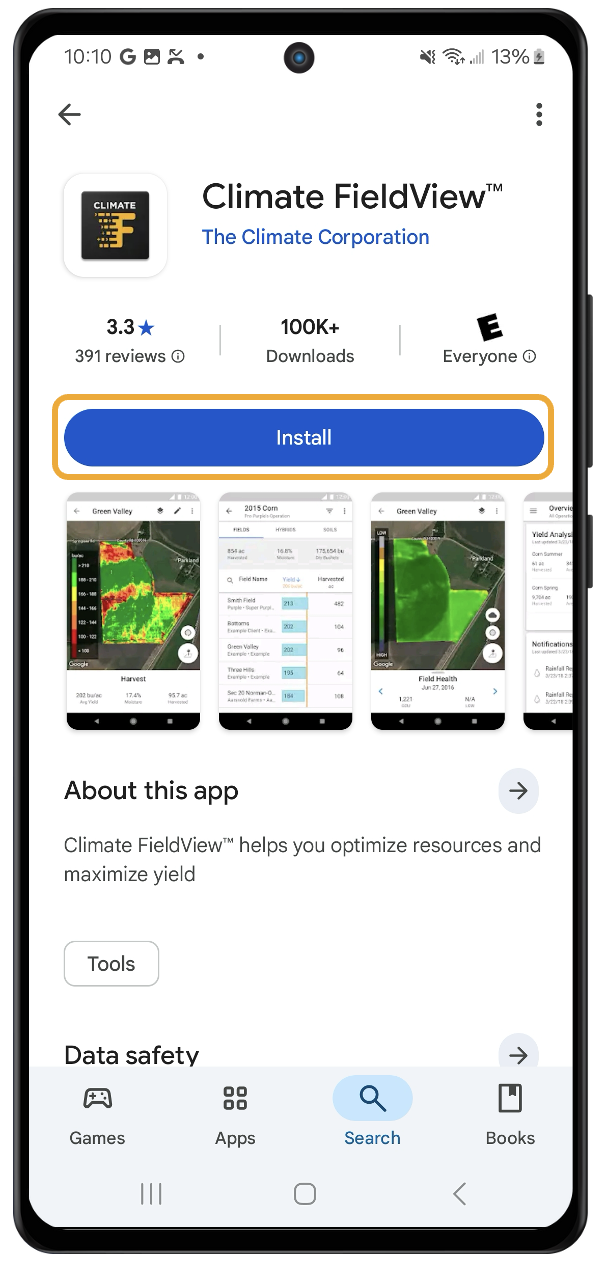
3. Type "FieldView" in the search bar
4. After the search results populate, click Install next to the Climate FieldView™ app
Utilize these resources to help you get started smoothly:
Getting Started with FieldView
Managing Field Boundaries (Mapping, Editing, and Deleting) in Climate FieldView™
How to Upload Historical Data Via Data Inbox