Jul 09, 2025
FieldView™ Field Filtering
Find fields and map layers easier and faster with filtering options on climate.com
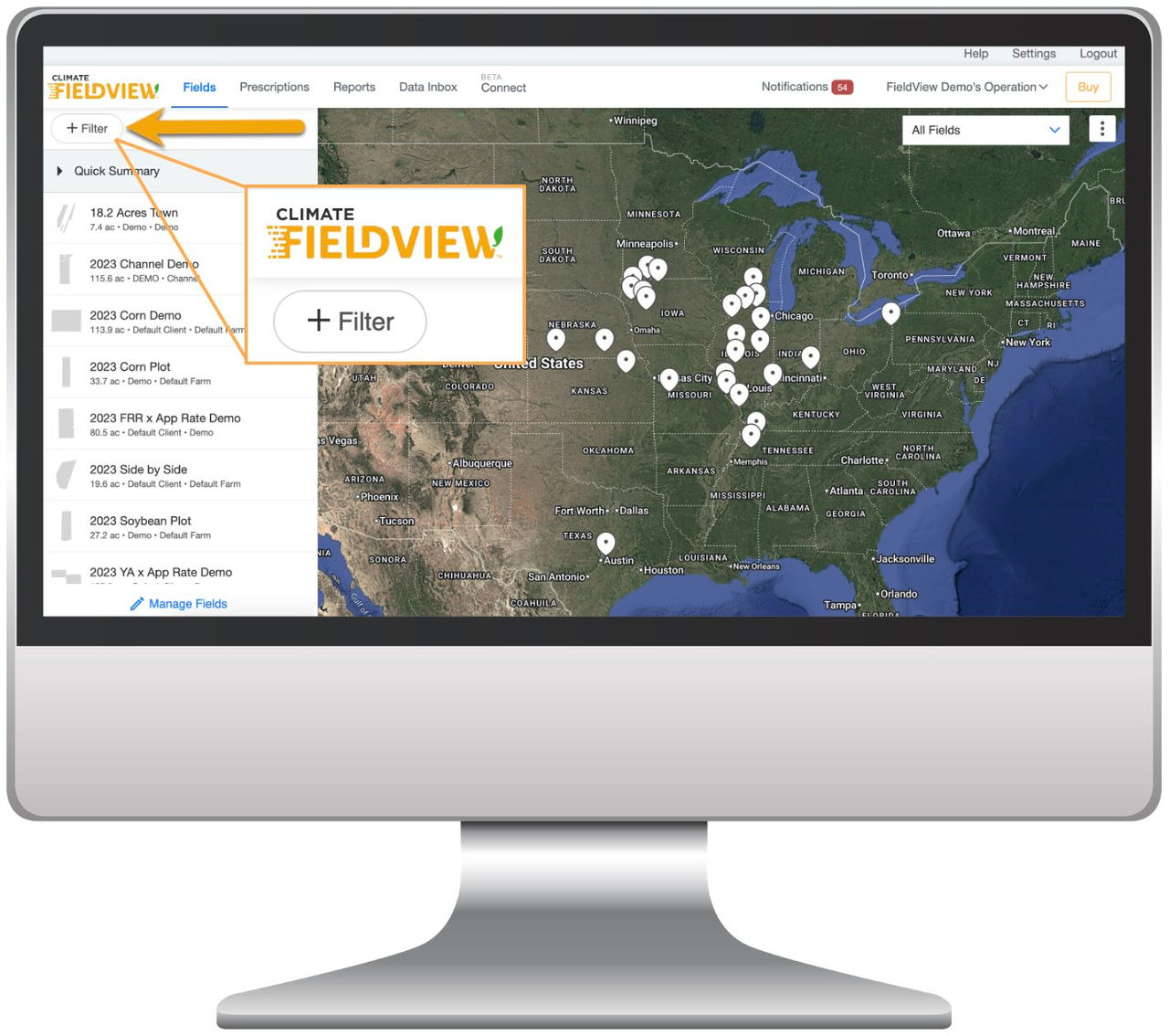
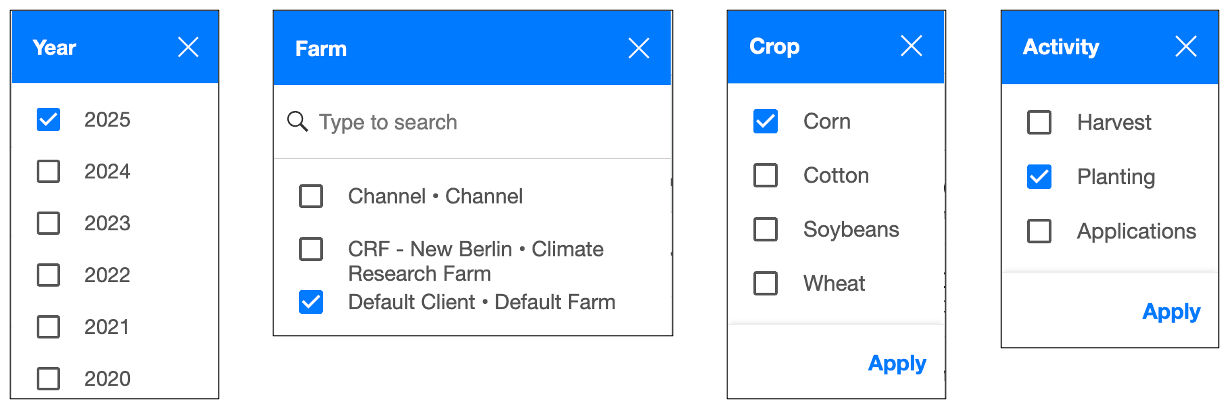
Advanced Filtering - Filter Fields by Crop, Year, Activity (Planting, Applications, Harvest) and Farm. Also, filter/search by open text.
- Log in to your FieldView account on www.climate.com
- From the Fields page, select Filter
- Select the filter you want to use: Year, Farm, Crop, Activity
- Click Apply
Quick Summary Card - Integrated/responds to the Filter criteria and can be expanded or collapsed for better usability
- Select the Quick Summary drop down arrow to toggle the Quick Summary Card on and off
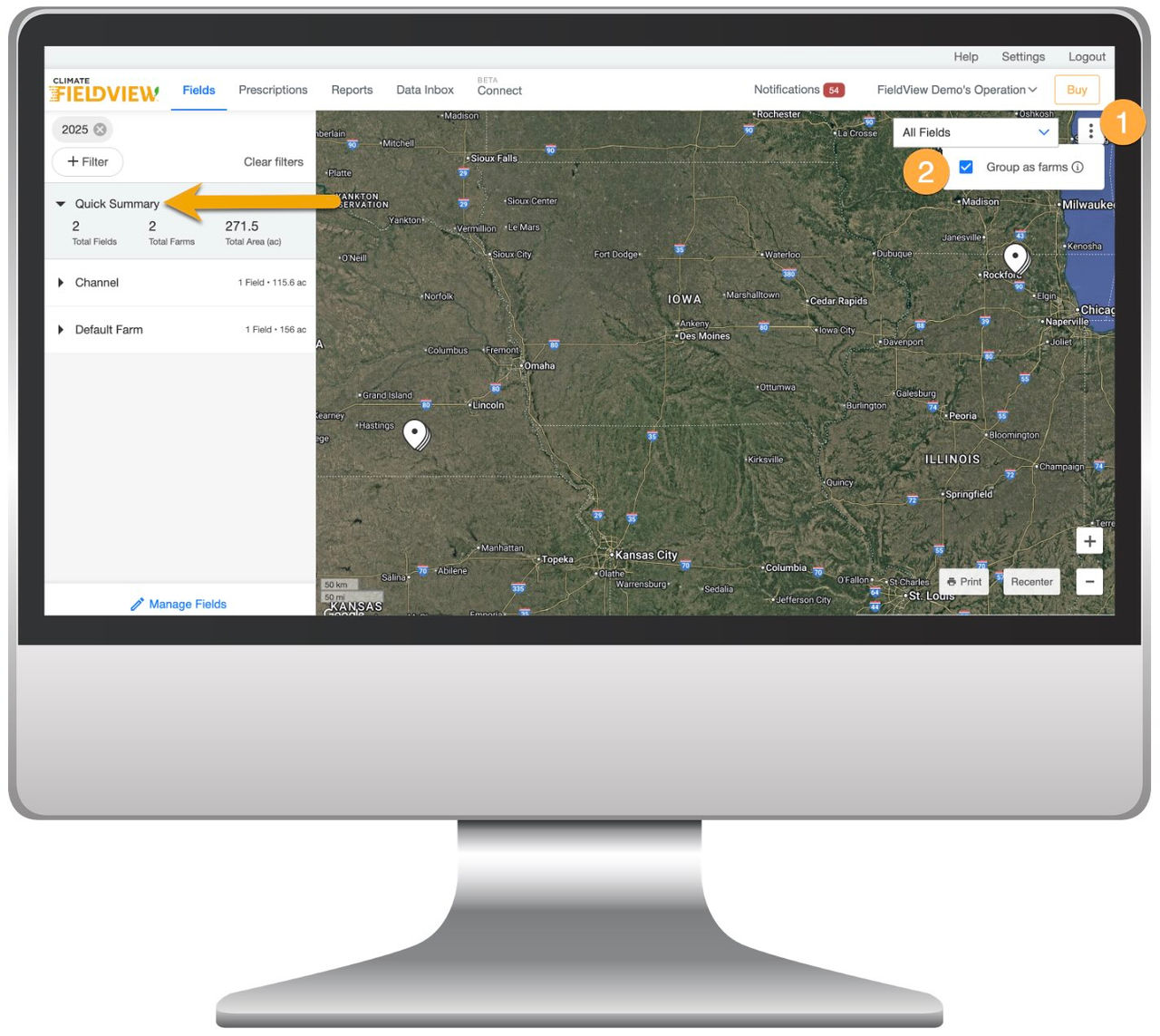
Fields Grouped as Farms - Group as Farms checkbox is located in the upper right corner of the map screen
- Select the 3 vertical dots in the upper right corner
- Next, select the checkbox