FieldView™ Account Set Up on the Web
This document outlines the steps to create a Climate FieldView™ account via the Web.
1. Navigate to www.climate.com.
2. Select Create Account in the top right corner of the screen.

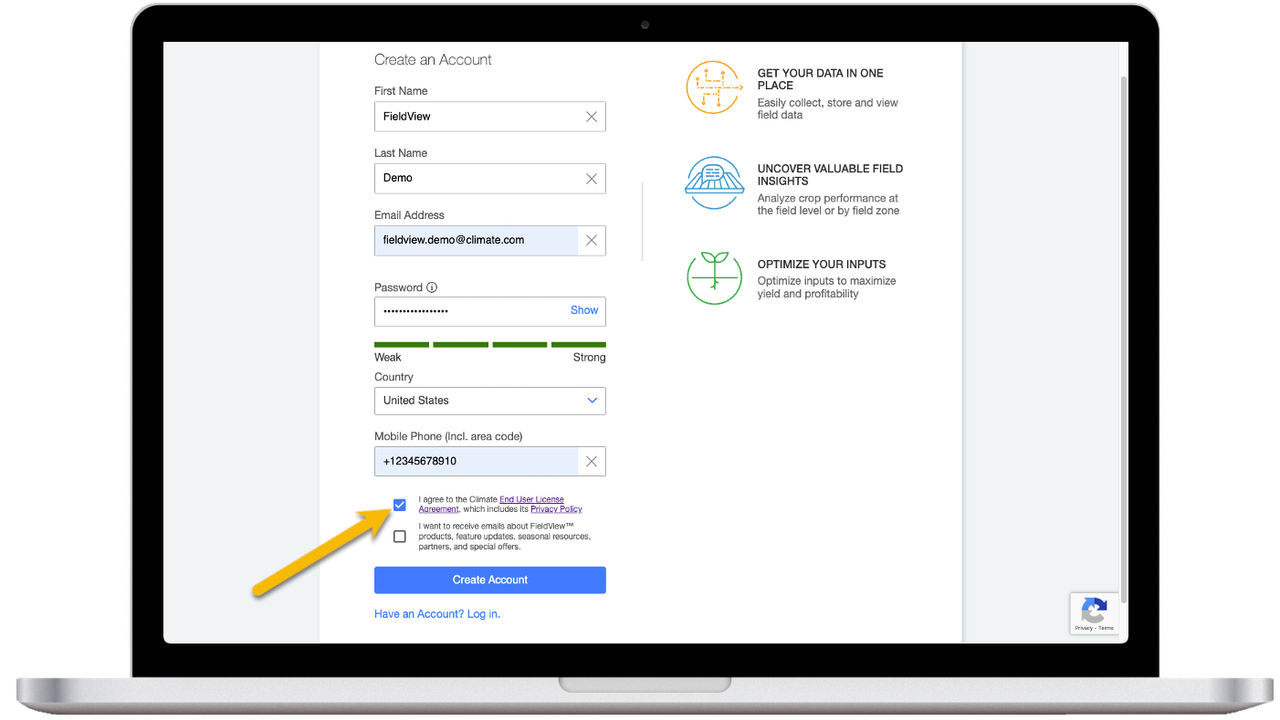
3. Complete fields First Name, Last Name, Email Address, Password, and Phone Number. Confirm the Country is correct for your location.
4. Review the End User License Agreement and the Privacy Policy. Click the check box to confirm you agree. Additionally, indicate if you would like to receive emails from FieldView.
5. Select Create Account.
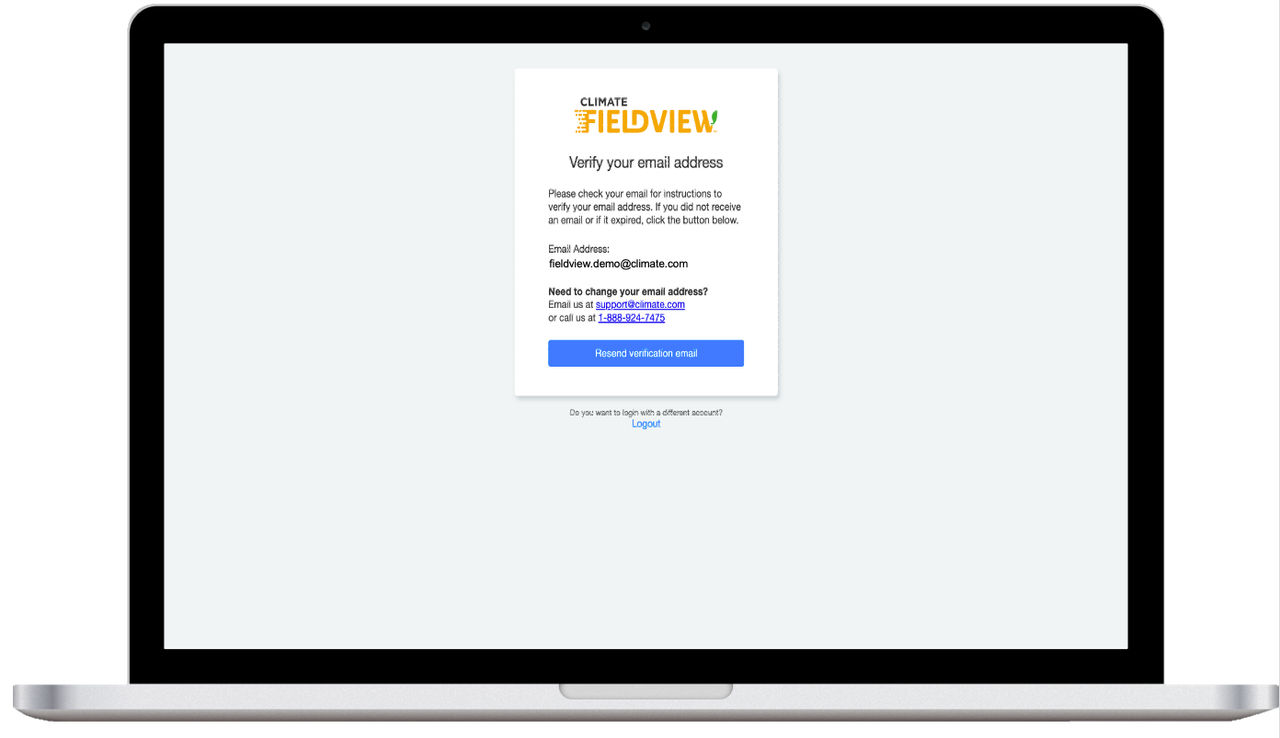
6. You will get a prompt to verify your email address. An email will automatically be sent to the address that was identified.
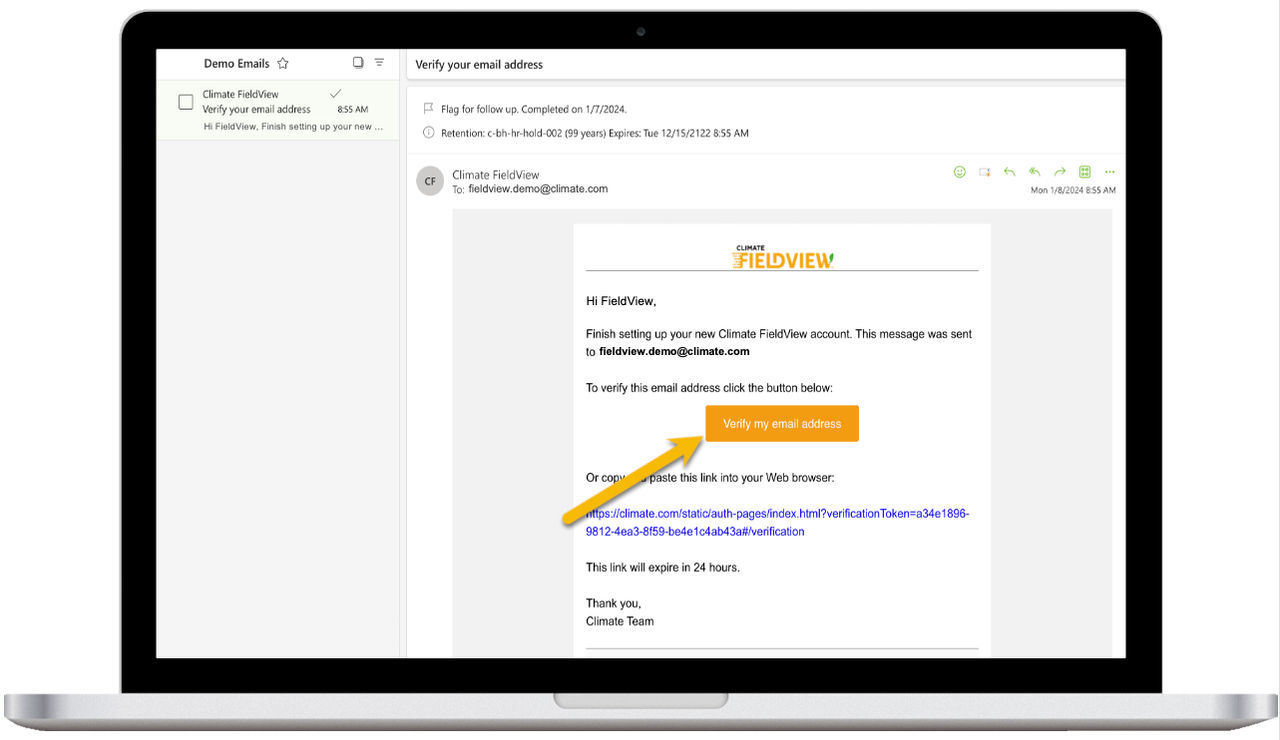
7. Open the email, select Verify my email address, and then continue with normal account creation.
8. You will be taken to the Fields page. From the Fields page you can add or edit fields, go to Data Inbox to bring data in, and access prescriptions.