FieldView™ iPad® Device Recommendations & Finding Your iPad Device Model
There are over 20 iPad® devices on the market and sometimes it can be difficult to determine which iPad you need to best operate the FieldView™ apps. Additionally, understanding which iPad model you have is key to determining when and if you need to update your device. This guide is designed to help you determine which iPad model you need to purchase or if you need to update your current device.
General Information
- As of March 2025, if you are purchasing a new iPad® device to run the FieldView™ platform apps, we recommend purchasing either the iPad Pro® or iPad® series. A minimum capacity with either 128 GB (for operations with 1500 acres or less with only 1-2 years of historical data actively on the iPad) or 256 GB (for larger operations with higher acreage or more historical data) is recommended. If purchasing an iPad with a USB-C connector, a USB-A to USB-C cable is required when using a Precision Planting 20|20® monitor. FieldView Starter Kits now include USB-C cables.
- Generally you can expect to get about 5 years of supported use from the date the iPad® device was released.
- In order to update FieldView™ Cab app beyond 13.0, you must utilize an iPad that is capable of updating to iOS 16 or beyond. FieldView currently only supports iOS 16, 17, and 18.
- CloudSync is not supported on FieldView™ Cab App 8.0 and older.
Finding Your iPad® Model Information
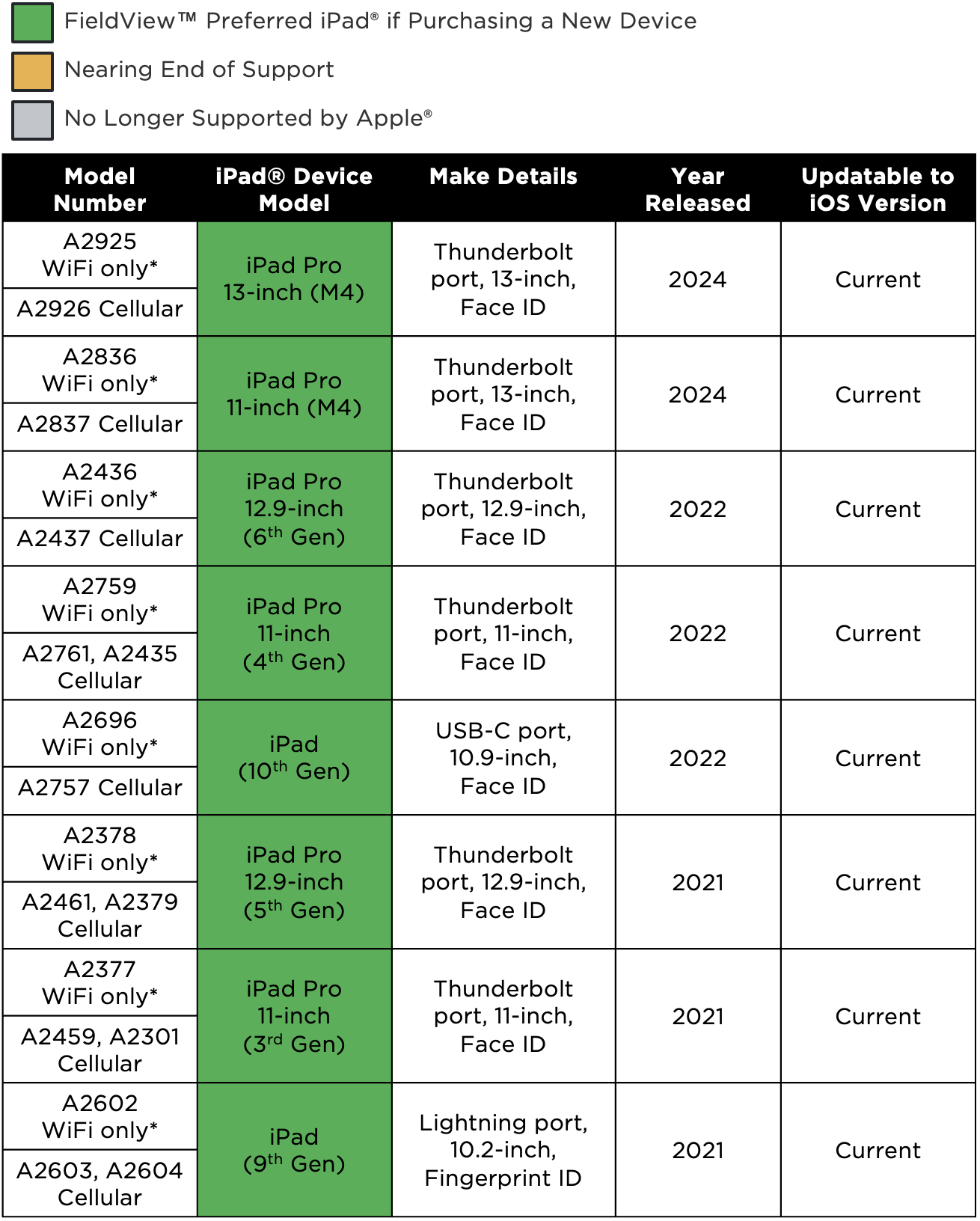
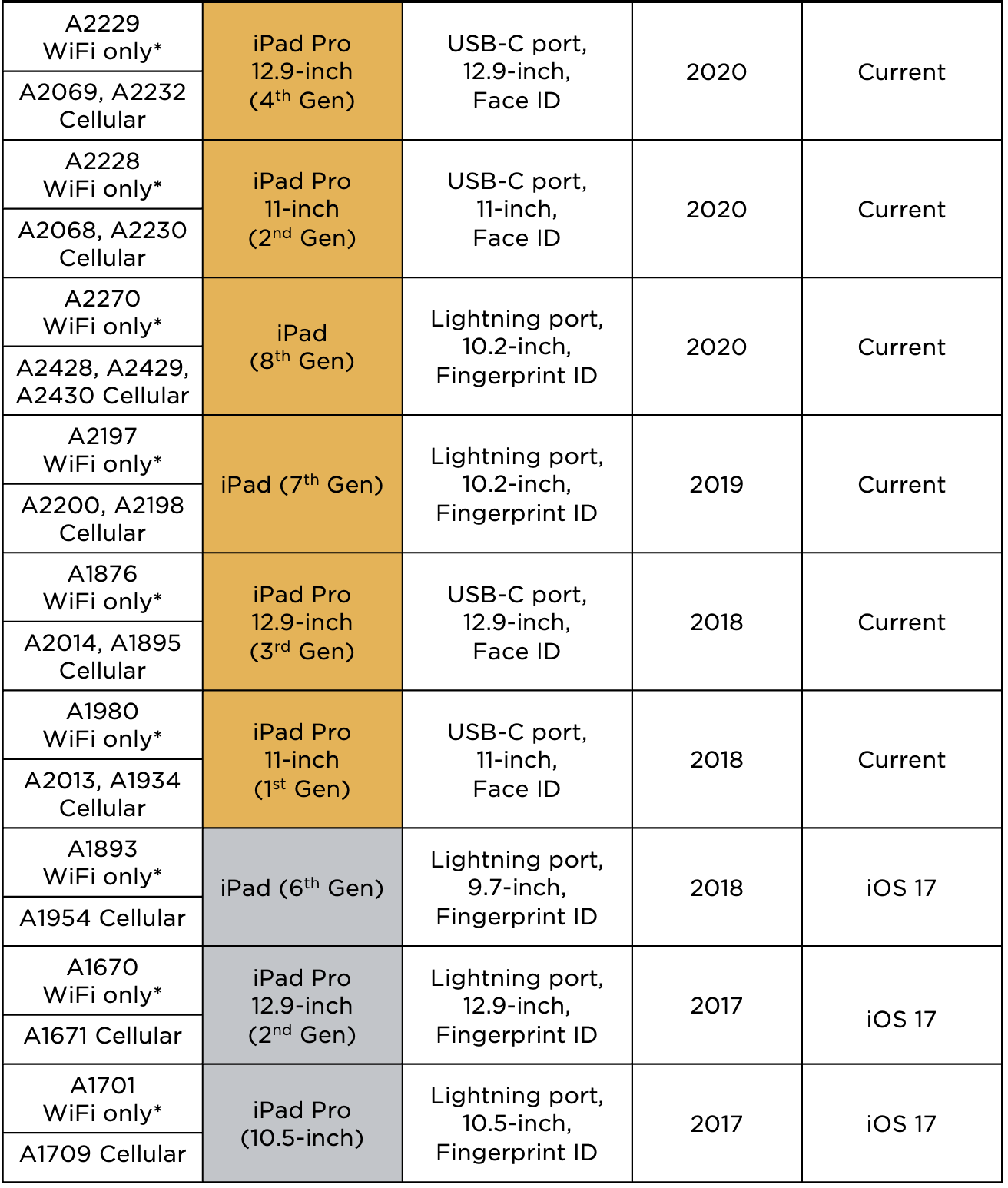
To determine the model of your iPad® device, navigate to Settings, tap on General and then select About. The model number here will help to determine the year of your iPad. This number can also be found on the back of the iPad. It may be difficult to read. Utilize the table below for more details regarding iPad year and model.
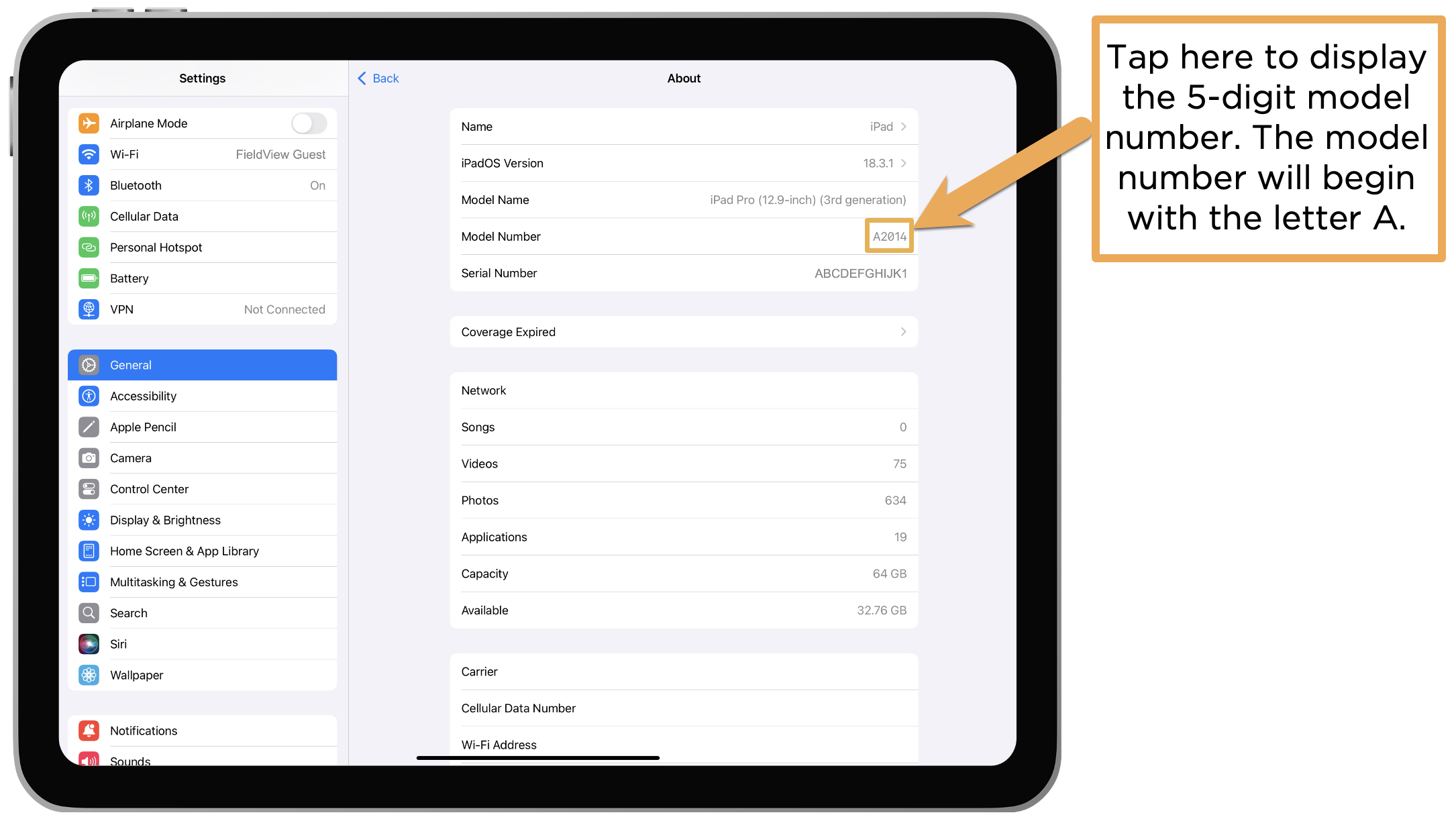
See table below to determine your iPad® device model name once you have found your model number.
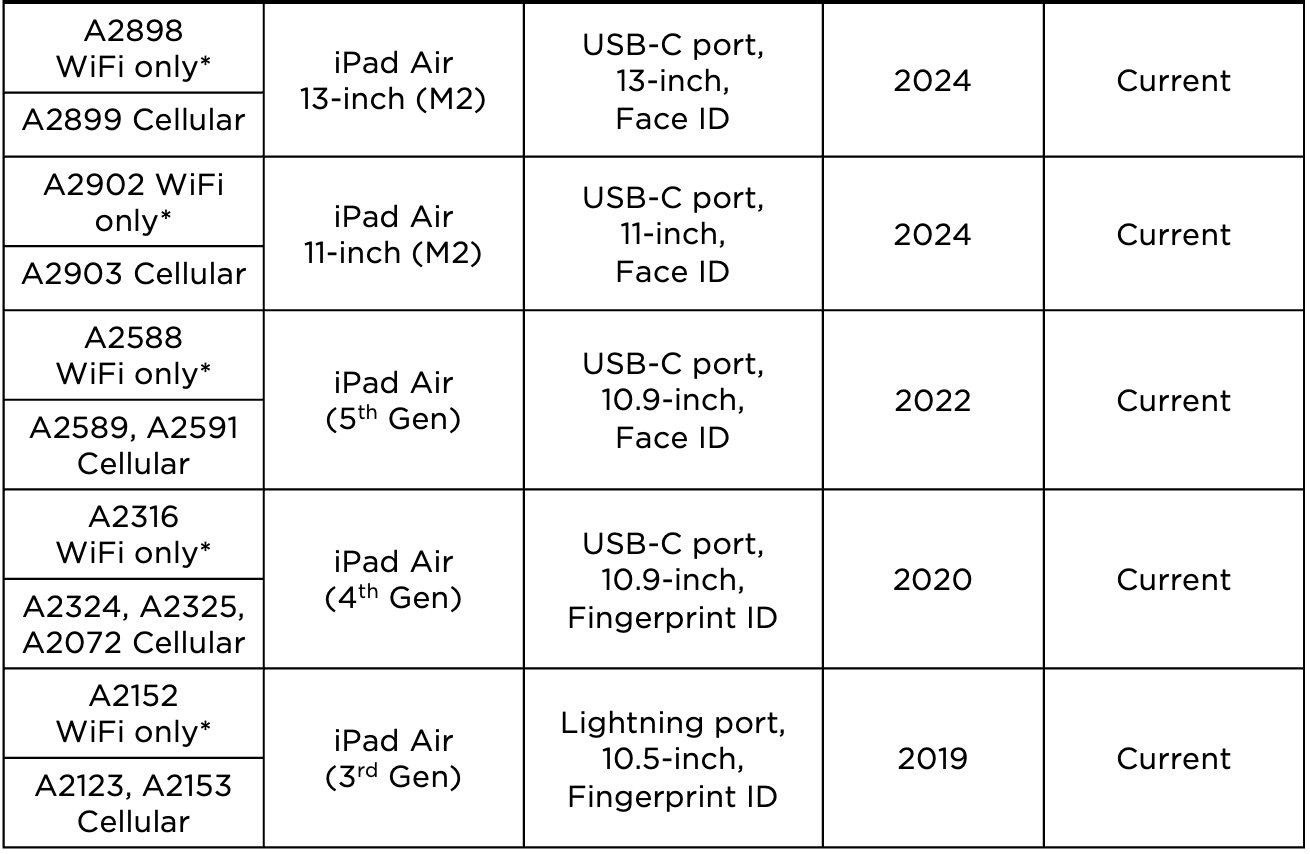
iPad mini® and iPad Air® devices are not recommended for data collection with FieldView™.
*WiFi only iPad® devices must undergo a CloudSync at least once every 24 hours during data collection.
For questions, please contact Climate Support at 1-888-924-7475 or support@climate.com.