Aug 25, 2025
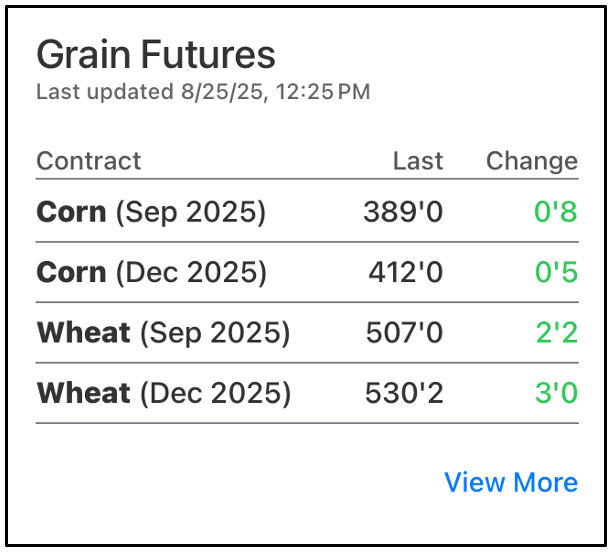
Grain Futures on the FieldView™ App
Take control of your future by accessing grain futures prices right within the FieldView™ app, empowering you to make informed trading decisions and maximize your profit.
1. Navigate to the FieldView™ app
2. On the Overview tab, click View More on the Grain Markets tile
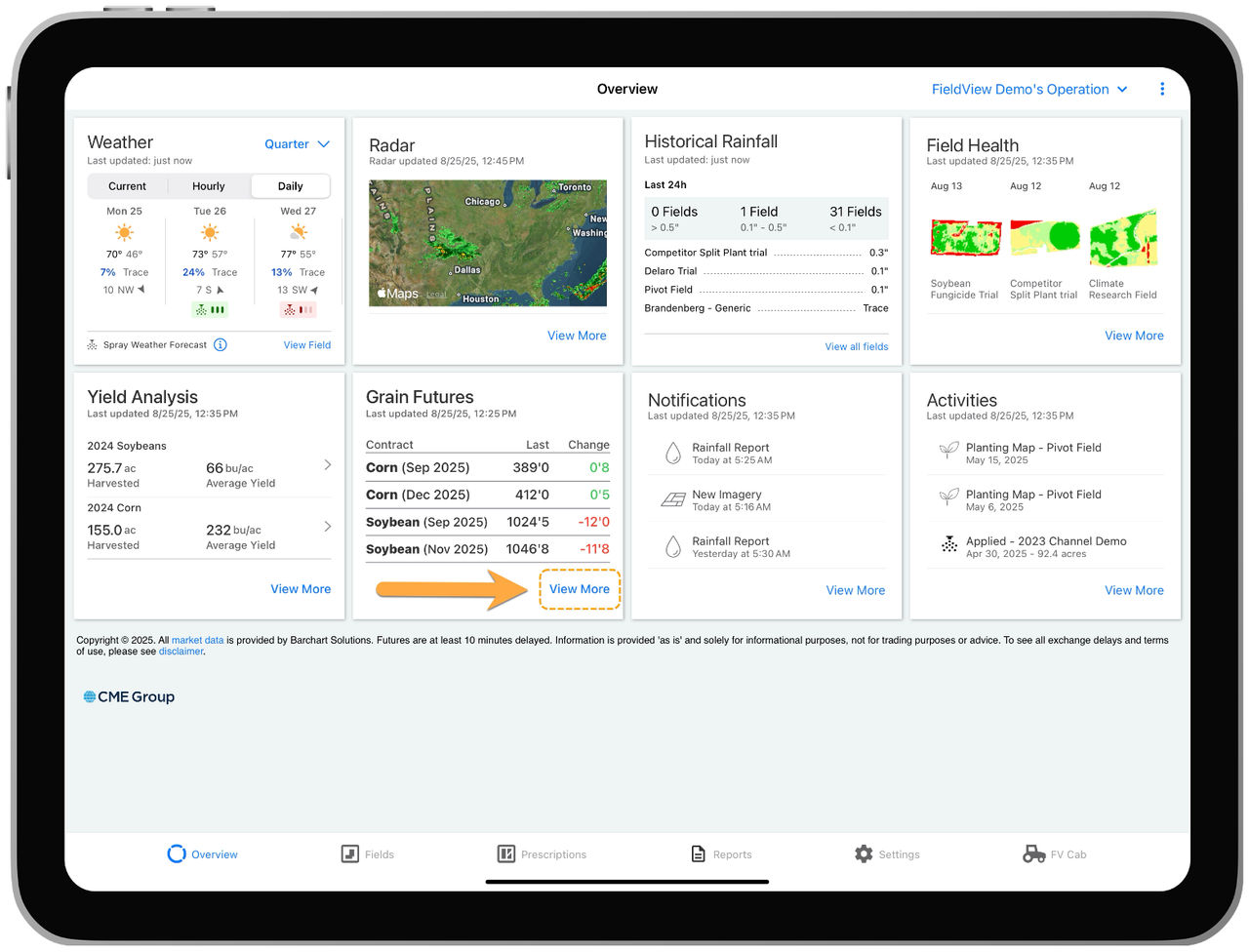
- On this page, you can see a more detailed outlook of futures contracts for various commodities
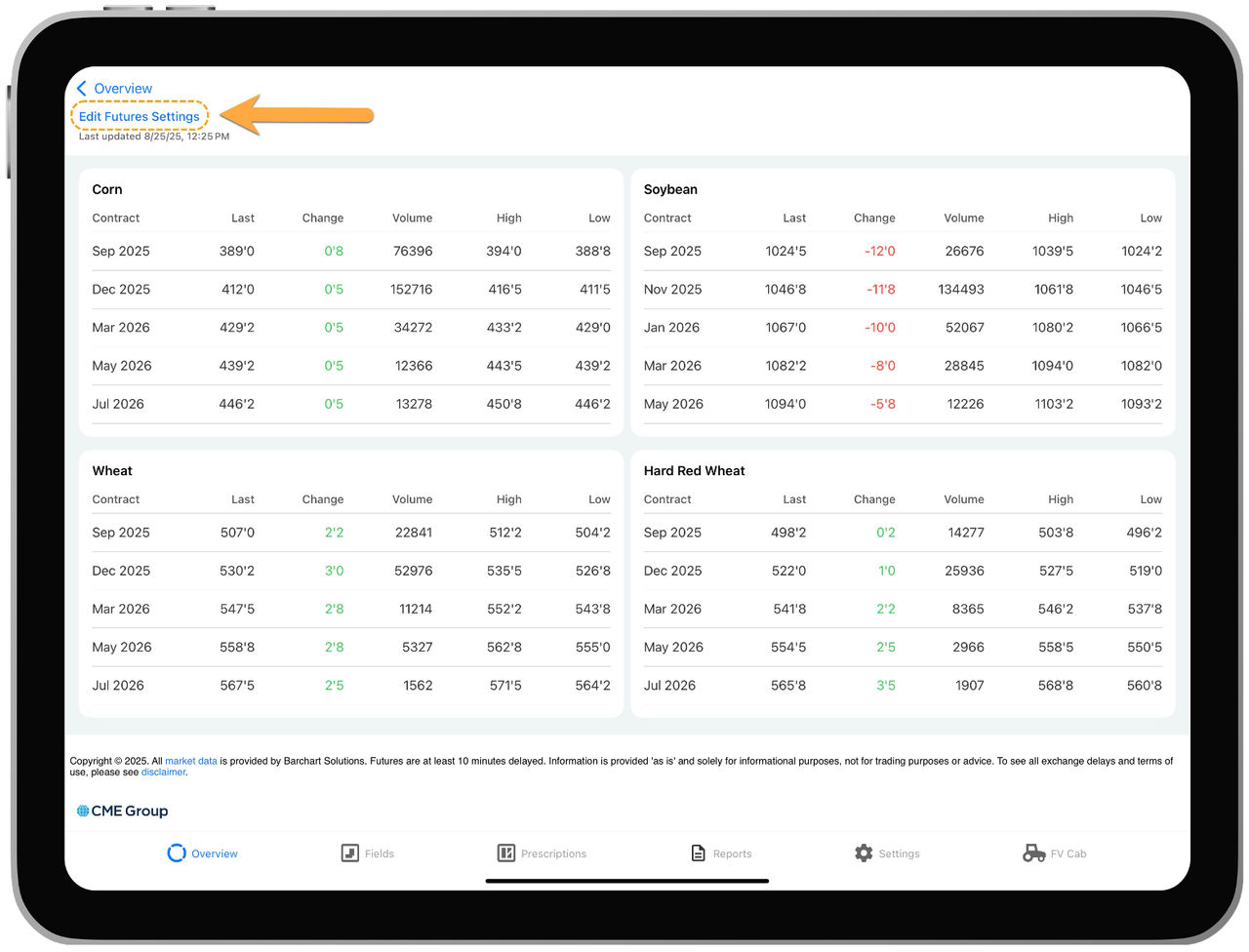
3. Tap Edit Futures Settings
4. Drag and drop two primary commodities for your operation to the top of the Available Crops list
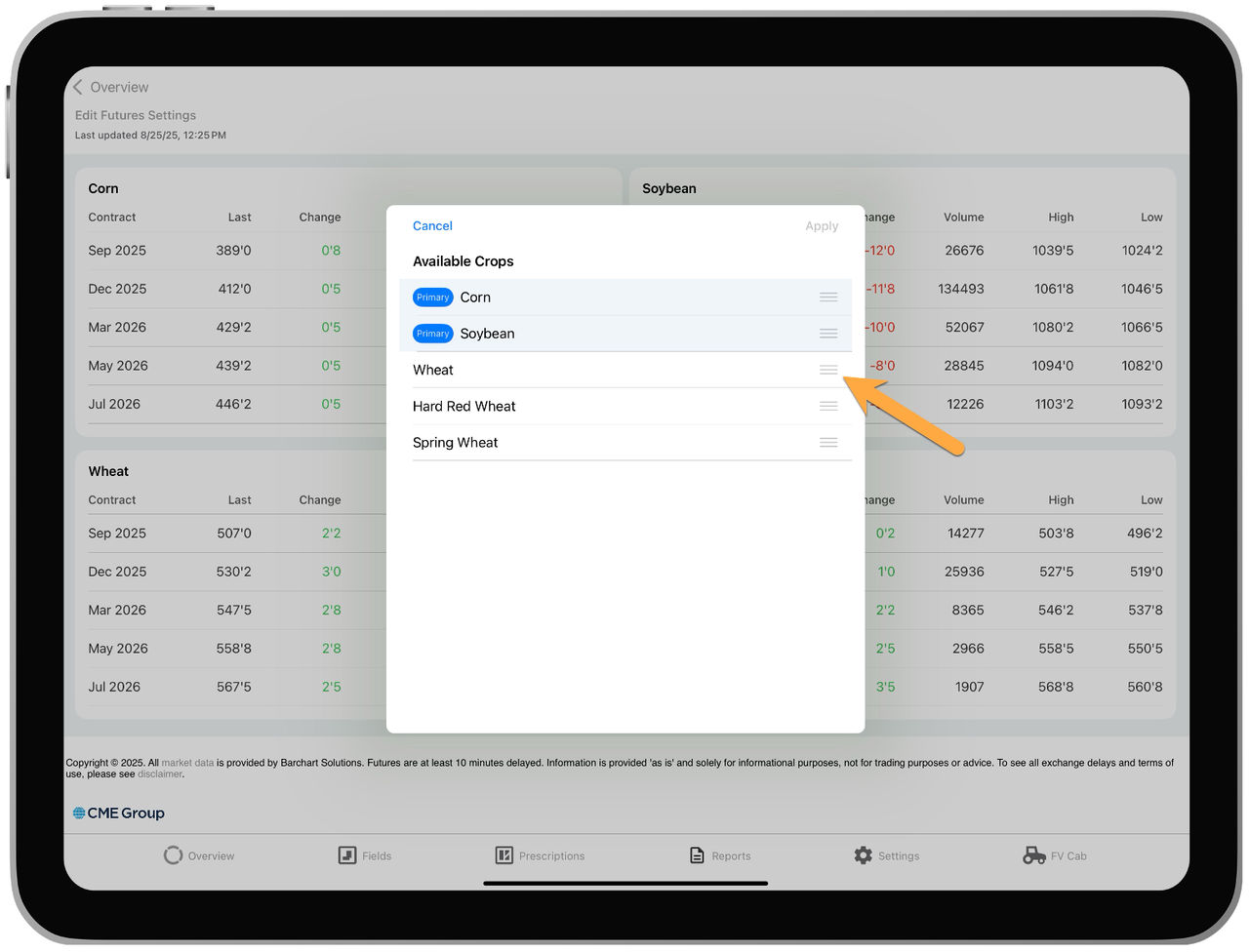
5. Click Apply
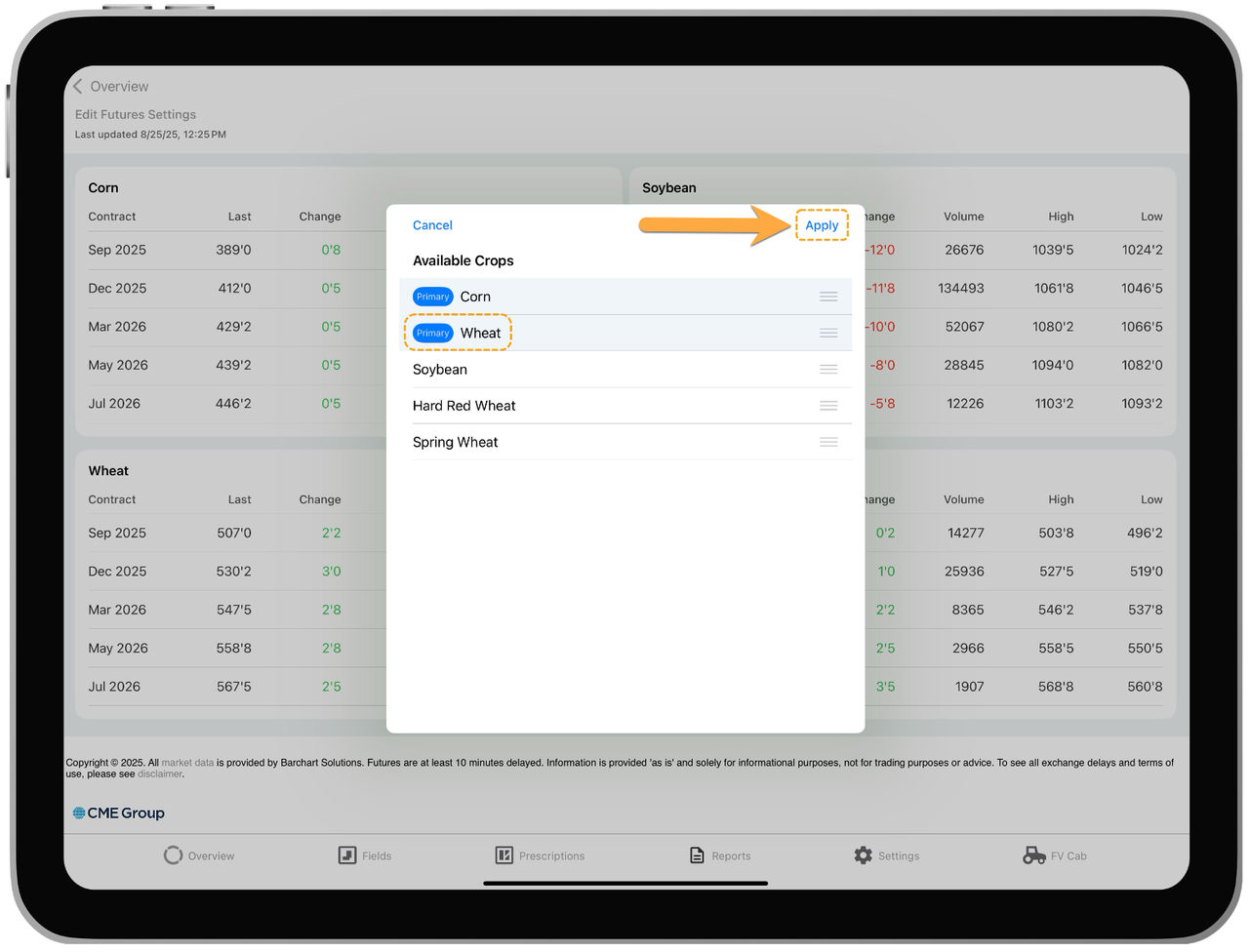
- The primary commodities will be the ones shown on the tile on the Overview tab