How to Use the New Navigation Pane on FieldView Web
Overview
Navigate FieldView™ Web in fewer clicks - new streamlined navigation is here
Available on: Web
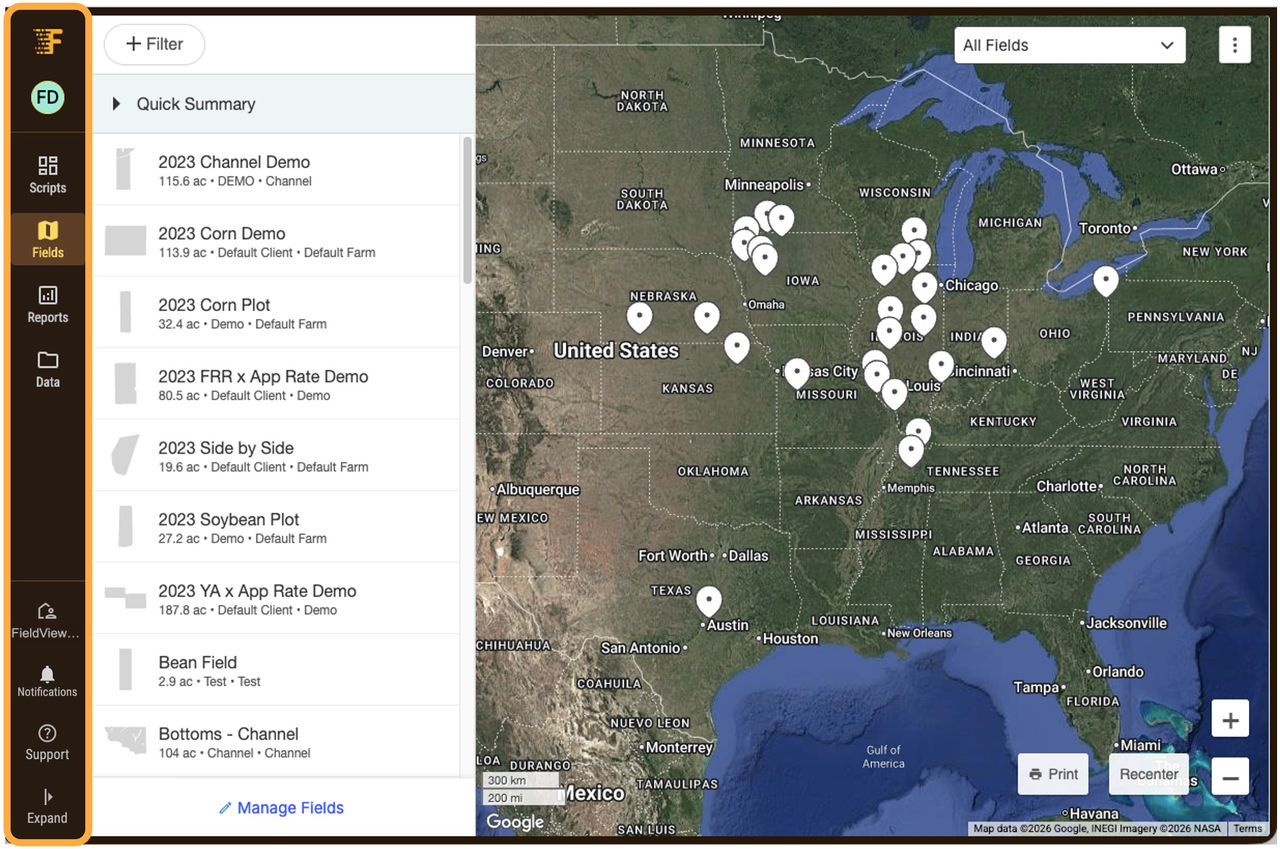
New year, new look! The new navigation bar has moved from the top of your screen to the left-hand side. Use this new navigation pane to access your favorite FieldView features and tools!
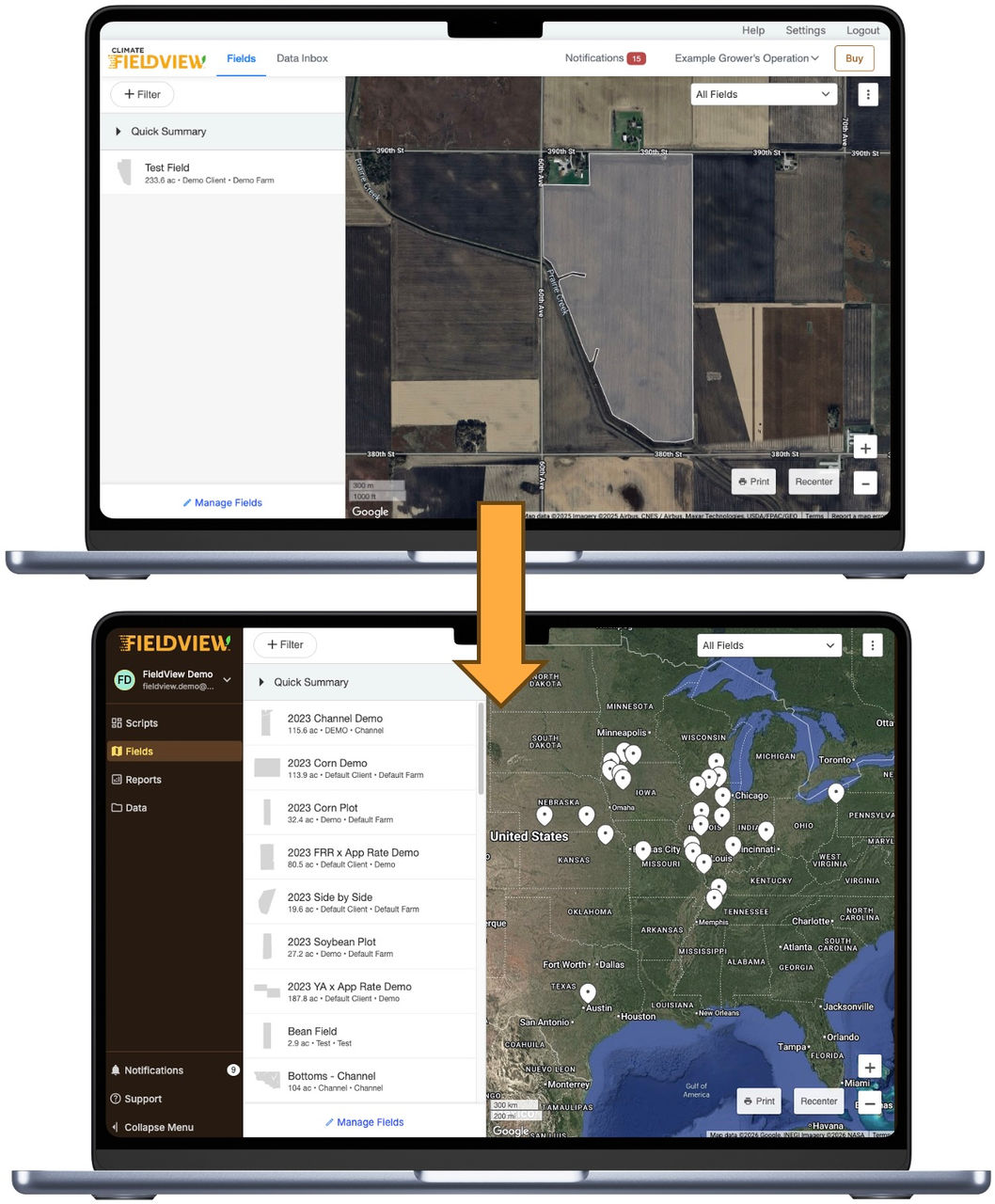
What's New in the Layout?
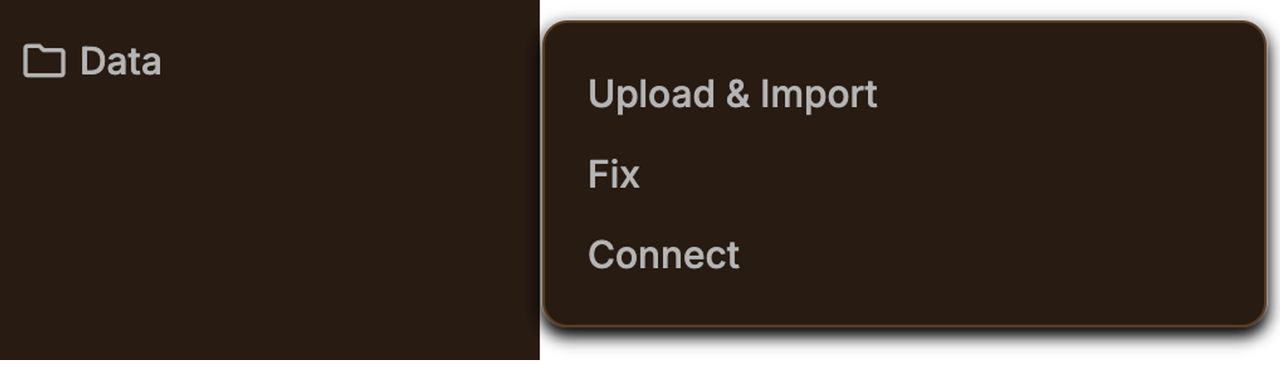
- Data Inbox is now located under Data > Upload & Import
- The ”Fix It” tool can be found under Data > Fix
- API Connections are available under Data > Connect
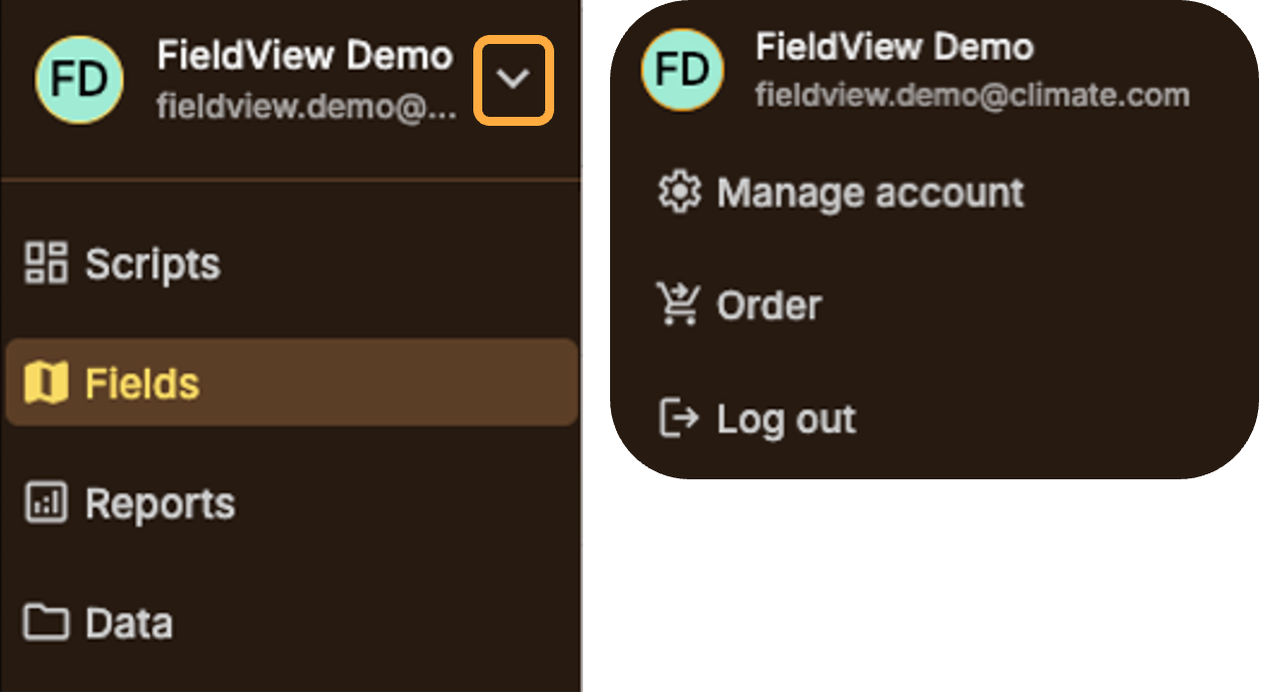
- Access Account Settings
- Place an Order
- Log Out
- To manage your account, click the drop-down arrow next to your account name at the top to:
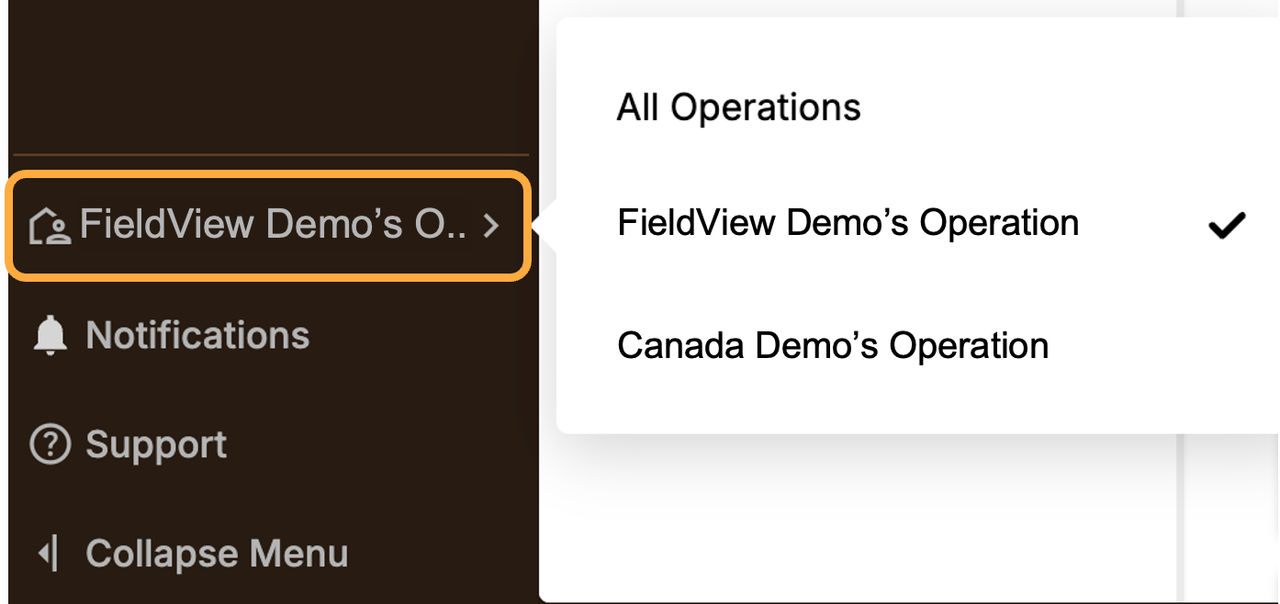
- At the bottom of the navigation pane, you can:
Switch Operations
View Notifications
Access the Knowledge Center (Support)
- Collapse Menu for a cleaner, simplified view
Collapsed View: