How to Adjust a Combine's GPS Location in the FieldView Cab App
Overview
Adjusting GPS location allows the reported GPS location of a combine to be offset so that it aligns with the planter pass. Operators can ensure that the combine head is only covering a single hybrid at a time which is critical for producing accurate Yield by Hybrid reports.
Collecting quality harvest data that accurately aligns with planting data is essential for producing reliable yield-by-hybrid reports. This can be challenging when the GPS location being reported by the combine is inaccurate. To help correct these inaccuracies, FieldView Cab app has the ability to offset the reported GPS location by adjusting it by a constant distance in the North, South, East, or West direction.
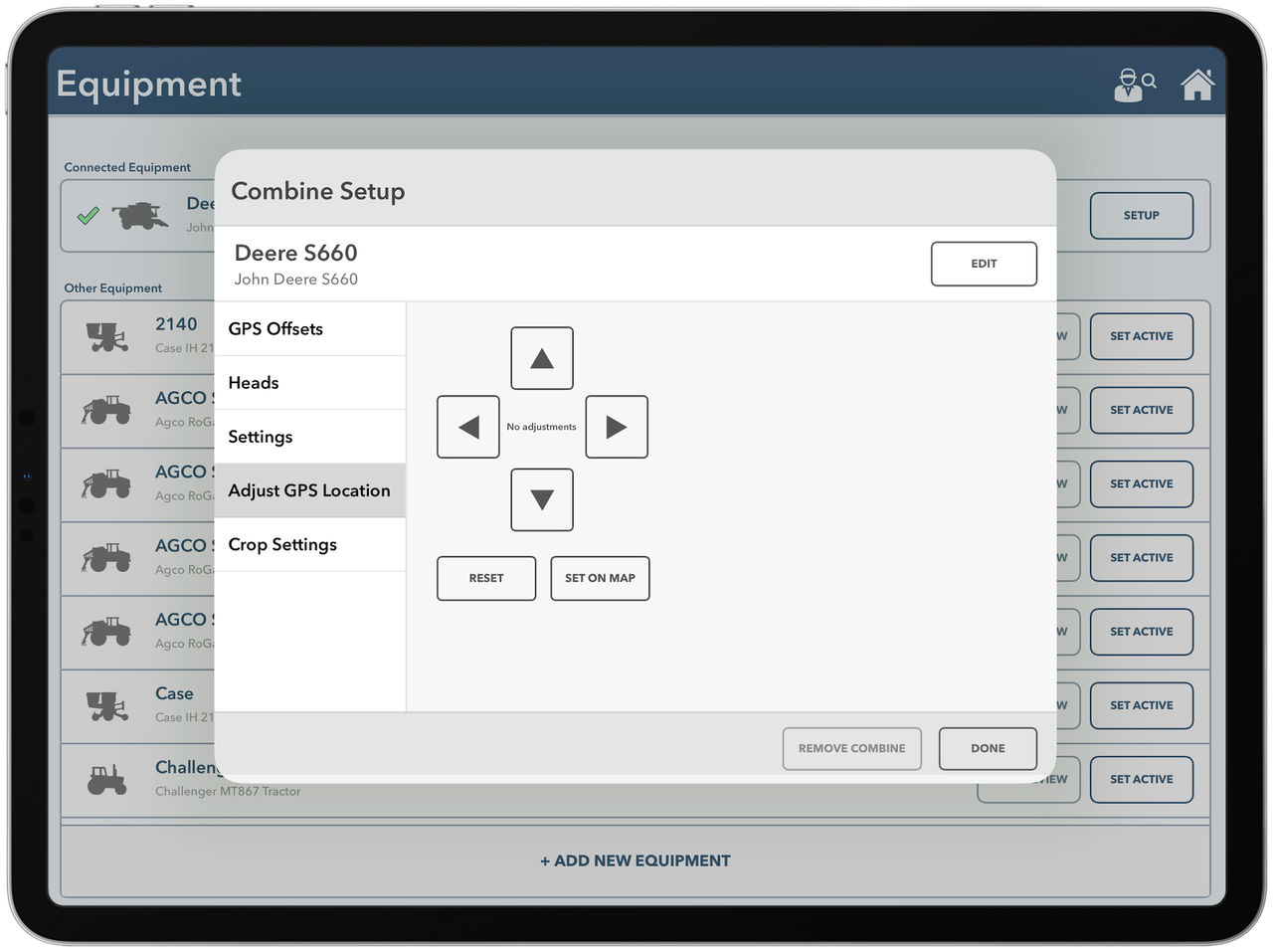
GPS adjustment can be done from the Map screen or from the Adjust GPS Location page in Combine Setup.
Checking Your FieldView Cab App Map Before Adjusting GPS Location
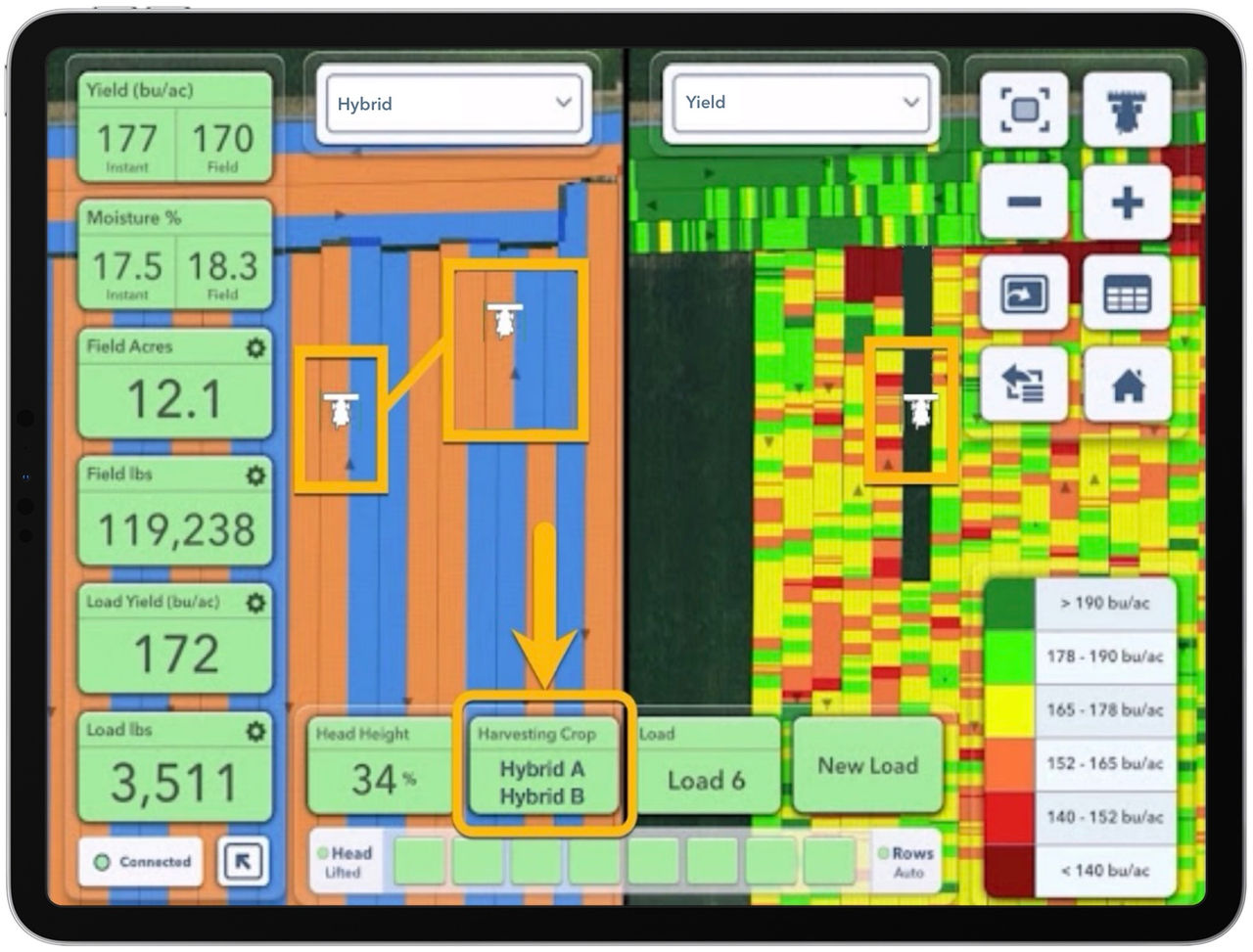
- Use SplitView on the Map to check whether the current location of the combine aligns with a single planting pass as expected.
- The Adjust GPS Location tool should be used when the combine head appears to be straddling two separate planter passes as shown above.
- The Harvesting Crop metric box at the bottom of the screen is another indicator for checking if the harvest and planting passes are aligned.
- If 2 hybrids are listed in the box, a GPS adjustment should be performed.
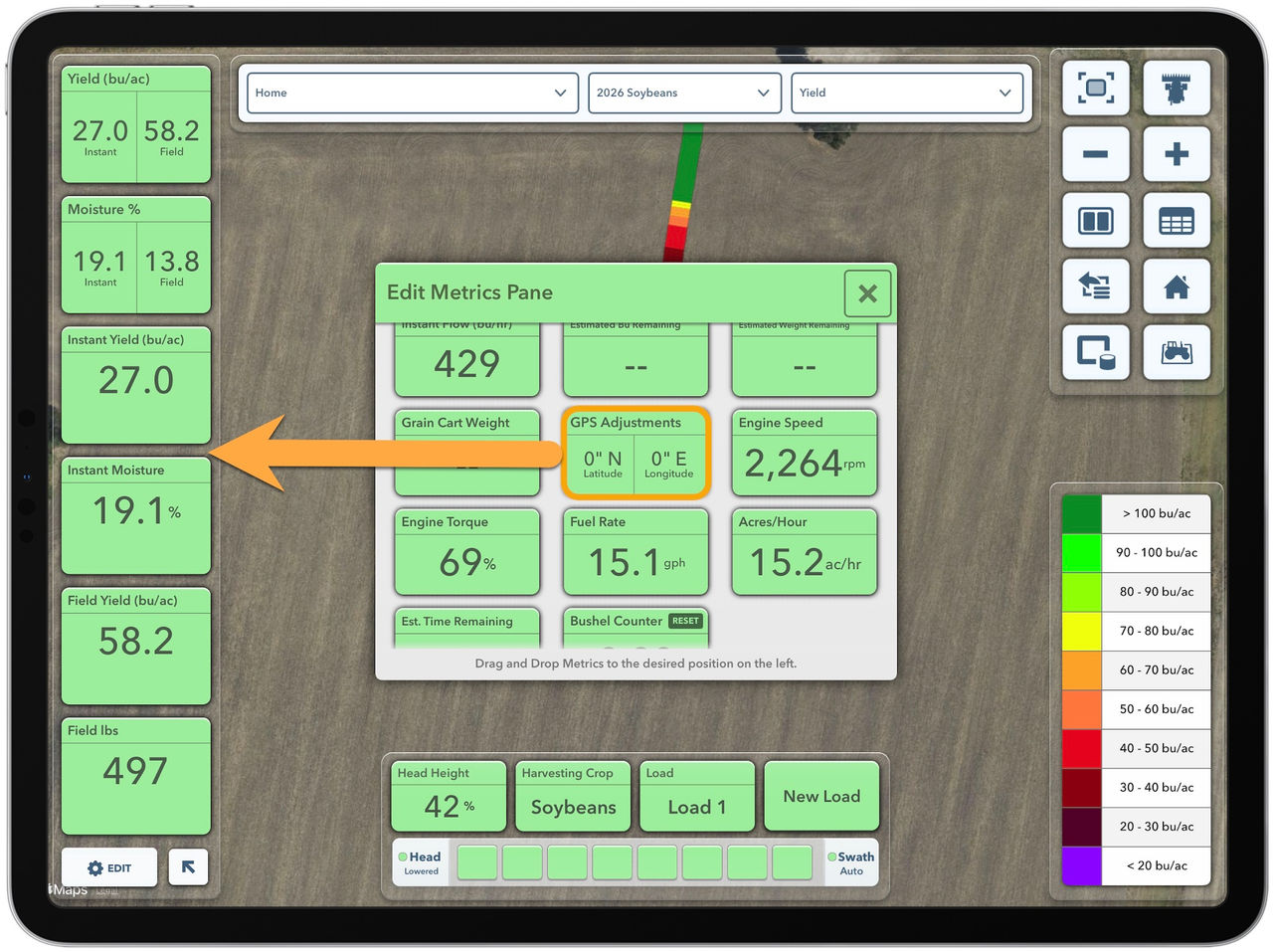
How to Add GPS Adjustments to the FieldView Cab App Metric Screen
- From the Map screen, tap the Edit button at the bottom of the Metrics Pane
- Drag the GPS Adjustments button into one of the positions on the left.
How to Adjust The Combine’s GPS Location from the FieldView Cab App Map Screen
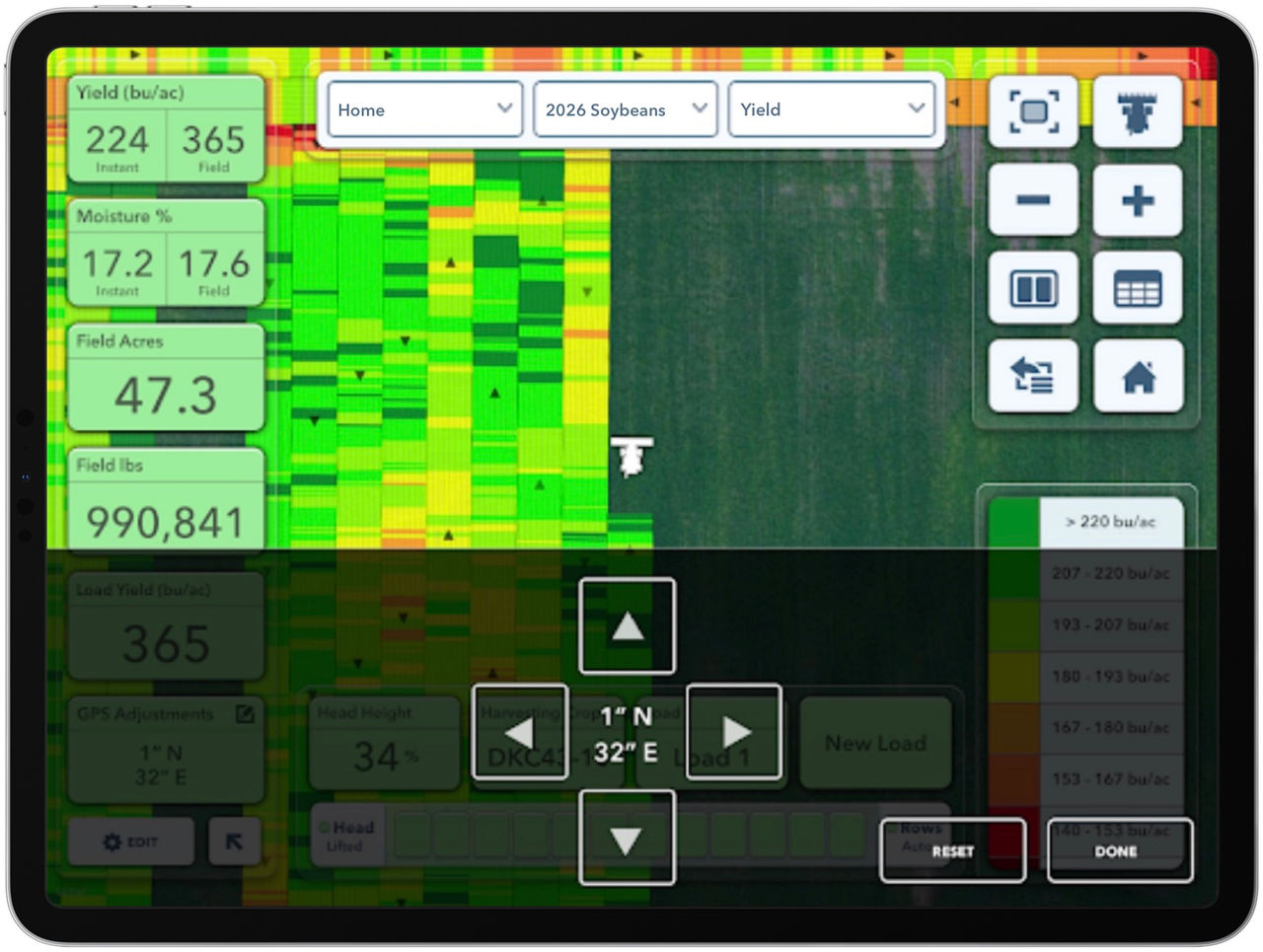
1. Tap on the GPS Adjustments button after it has been added to the Metrics Pane.
2. A GPS Adjustment pane will open at the bottom of the Map. Use the direction buttons to move the combine's GPS location.
- A single tap on any arrow will move the combine location by a single inch in the selected direction.
- A long press on any arrow will move the combine location by the width of a planter row in the selected direction. Tap Done to apply the adjustment.
How to Adjust GPS Location in Combine Setup in the FieldView Cab App.
- From the FieldView Cab app Home screen, select the Equipment button.
- Set the active combine by selecting Set Active.
- Tap Setup
- Select Adjust GPS Location
- Make adjustments by short or long presses on the arrows