Identifying Rate Controllers and ISOBUS Devices on John Deere Displays
Overview
These tips will help you understand which John Deere® rate controller or ISOBUS device is being used.
Note: For these tips, you have to be connected to a rate controller. There is not a good way to identify the rate controller without being connected and engaged in an application activity.
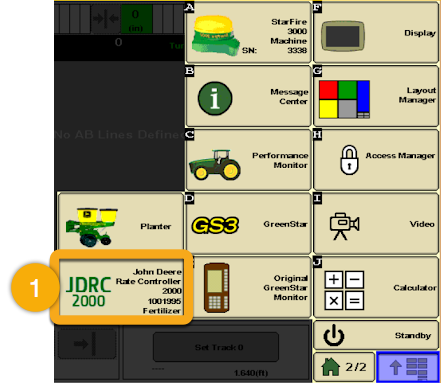
John Deere® Rate Controller 2000™
After opening the main menu screen on the 2630 you will see a tile titled Rate Controller.
There will be a button on the home screen to indicate if you’re using a Rate Controller 2000 or GreenStar Rate Controller
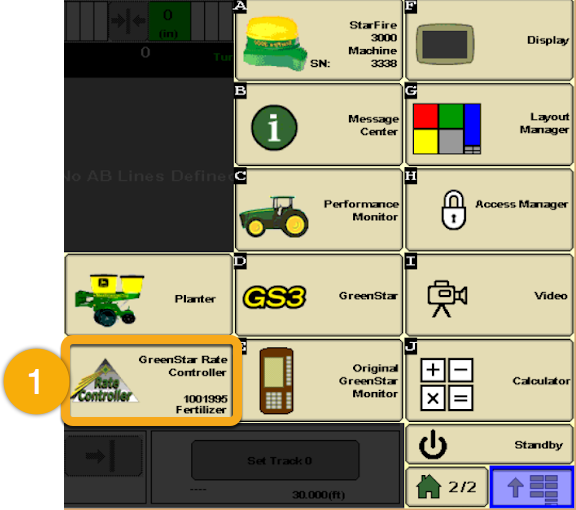
GreenStar™ Rate Controller
After opening the main menu screen on the 2630 you will see a tile titled Rate Controller.
There will be a button on the home screen to indicate if you’re using a Rate Controller 2000 or GreenStar Rate Controller
Identifying ISOBUS Devices on John Deere® Gen 4 and 5 Displays
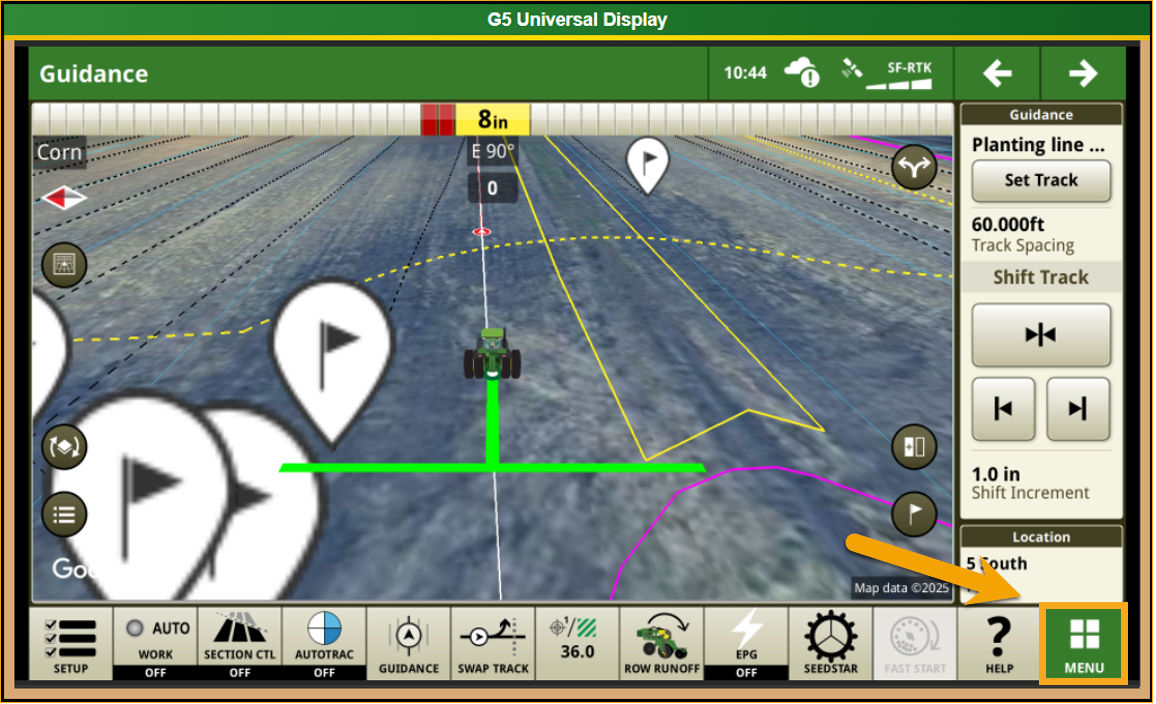
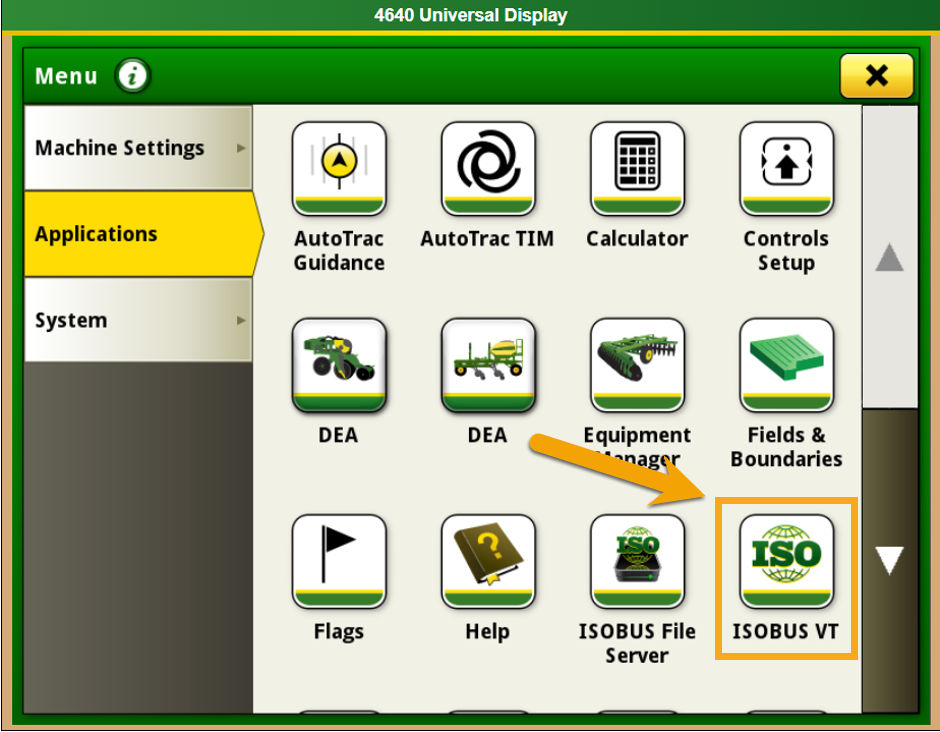
Select the Menu button in the bottom right corner
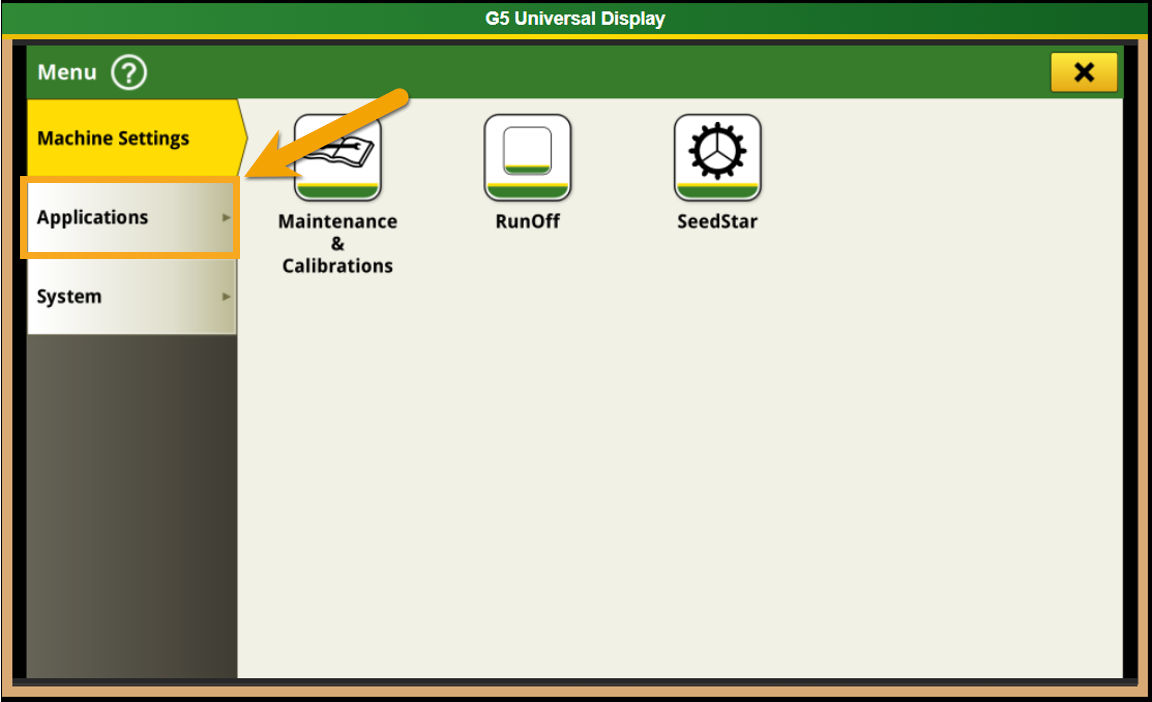
Select the Applications tab
Locate and select the ISOBUS VT icon
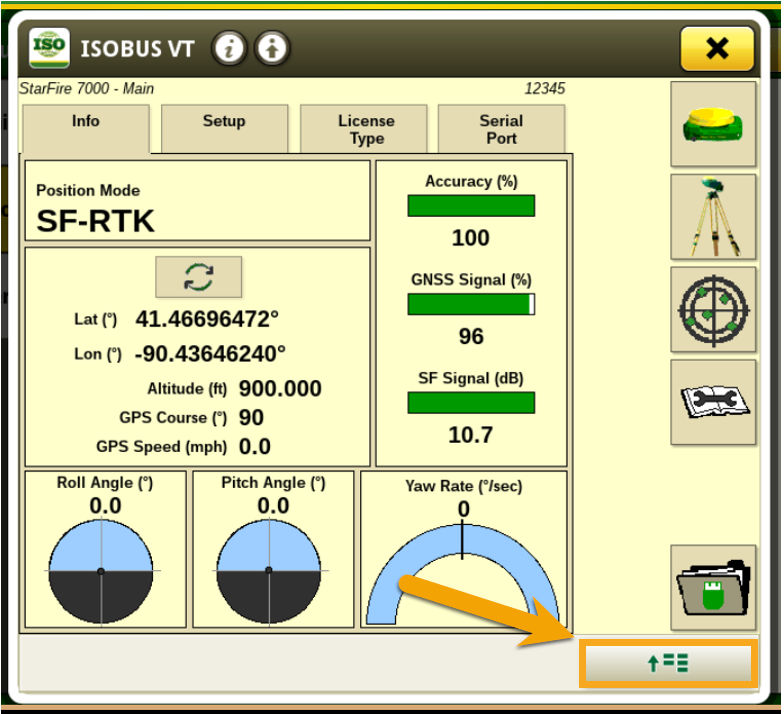
- Once initiated, the screen will display the first identified device on the ISOBUS. To view all active devices on the ISOBUS, tap the Menu icon (an arrow with five horizontal lines). This will open a tab listing all devices currently connected through the ISOBUS.
- Below is an example featuring the John Deere® Rate Controller 2000:
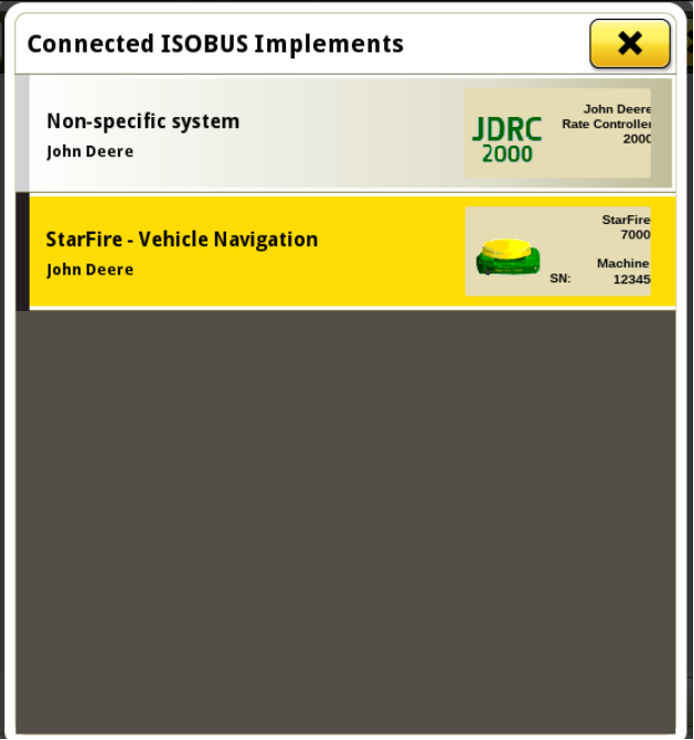
- Note: If no rate controller appears on the ISOBUS implement list, it indicates that the rate controller is either an integrated John Deere® Rate Controller (such as SprayStar or SeedStar™ 4) or that no ISO rate controllers are connected.