Replanting in FieldView Cab
Overview
An explanation of how to replant in FieldView™ Cab and frequently asked questions.
Available on: Apple iOS™
Areas of the map that are replanted will replace areas of the map previously planted. The Instant Reports and Planting Summary Report will support the ability to view either the data collecting while originally planting the field or the data collected while replanting the field.
Viewing Replants in FieldView™ Cab App:
Any planting event will be considered a replant if it occurs in a field later than 14 days and less than 60 days since the last planting date. On replanted fields, a toggle will be present on all Instant Reports permitting the selection of whether original or replant data should be displayed. Similarly, a drop down menu will appear where the planting date is displayed on the Planting Summary Report to allow selection of either the original planting date or the date of replant.
If replanting while connected to a FieldView™ Drive with a compatible rate controller, make the correct field active and begin planting after entering in the hybrids being used to replant. The map created in the areas of replant will automatically replace the original planting map and the replant toggles will appear on the Planting Summary and Instant Report.
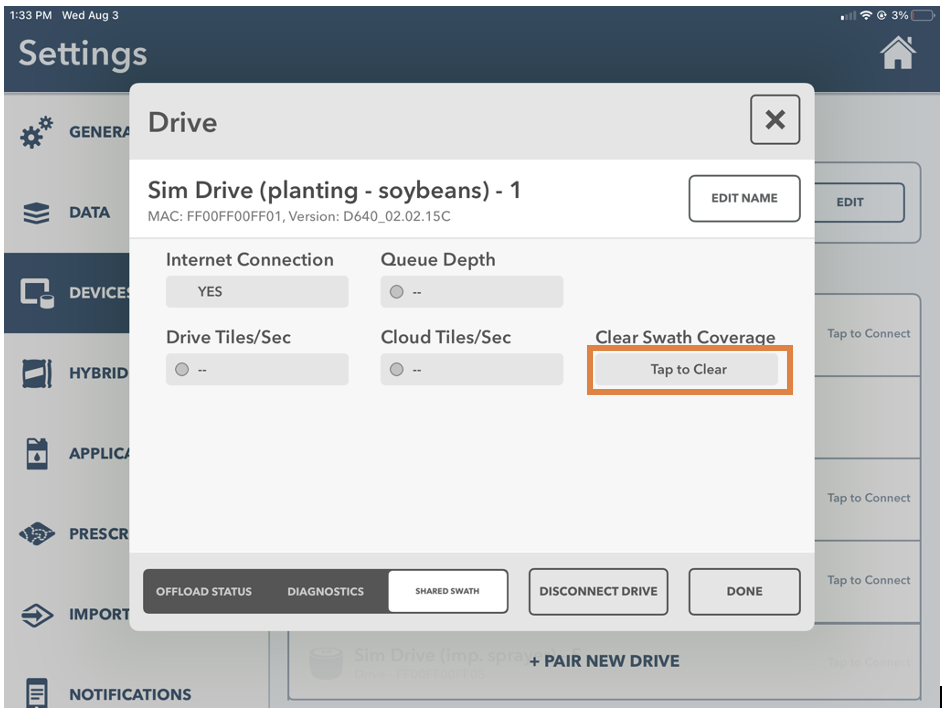
For Map Anything or Incompatible Rate Controller the coverage will need to be cleared. Verify that the correct field is set to active before clearing coverage. Clearing coverage can be done by navigating to Settings > Devices > Edit > Shared Swath > Clear Coverage. There is no need to turn off shared swath/streaming coverage.
If replanting while connected to a Precision Planting 20|20 SeedSense® display, make sure that Coverage Streaming is disabled in the 20|20.
- Gen 1/2 20|20: Setup > Systems > Display Settings
- Gen 3 20|20: Setup > Diagnose > FVM > Shared Swath Disabled
- Please note, steps may differ based on Precision Planting® 20|20 Firmware versions. For further assistance, please reach out to Precision Planting Support.
Next, use the Delete Coverage Map button (Field Setup page) to clear the coverage before going to replant to prevent mapping issues.
- Gen 1/2 20|20: Setup > Planter > Select the Active Field > Delete Coverage Map
- Gen 3 20|20: Setup > Fields > Select the Active Field > Delete Coverage
Next, make the field active and begin planting after entering in the hybrids used to replant.
Replanted acres will show doubled on Climate.com, while the Planting Summary on Cab app will separate planting data from replant data.
Replant FAQ
Is creating a replant hybrid or separate replant field required?
No, in FieldView Cab's current version, these approaches are no longer required. However, if a Precision Planting system is controlling seeding, Coverage Streaming should be disabled (Under Setup > Systems > Display Settings) and the Delete Coverage Map button (Field Setup page) in 20|20 will still need to be used.
What if I am not replanting but planting 14 days later than my original planting?
Planting maps should still look and work correctly. The only difference you should notice is the separation of your planting reports into Original and Replant. Please contact Climate Product Support to share this situation with us so we can continue to improve our support for replant in the future.
What if I replant in less than 14 days since my original planting?
Please contact Climate Product Support. We are looking for opportunities to improve our replant support in the future and we’d like to understand your situation.
Is there a planting report that represents just emerged seeds?
Please share your feedback with us how we can continue to improve our support for replant in the future.
How will this impact my Yield-by-Hybrid reports in the Harvest Summary Report and Yield Analysis?
Yield-by-Hybrid will correctly report Yield based on the last planted seed for each area of the field. In other words, in areas of replant that hybrid will be used and in areas where original planting remains that hybrid will be used.
Is it possible to start to clear the existing planting map when replanting?
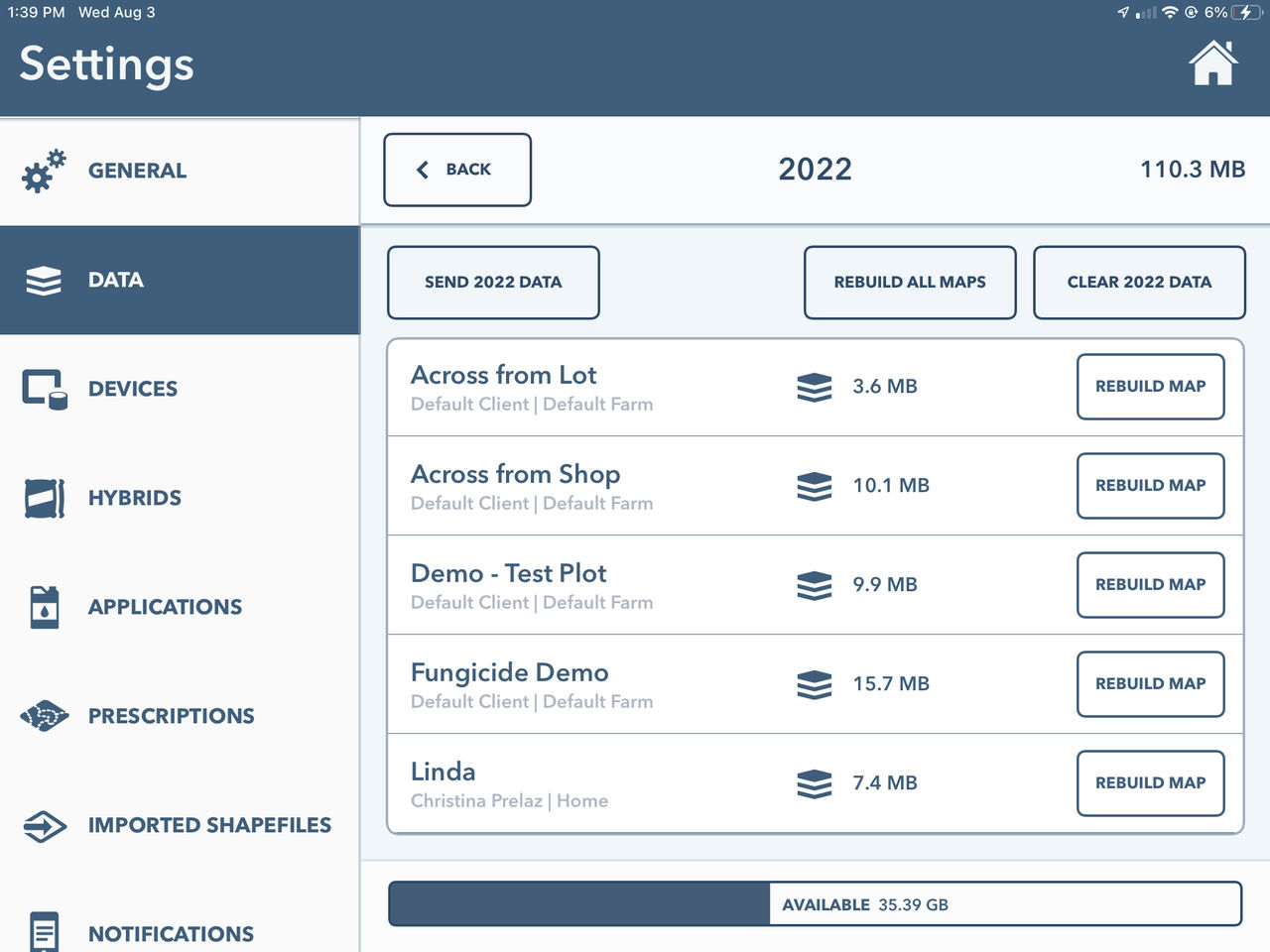
Yes, select the current season on the Data page in Settings and tap the Clear Map button on the field that is being replanted. Clearing the map does not delete any field data. After replanting and a CloudSync has finished, tap the Clear Map and Build Map once again to merge the original planting with the replant data.
How does replant show up differently than overplant on the map?
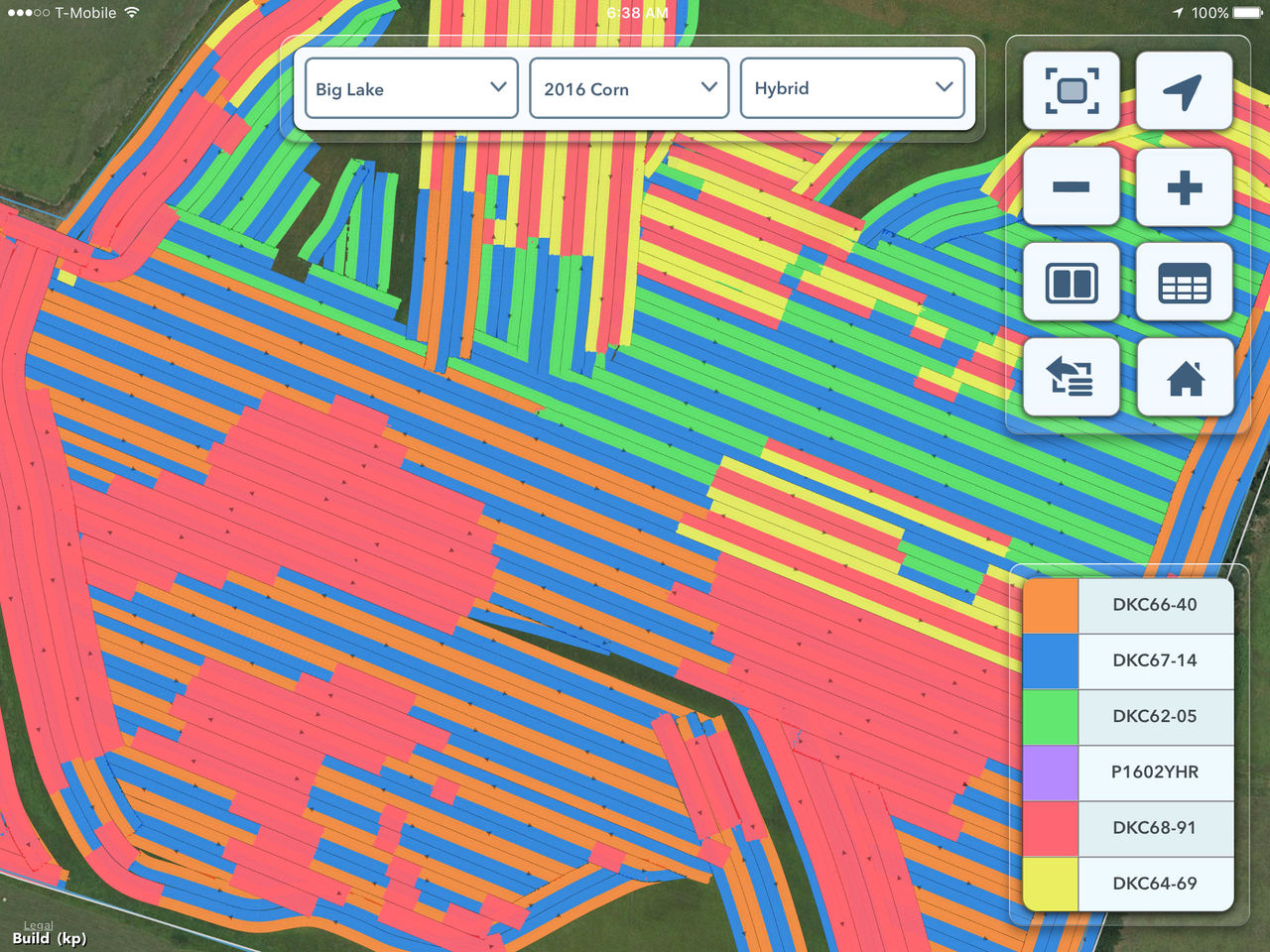
Overplant is displayed by overlapping maps and is meant to show where seed has been dropped on an area twice. Replant, unlike overplant, replaces the originally planted map instead of overlapping or doubling on top of it. See the screenshots below.
Overplant:
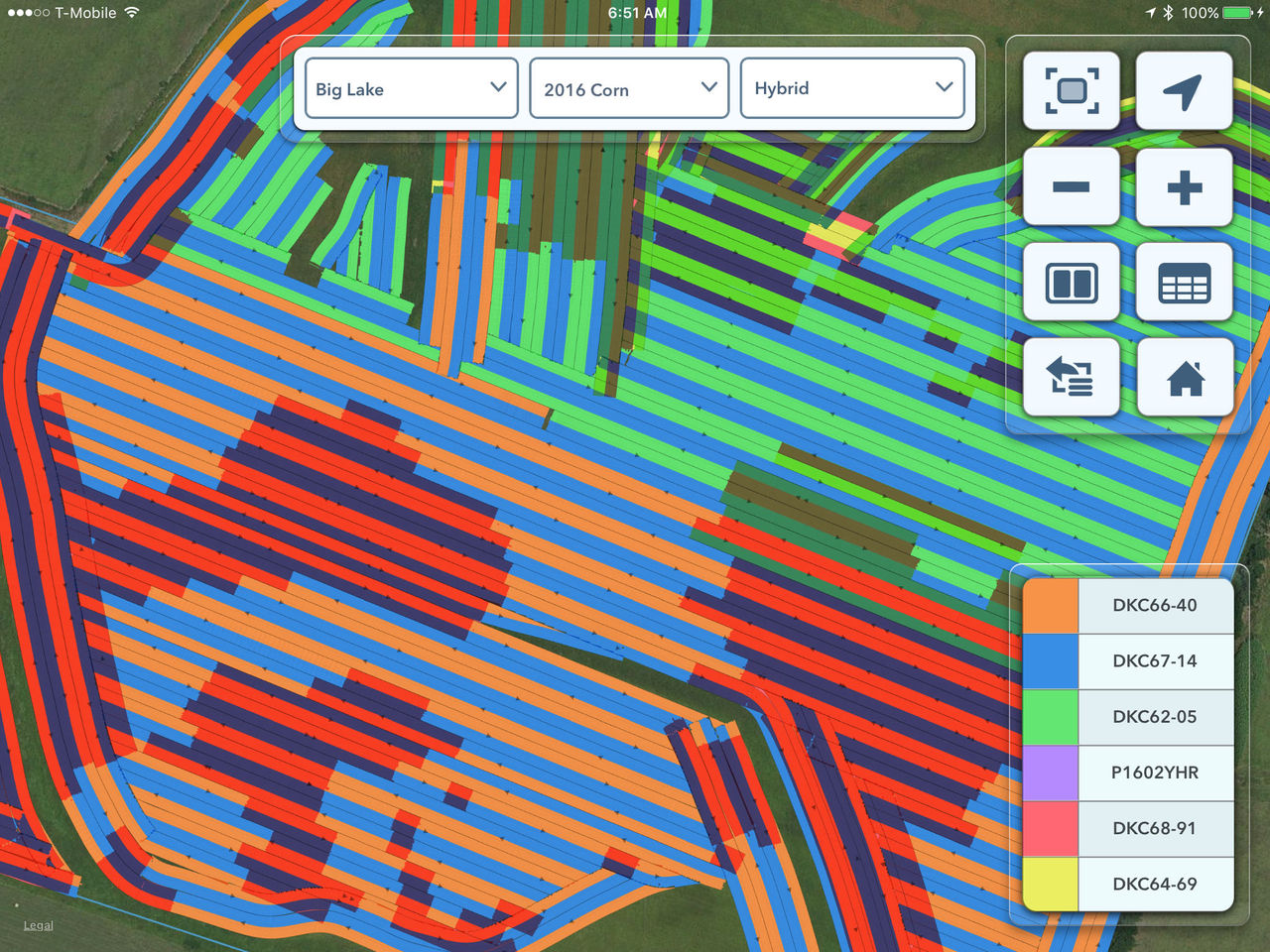
Replant: