Split Planter Configuration with FieldView Cab App
Overview
Split planting, planting two different hybrids or seed treatments side-by-side in the same planter pass, can be an effective way to generate powerful data to confirm your seed purchase, population and placement decisions. Utilize this guide to assign different hybrids or seed treatments to specific planter rows.
Available on: Apple iOS™
Split Planter Configuration with FieldView Cab App
1. Create your Master Hybrid or Master Seed Treatment list
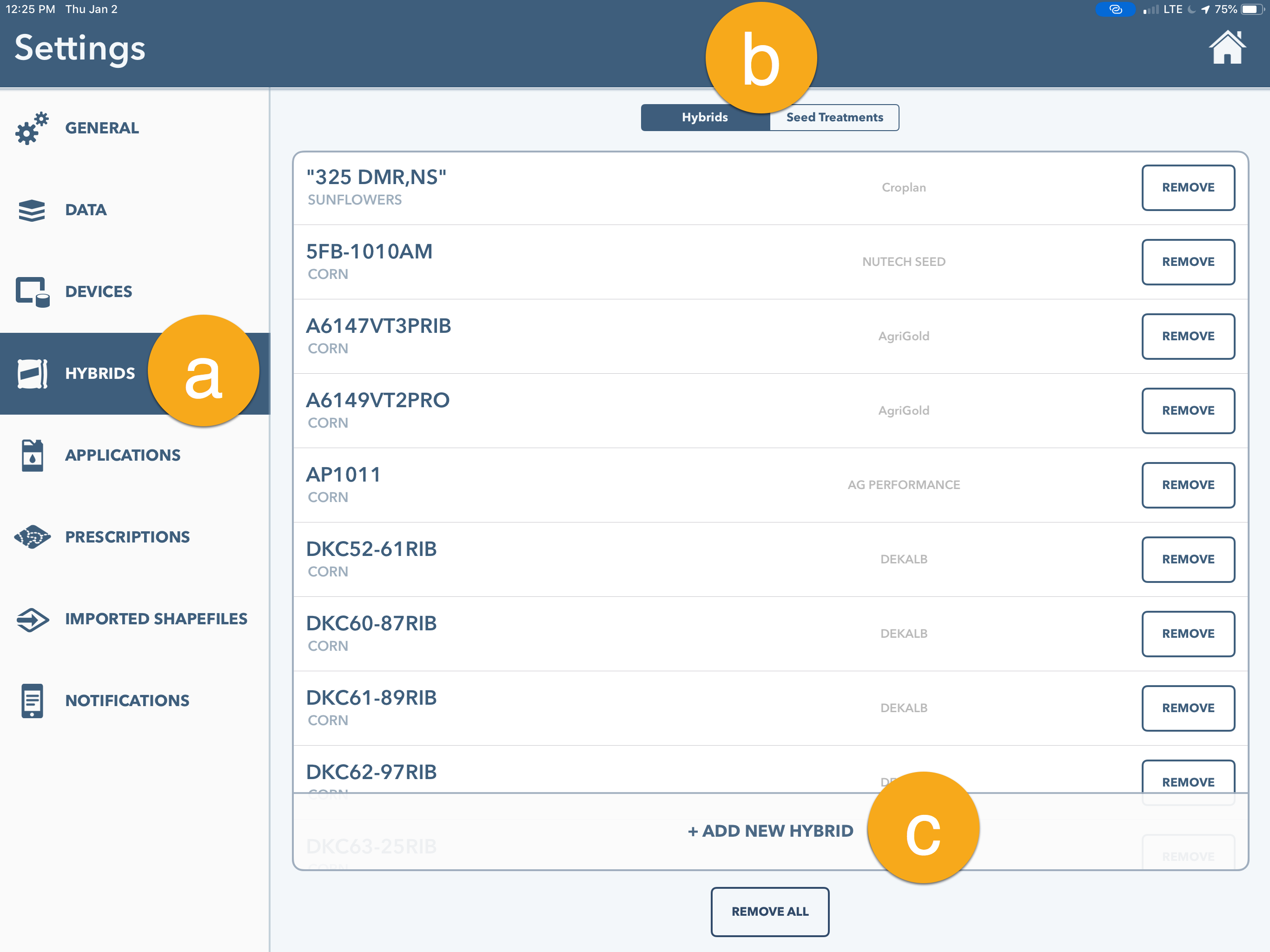
a. Tap Settings > Hybrids
b. Toggle the tabs at the top to Hybrids or Seed Treatments
c. Select +Add New Hybrid or +Add New Treatment
d. Select the Hybrid or Treatment from the list or begin typing the name
e. Once the hybrid or treatment is added to your master list, you are ready to select the fields in which these hybrids/applications will be planted/applied.
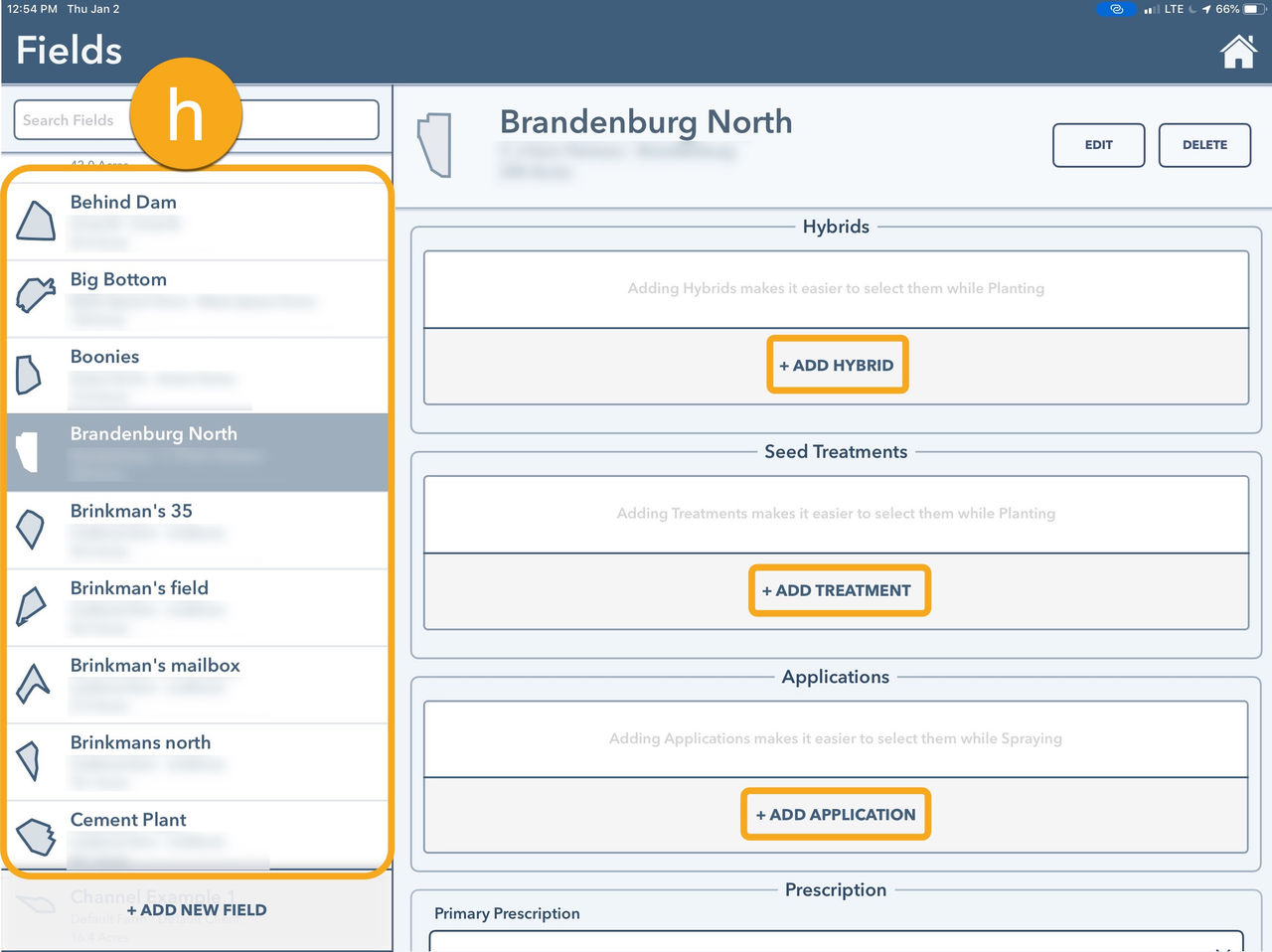
f. Go back to the Home screen by selecting the Home button in the upper right, then tap Fields.
g. Fields will be listed on the left and Hybrids, Seed Treatments, and Applications are shown on the right.
h. Tap any field and assign the hybrid, seed treatment or application to this field by tapping +Add Hybrid, +Add Seed Treatment, or +Add Application.
2. Travel to the field you are ready to plant and load the planter.
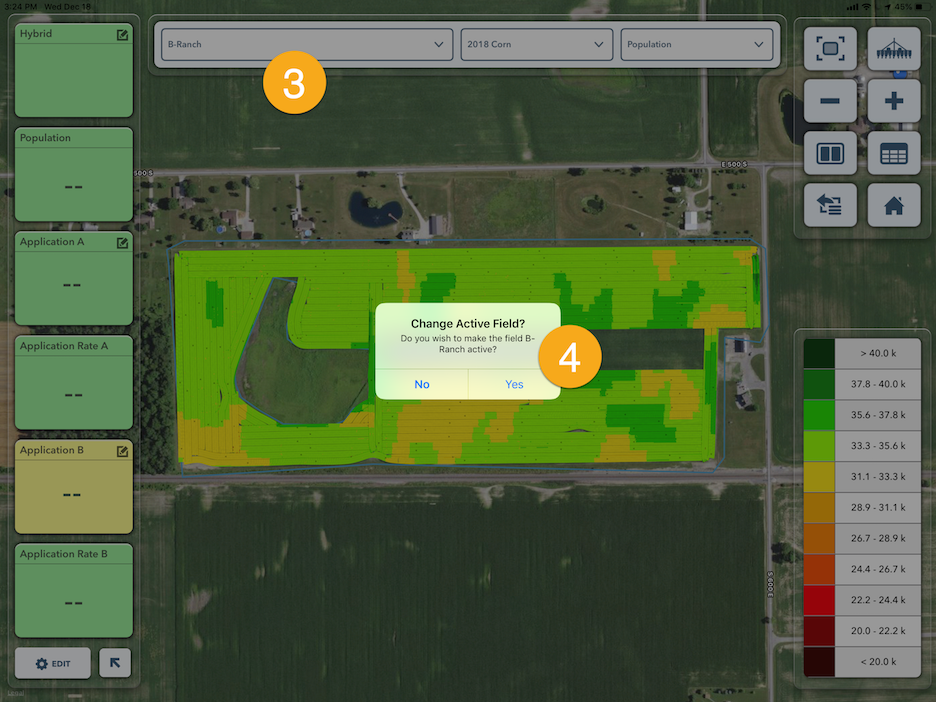
3. Open the FieldView Cab app and select the Map, and select the field you are ready to plant.
4. Tap Yes, to make the field active.
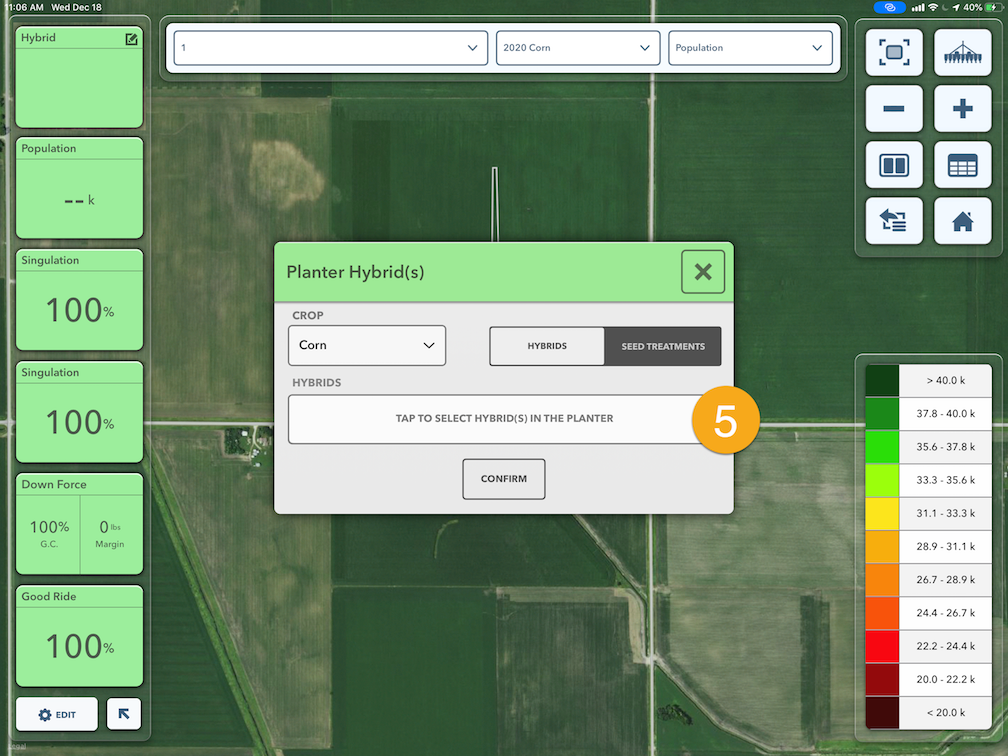
5. Identify the hybrids in your planter, and confirm they match what was previously loaded for the field. To assign hybrids, seed treatments and applications to specific rows, Tap to Select Hybrid(s) in the Planter.
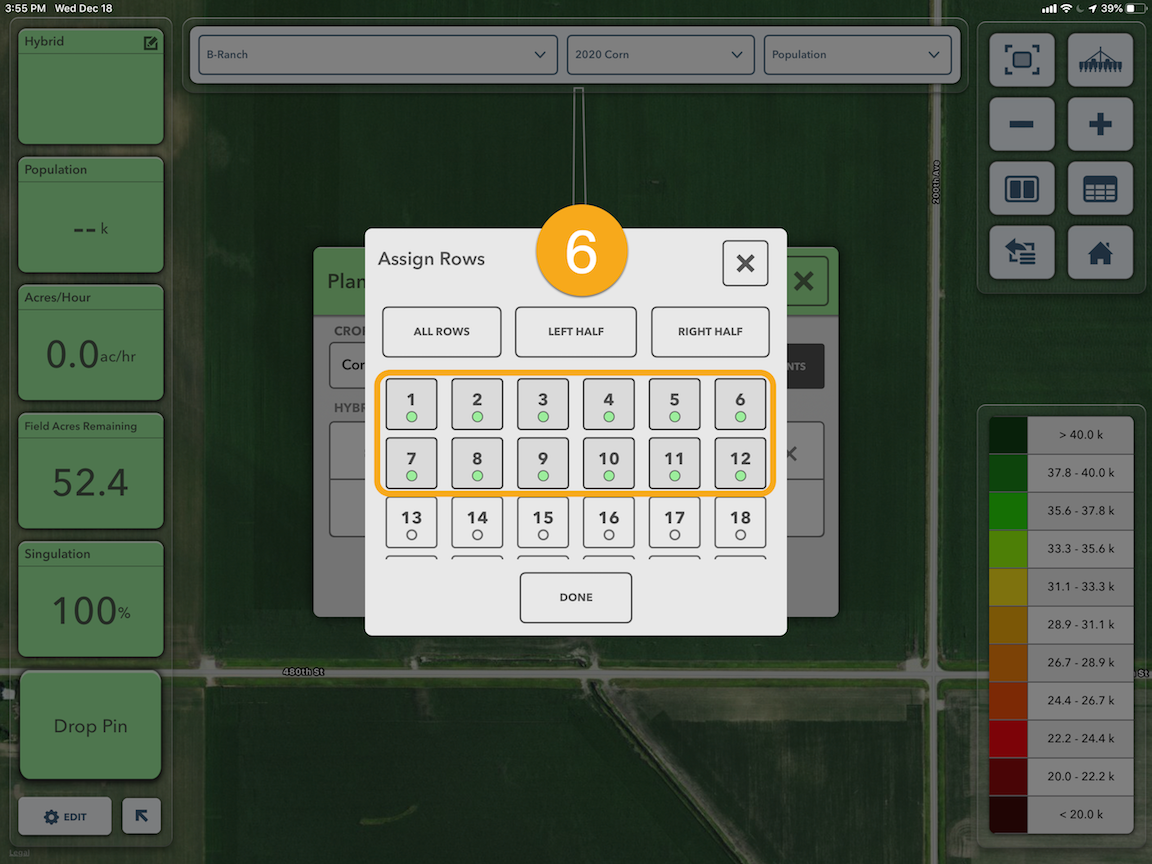
6. Tap ALL to assign the hybrid to specific planter rows. Assign rows individually by tapping the individual rows, or by left half or right half, then tap Done.
7. Tap Select Additional Hybrid
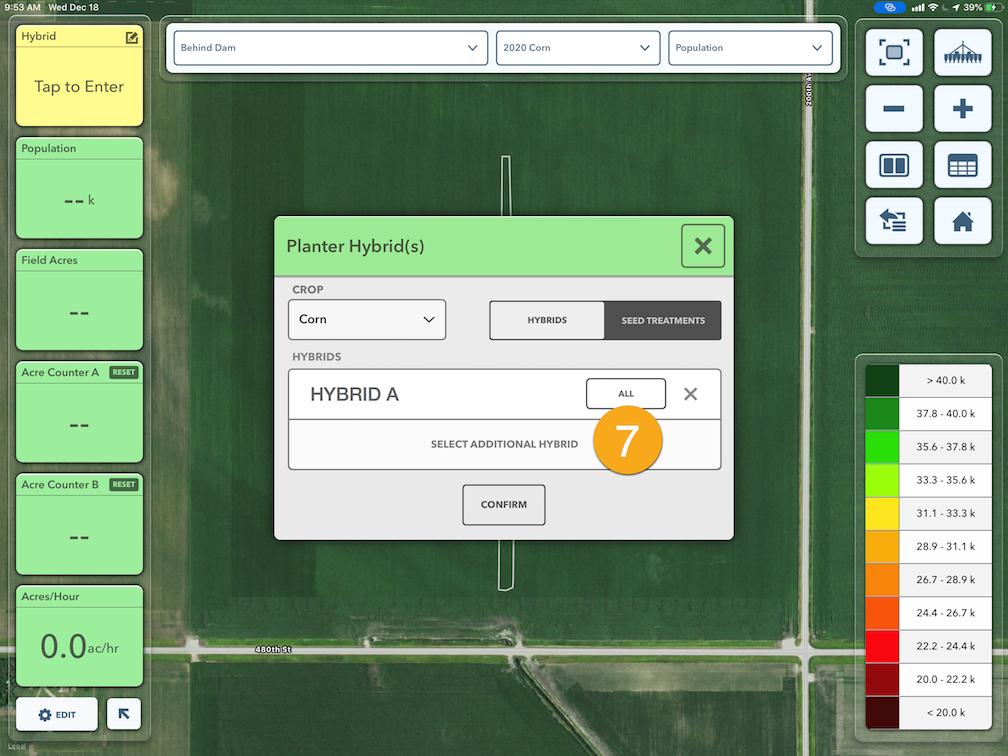
8. Assign the hybrid to specific rows. Tap ALL to assign the hybrid to specific planter rows. Assign rows individually by tapping the individual rows, or by left half or right half, then tap Done.
9. Repeat adding additional hybrids and assigning to rows as needed.
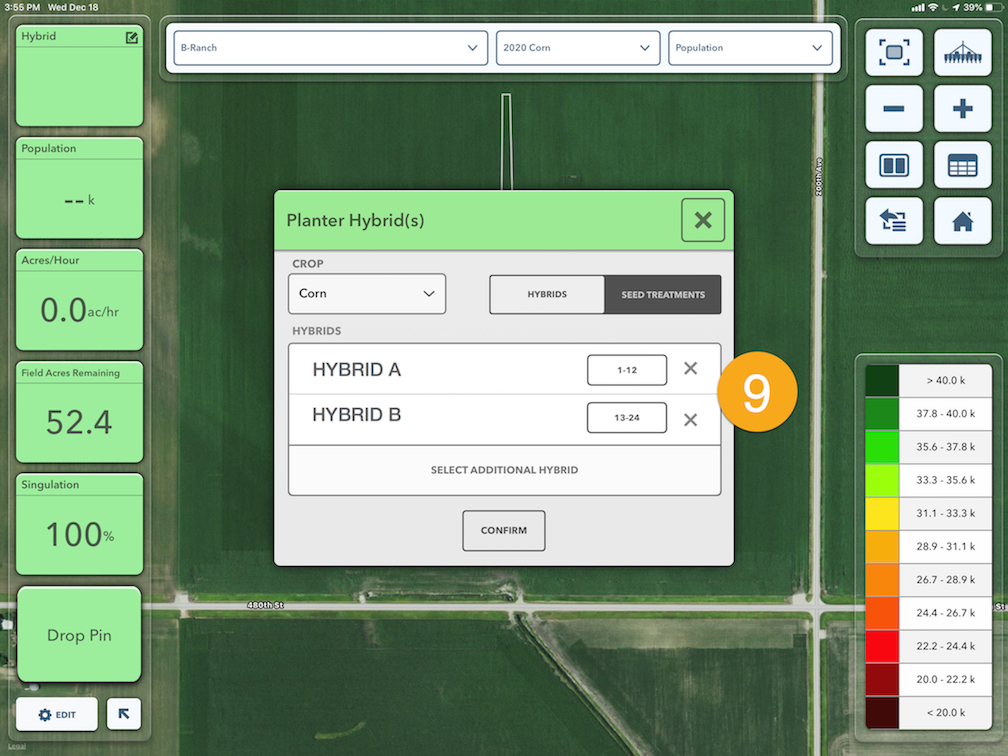
10. Toggle the Hybrid/Seed Treatment tab to Seed Treatment to add any Seed Treatments. Assign treatments to different rows in the same manner in which hybrids were assigned to rows. (Tap ALL to assign the hybrid to specific planter rows. Assign rows individually by tapping the individual rows, or by left half or right half, then tap Done.)
11. Tap Confirm to complete Hybrid and Seed Treatment assignment.
12. The Application box will appear. Select the application mix that you will be applying while planting.
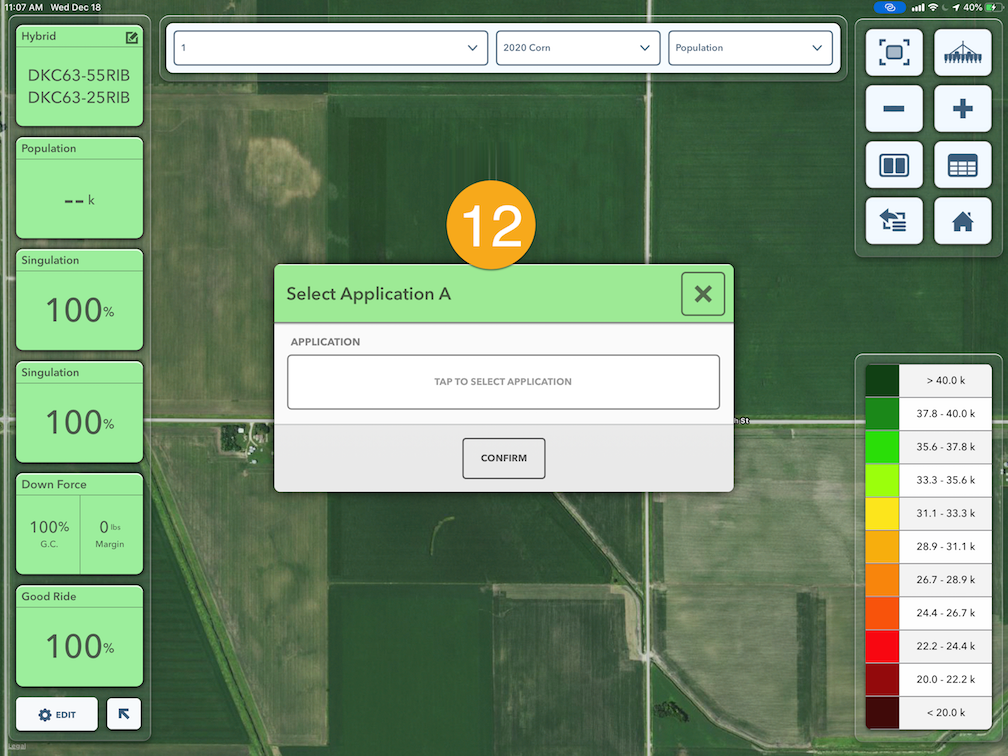
13. Tap Confirm again and you are ready to begin planting and mapping all three planting, seed treatment and applications layers at once.
If you require further assistance, please contact the Climate Support Team at 1.888.924.7475.