How to Create a FieldView Cab App Season Summary Report
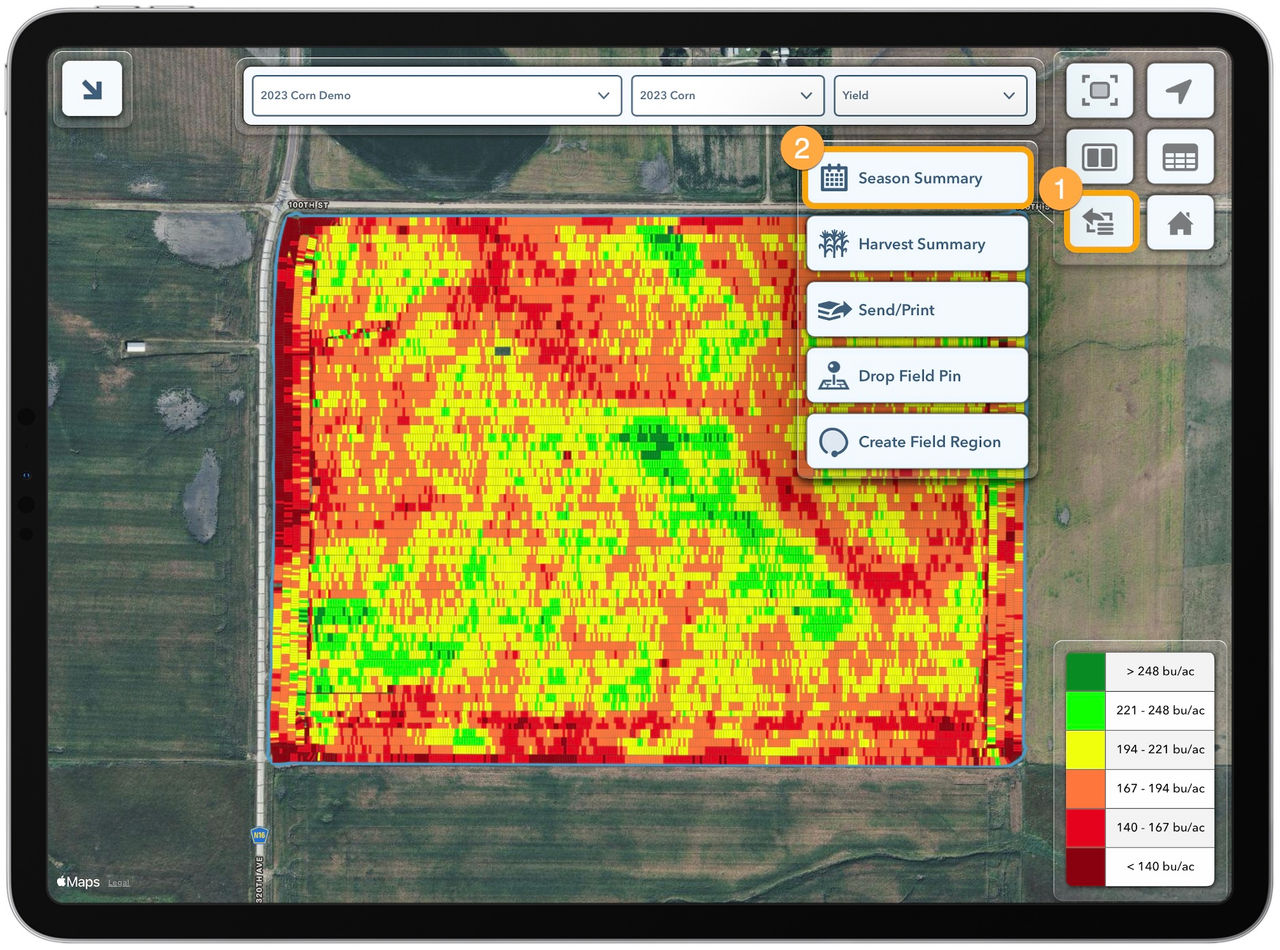
FieldView Cab app displaying a field yield map with the More menu open and Season Summary highlighted.
Overview
The Season Summary provides an overview of every planting, application, tillage, and harvest activity performed in a field across the selected season.
What is the FieldView Cab App Season Summary Report?
The Season Summary provides an overview of every planting, application, tillage, and harvest activity performed in a field across the selected season. It provides quick access to the Summary reports for these activities, the ability to add missing activities, and create a printable PDF report that includes all the key details for each activity.
Finding the FieldView Cab App Season Summary Report
Open the Season Summary from the More Menu. It will open with the current season and field selected. The season can be changed using the drop down in the upper right of the window. Tap on any activity in the list to open the Planting, Application, Tillage, or Harvest Summary. Use the Add Activity button at the bottom of this list to add a missing activity. Tap the Create PDF button at the top to generate a PDF containing the summary information, equipment, and operators for each activity.
After opening the FieldView™ Cab app and navigating to the field and season you wish to review:
Select the More button
Tap on Season Summary for an overview of the activities recorded throughout the season and quick access to each report
Navigating & Sharing FieldView Cab App Season Summary Reports
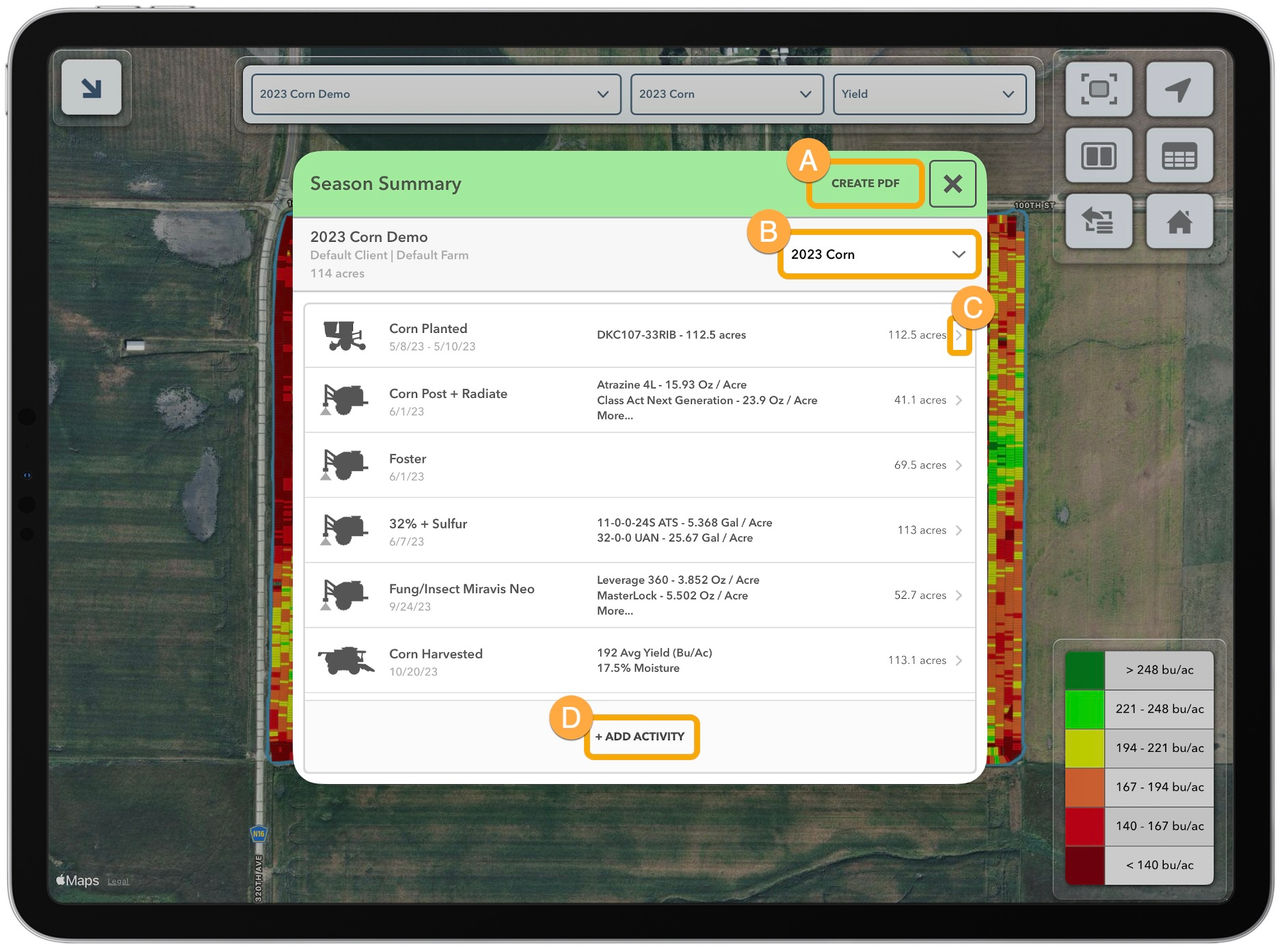
A. Create a PDF of the Season Summary
- This PDF will include all the details from each summary report for every activity
B. Review other seasons
C. Tap the > arrow to review specific activity reports and all details
D. If an activity is missing select + Add Activity to manually create a map layer and data for the following equipment activities: planter, seeder, sprayer, anhydrous applicator, tillage, combine, cotton picker/stripper, silage harvester and spreader
- After creating the activity, it will be added to the Season Summary