Contactate con nuestro equipo de soporte al 0800 666 2913 de lunes a viernes de 9 a 18hs y los fines de semana en horario reducido.
How to View FieldView Timeline in FieldView App
Overview
FieldView Timeline provides users with a chronological field history including information on planting, application, harvest and scouting activities as well as rainfall events.
FieldView Timeline Guide
FieldView timeline makes it easy to access a complete series of events for individual fields to make year-end assessments or to help make in-season decisions without having to navigate to multiple locations within the platform.
1. Navigate to the FieldView™ app
2. Tap the Fields tab at the bottom of the screen

3. Select desired field and crop year
4. Tap Field Timeline on the side panel
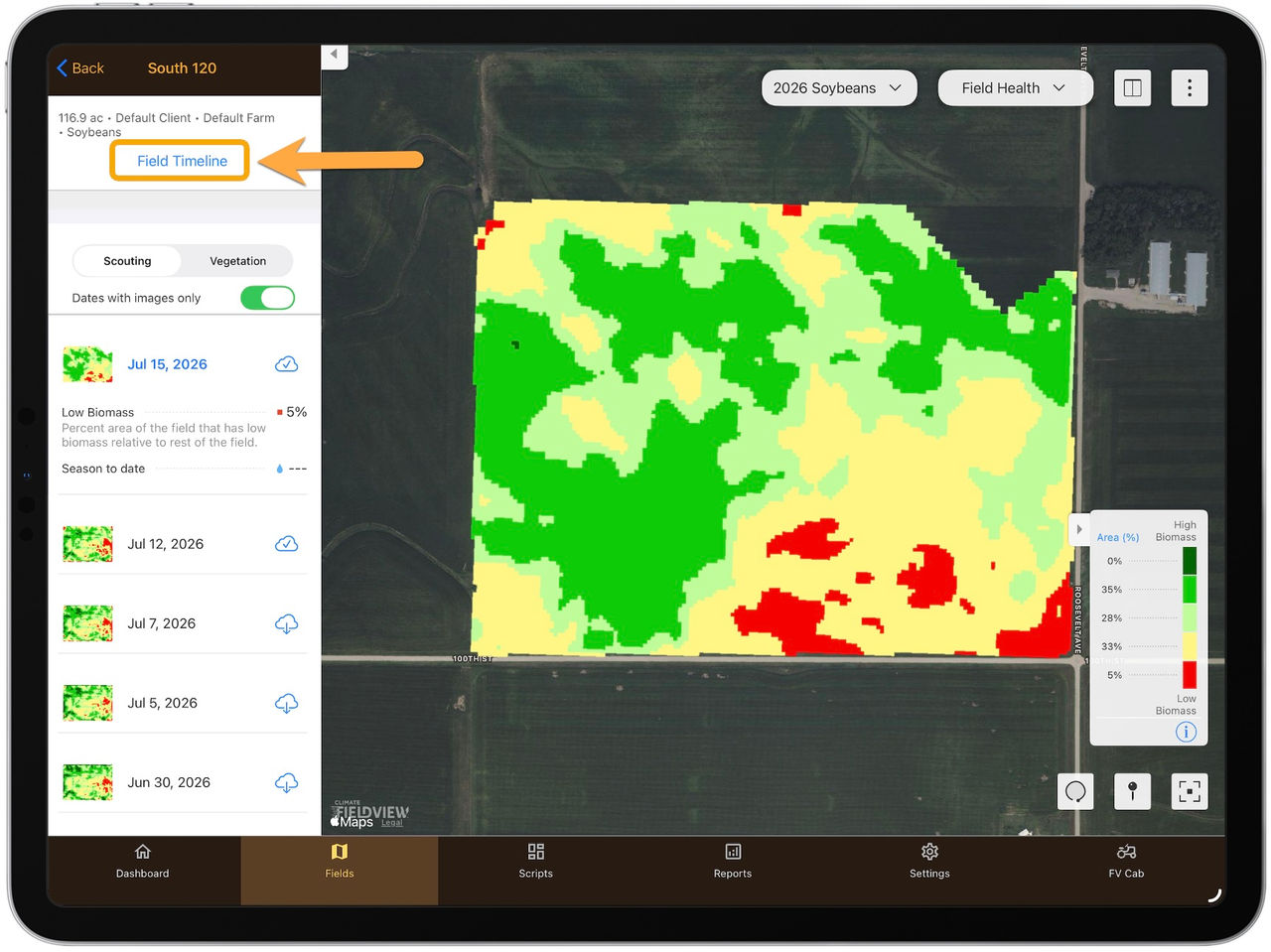
- This page provides a timeline of events that occurred within a single field over the course of a growing season.
To navigate directly to a map layer from a specific activity on the FieldView Timeline (i.e. Planting activity > Hybrid map layer, Harvest activity > Yield map layer, etc.), simply click on the arrow to the right of the activity (if applicable).
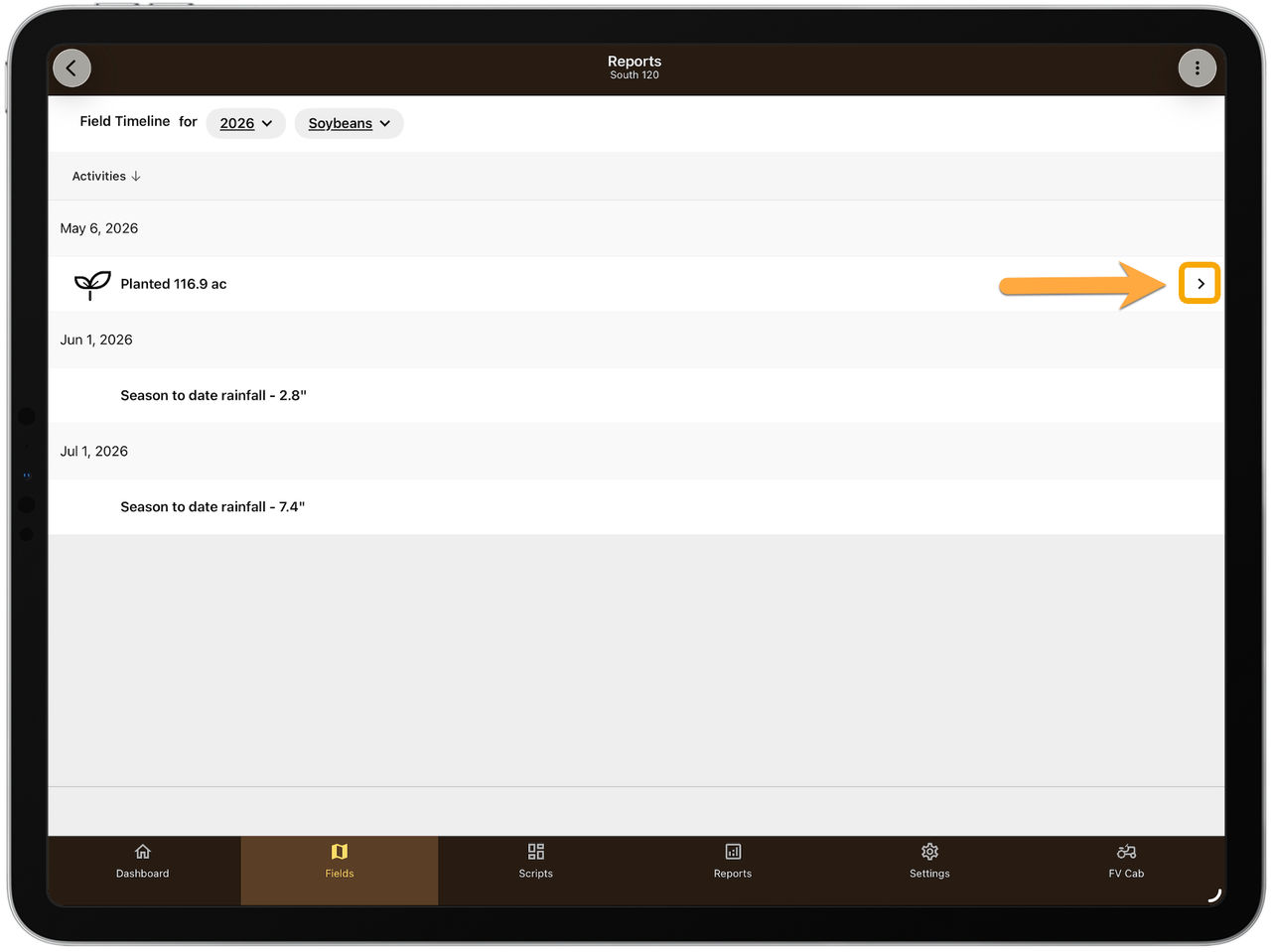
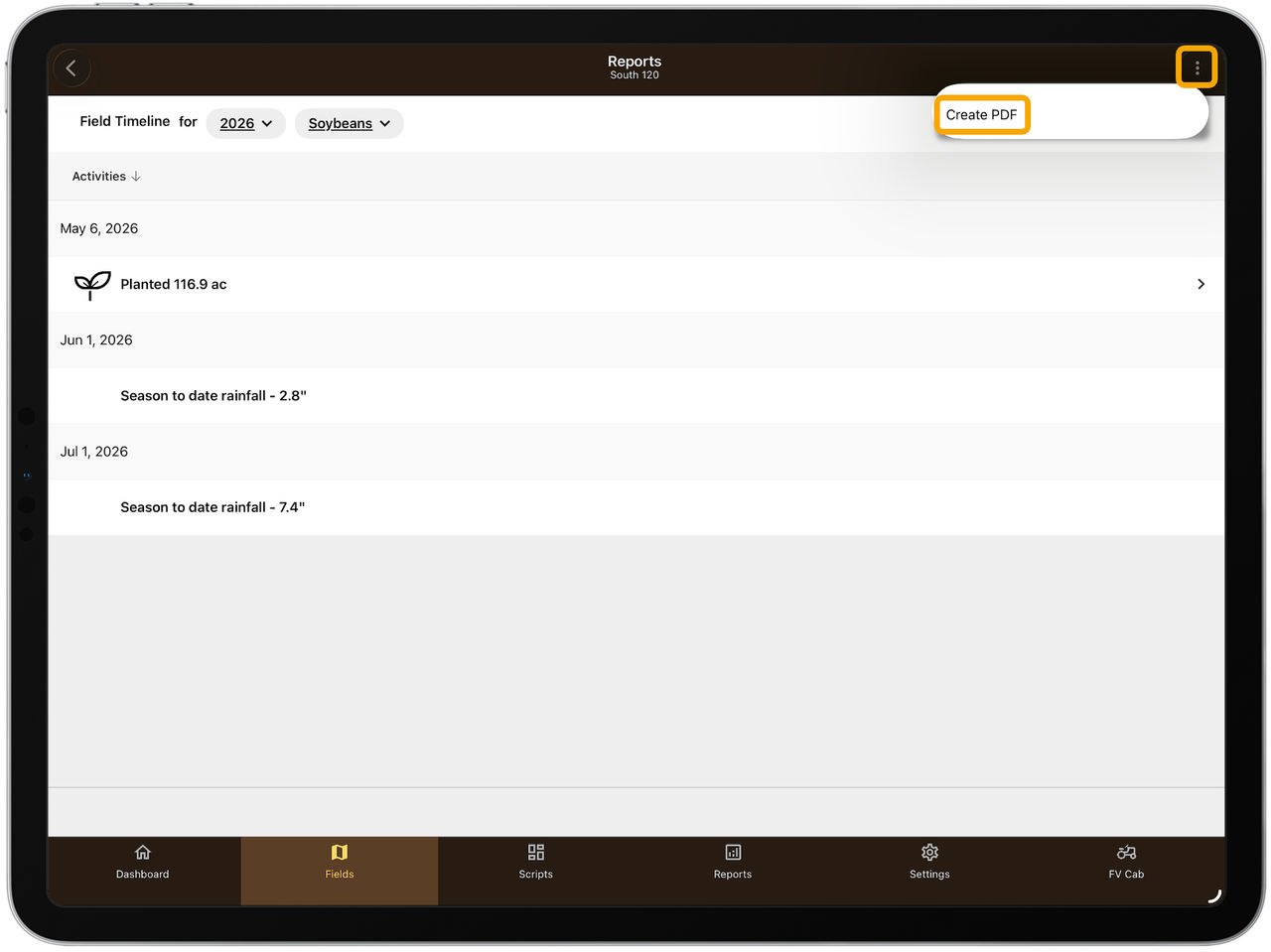
5. Select the three dots in the top right corner to create a PDF report
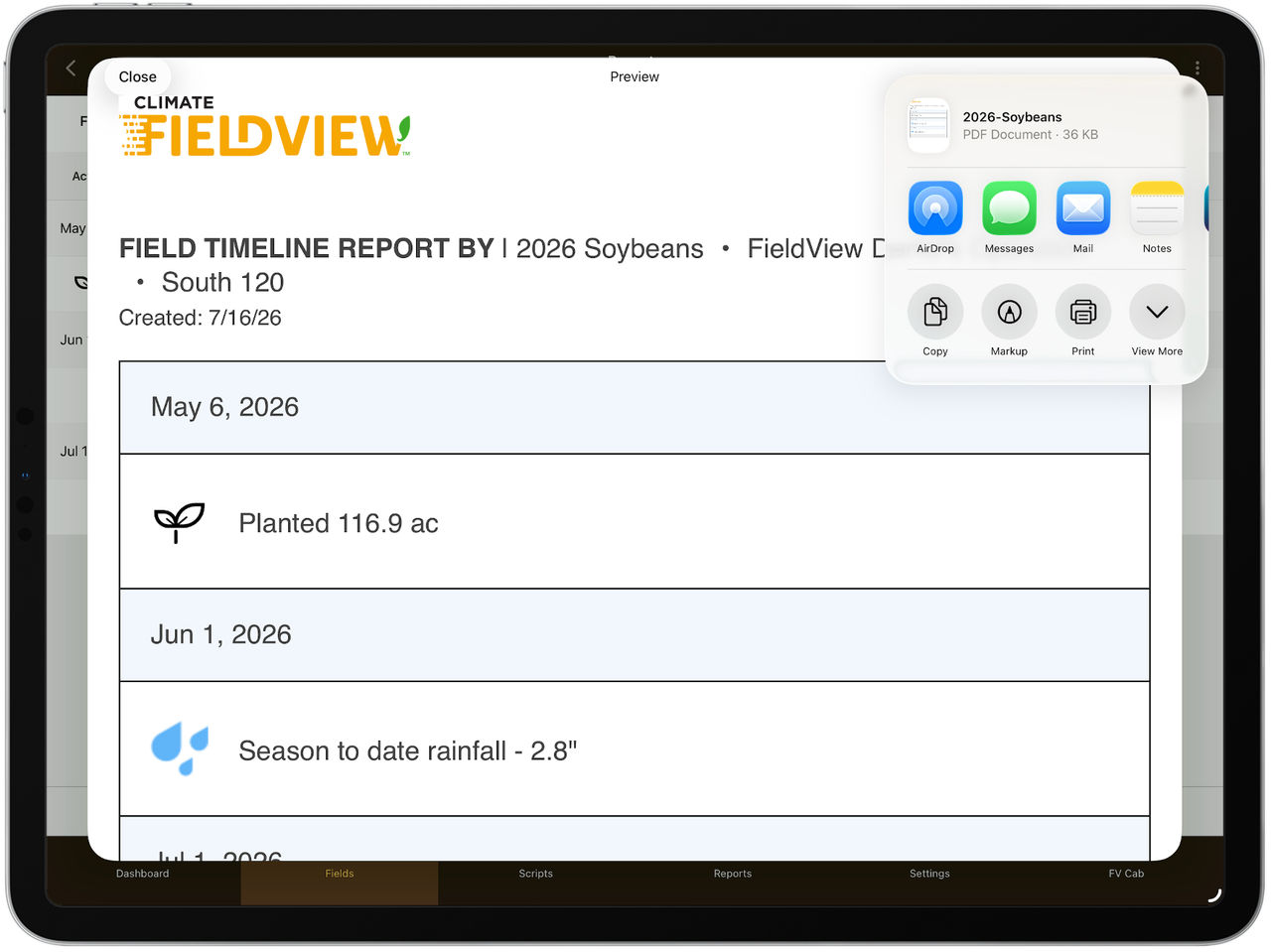
6. To print or send this report, tap the Share button in the top right corner
Estamos para ayudarte cuando lo necesites
Si tenés dudas, necesitás soporte o querés saber más sobre FieldView™, estamos a un mensaje, mail o llamado de distancia.