Aug 17, 2024
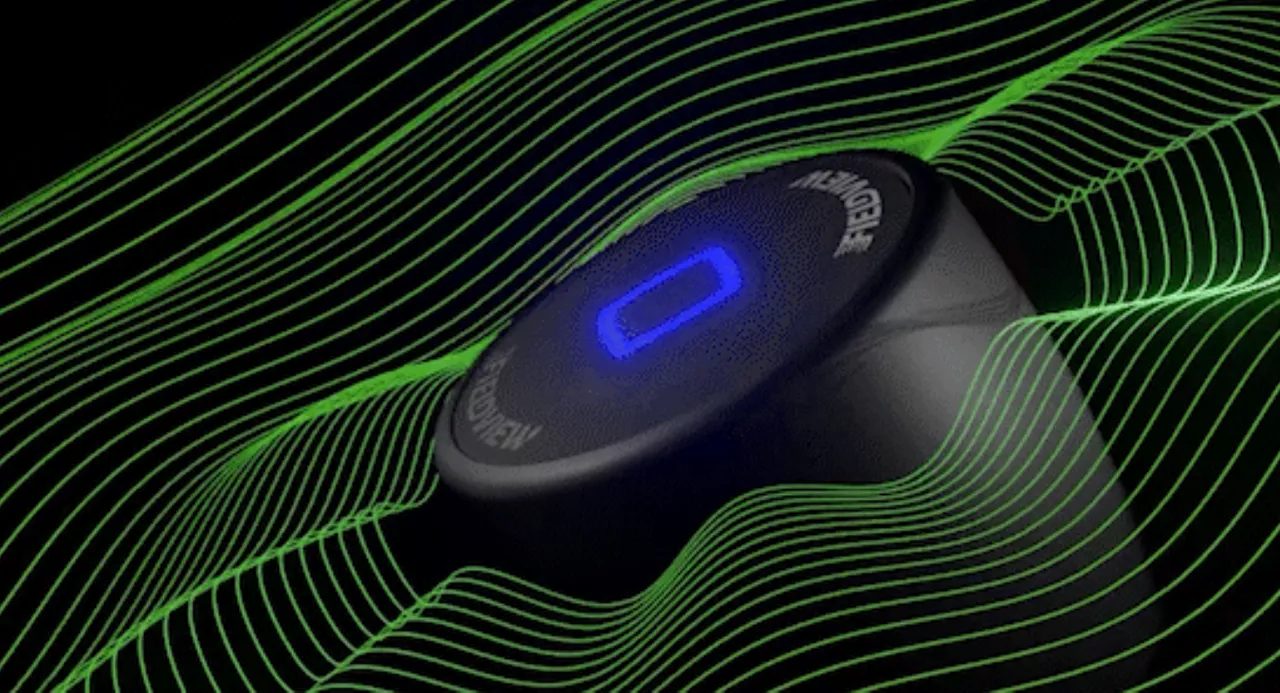
Fast, Stable, Secure. Meet Drive 2.0
The FieldView Drive 2.0 can send seed scripts without a thumb drive, has built-in GPS, offers faster data syncing and compatibility with a wider range of equipment.
From tracking rainfall totals to monitoring your fields' health, here are four FieldView features that will make your growing season less stressful.
Every season comes with its own trials and frustrations, including growing season. From wasted trips to the field to forgetting where you sprayed, there are countless factors that can slow your progress and interrupt your workflow. With FieldView, you have a variety of tools at your fingertips that can help identify and address field health issues before they take hold. Tools that eliminate guesswork and allow you to back key decisions with real-time data. You can access your farm’s data anytime, anywhere and easily share it with advisors, ensuring that you can do what’s best for your farm in a couple clicks or taps.
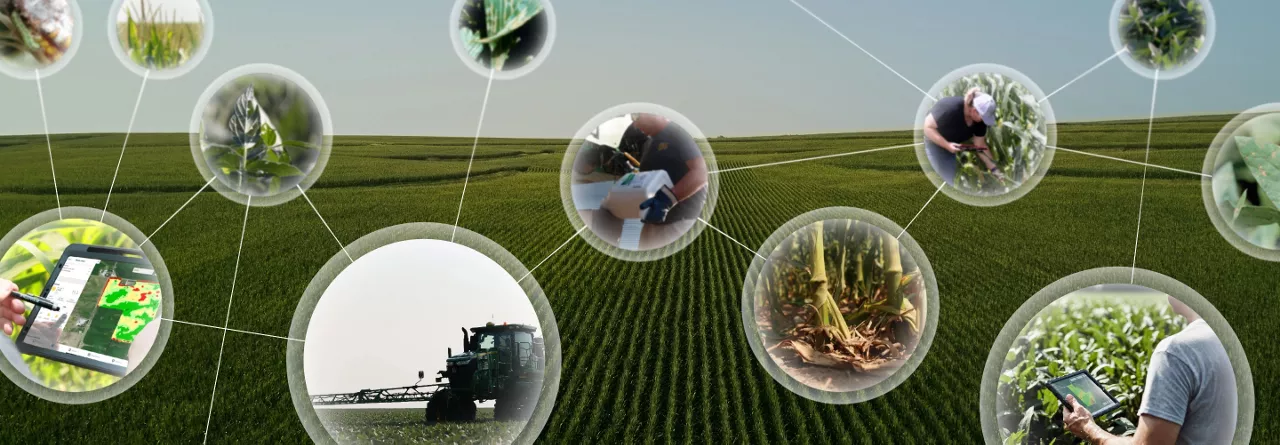
While there are many tools in FieldView for growing season, this blog post highlights the four features that growers find most valuable. They can help you monitor your field conditions, application data and everything in between during this growing season.
With FieldView’s data visualization, you can go beyond a quick glance at the end rows and get a view of your entire field. Field health imagery helps you identify the areas that need the most attention, so you can efficiently scout and track in-season crop health using a variety of vegetation, scouting and true color viewing modes. When it’s time to get out in the field, you can do so knowing exactly what’s happening and where.
One of the best parts of this functionality is the Vegetation Map—a real-time visualization map of your field health based on your current plant growth. In short, this color index map helps you determine which areas of your acreage might need attention.
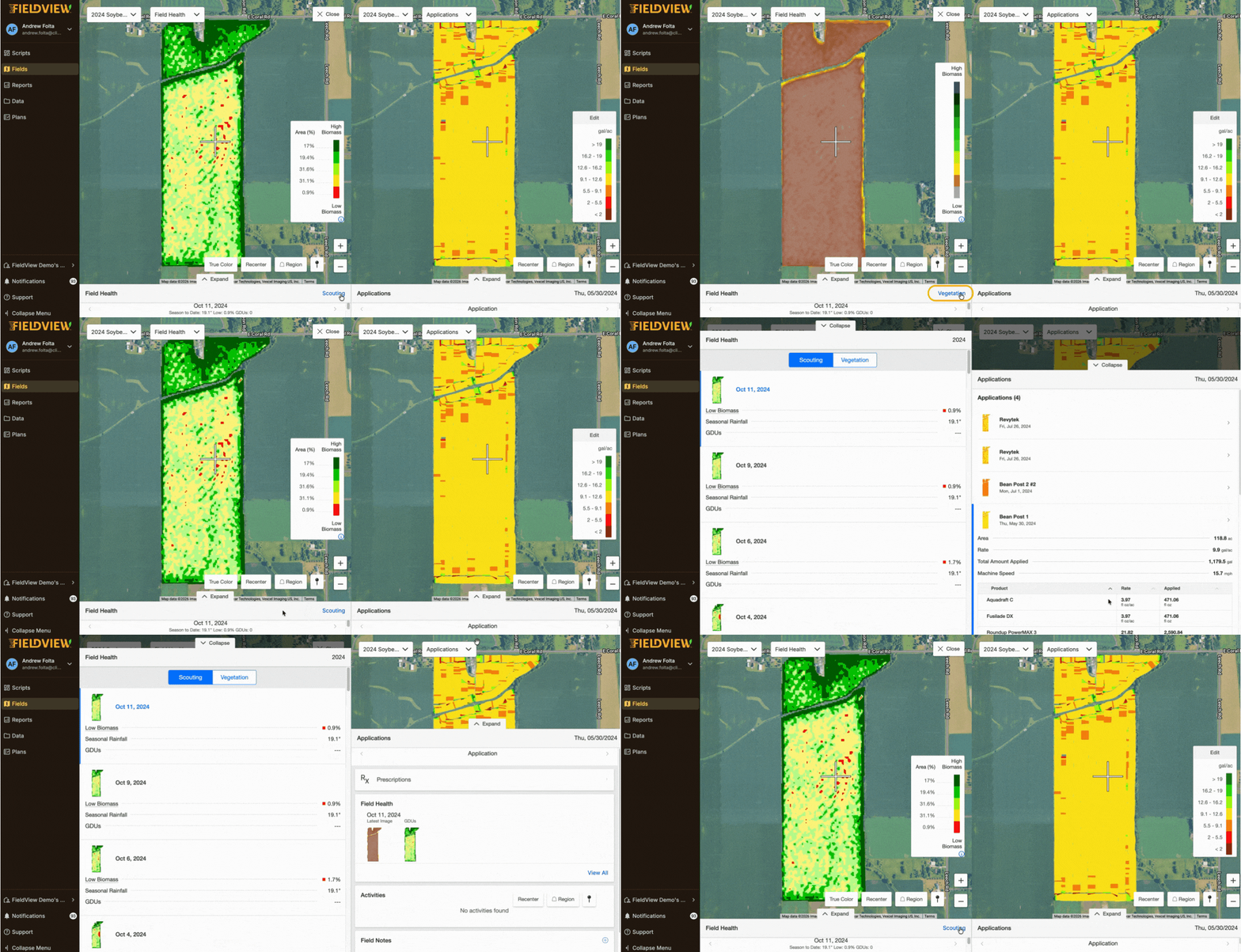
FieldView has a special tool called the Climate Crop Index, or CCI for short. Think of it like a helper that looks at your corn plants from the sky and lets you know how green and healthy they are. It’s similar to another tool called NDVI, but we’ve corrected CCI for soil background impact and made it less prone to saturation (losing variability with high biomass). This ensures that CCI is better for figuring out how much corn you’ll get at the end of the season.
Recently, FieldView made their CCI tool even smarter. Now, it can look at places where your corn is growing especially thick and strong and tell you even more about how your field is doing. This means you get all the information you need to help you take the best care of your crop.
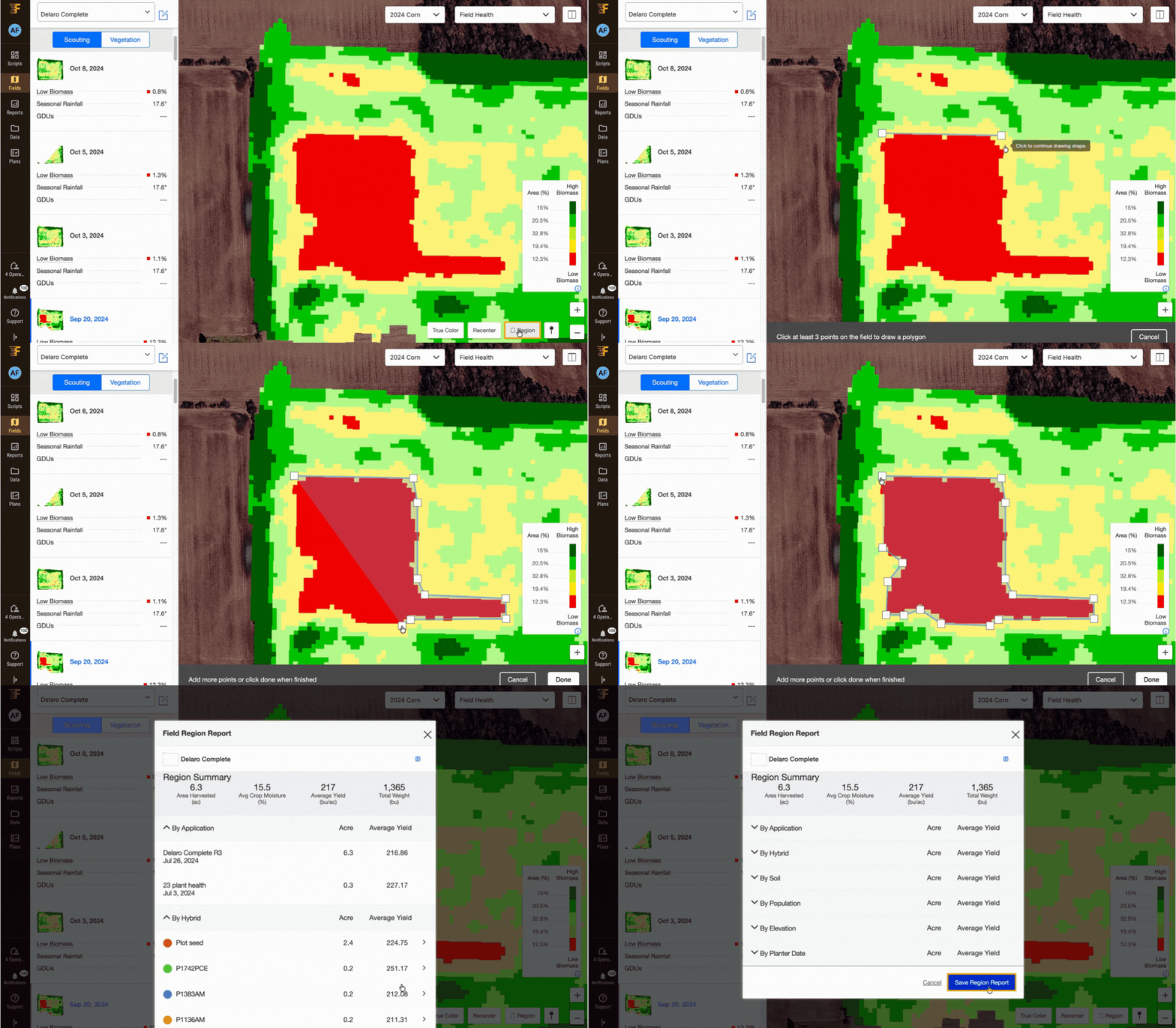
Finally, for any areas that pose particular challenges or opportunities, you can use FieldView to create field region reports to monitor certain zones, such as those with more standing moisture or delayed emergence. Whether you’re at your desk, on the couch or in the cab, FieldView keeps you informed, allowing you to focus your energy where you need it most.
Every application pass is an opportunity to capture valuable data about your operation. Using FieldView during applications with compatible equipment ensures your data is captured automatically with minimal user input. Required inputs are quick and easy to generate through our enhanced chemical and seed catalogs, and when paired with the FieldView™ Drive 2.0, you gain compatibility with more than 85% of OEM machinery.
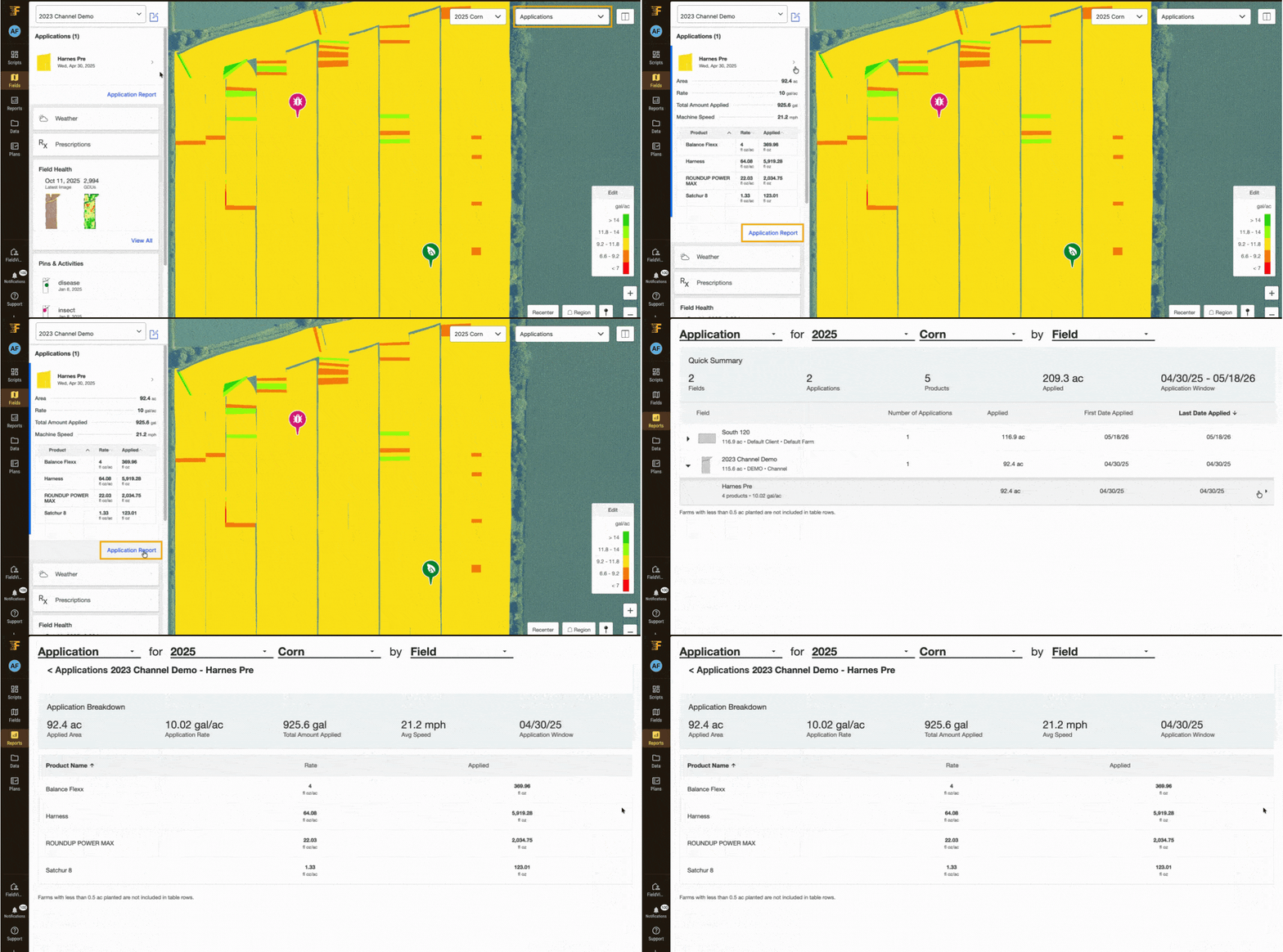
Now that you’ve set up application tracking, you can forget scribbling in notebooks or worrying about lost records. Plus, our widgets in the FieldView Cab app let you track and log the live weather conditions while you work. With all this data streamlined in one place, you can automatically export PDF reports to calculate cost-splitting or verify compliance. You can also share these reports via email or text message with your dealer or trusted advisor. This is particularly useful in running and assessing application trials.
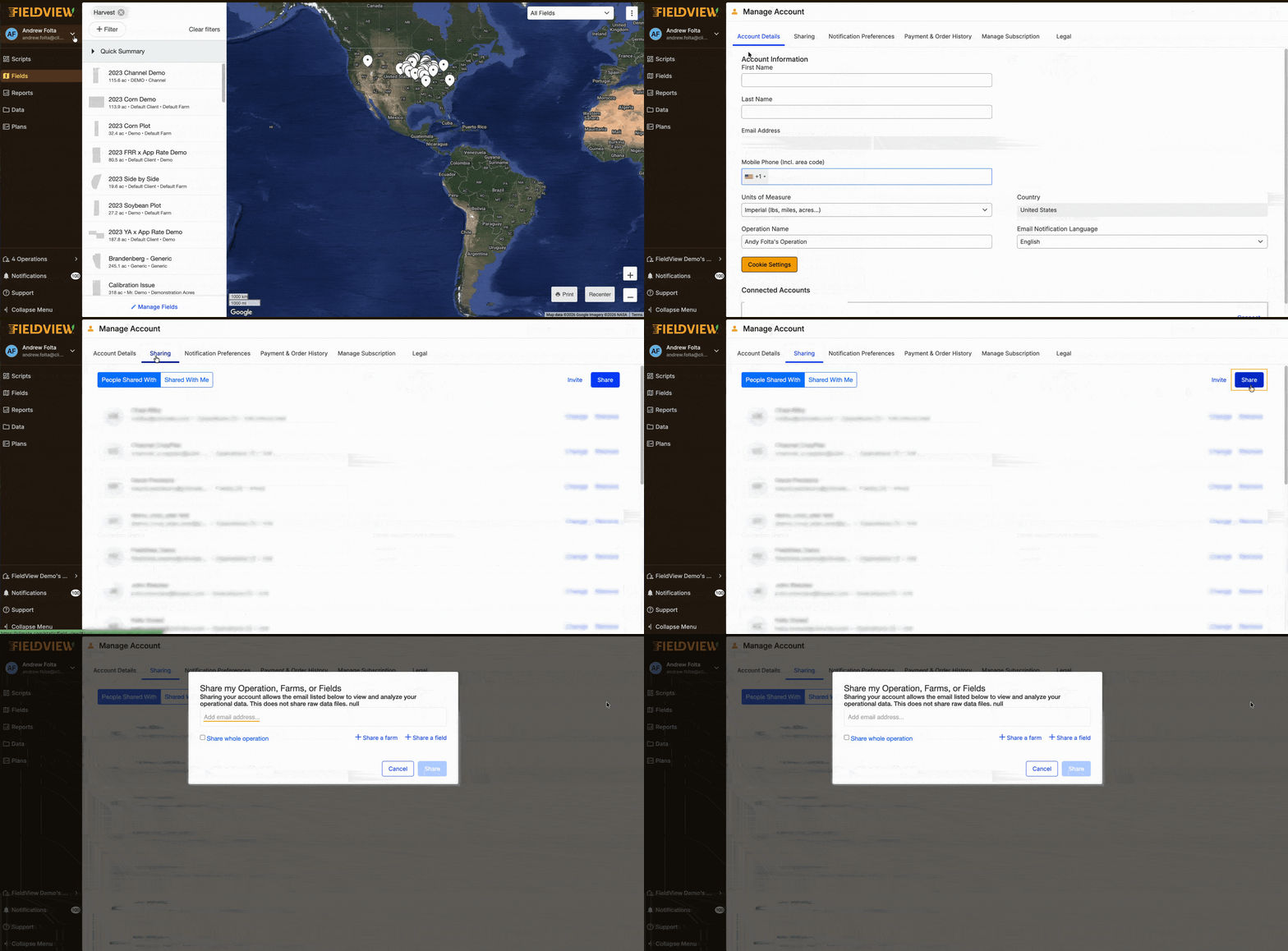
Great operations are often a team effort between farmers, agronomists, seed experts and more. That’s why we’ve made connecting with trusted advisors and keeping them up to date on your field’s data easy.
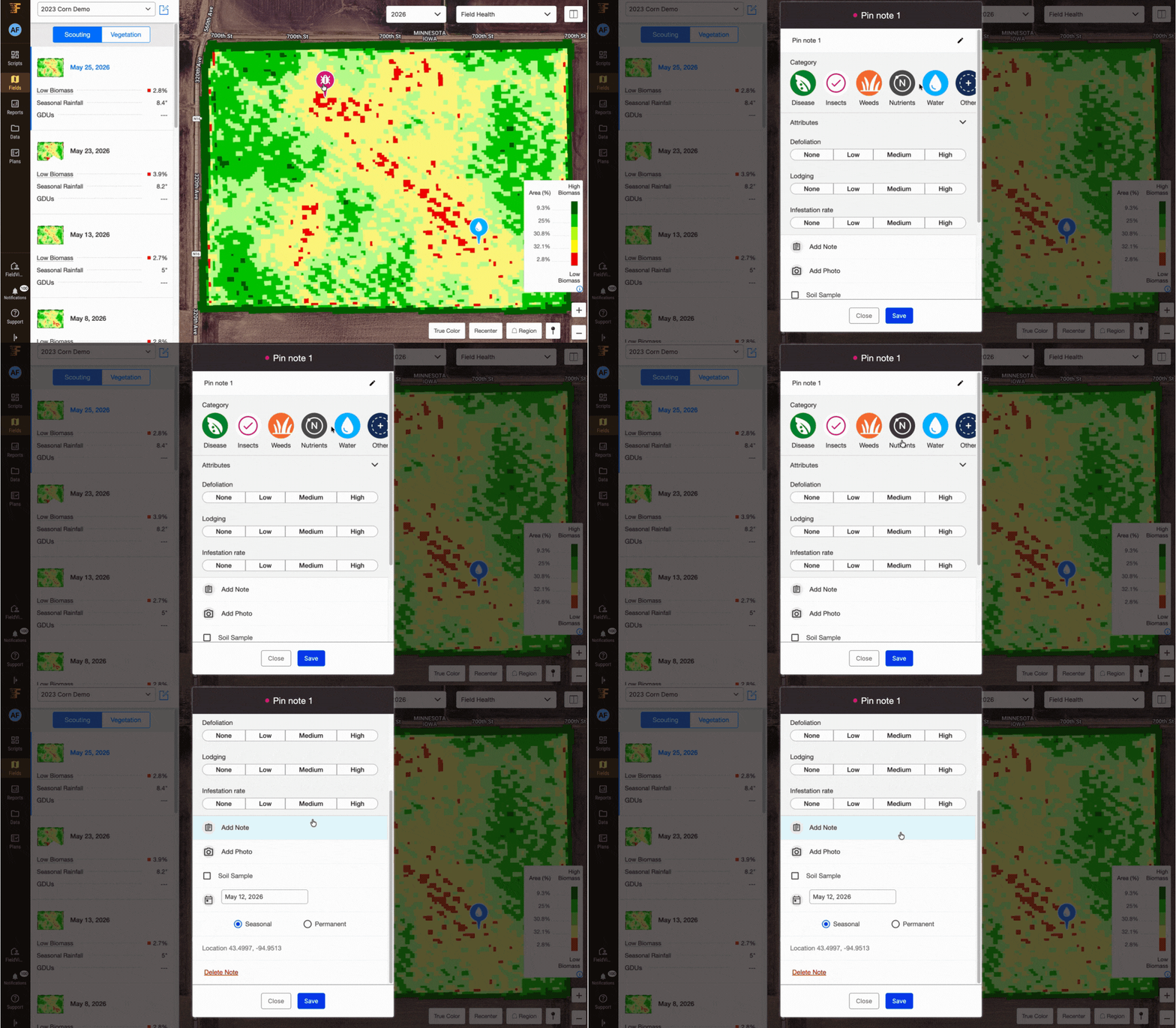
For example, instead of trying to give your crop scouts detailed directions about where in the field to look, FieldView makes it easy to share precise field locations based on your tablet’s GPS coordinates. You can also drop scouting pins in the FieldView Cab app and insert comments and images with each pin so everyone can see and understand what you’re doing in your fields. Alternatively, you can have your scouting team enter information directly into your account for immediate access.
Regardless of how you choose to collaborate, you control who can access your data and account. With everyone on the same page, you can ensure your scouts get pinpoint directions while you enjoy peace of mind.
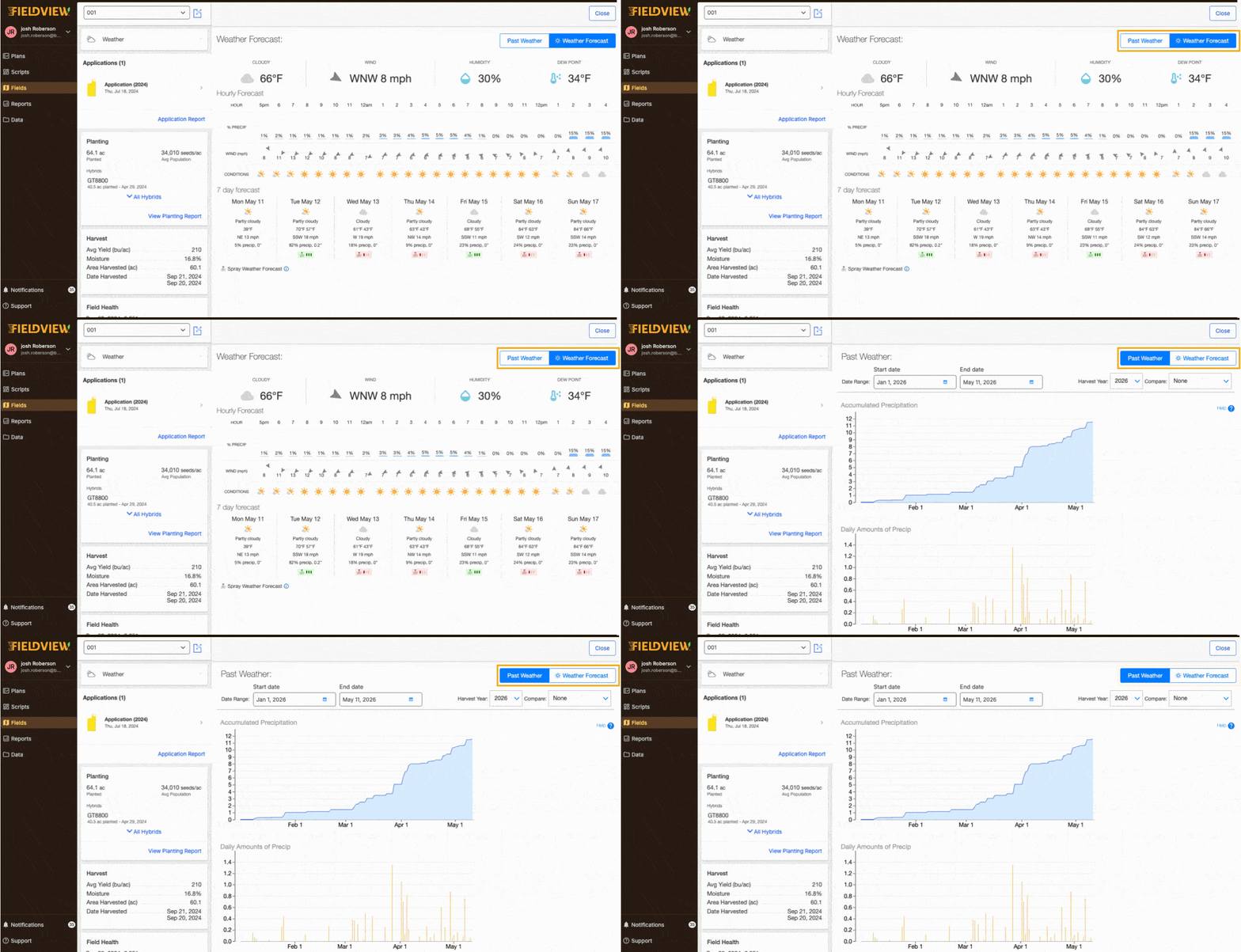
In addition to having immediate access to your localized weather conditions and forecasts thanks to built-in radar, FieldView also provides other valuable information specific to your fields. For example, it tracks information like the total rainfall during each season, as well as a comprehensive look at your 10-year weather history to help you adapt to whatever the season sends your way.
When it comes to scouting features in FieldView, this just scratches the surface of what’s possible for you and your operation. While I encourage you to explore our Knowledge Center to dive deeper, I hope you’ve learned a little more about how FieldView can help you turn time that was previously tedious, into time well-spent. If you have any questions, you can always reach us at 1-888-924-7475 or support@climate.com. All the best for your growing season!

The FieldView Drive 2.0 can send seed scripts without a thumb drive, has built-in GPS, offers faster data syncing and compatibility with a wider range of equipment.
Amidst changing weather patterns, unpacking the connection between nature and crop health can be incredibly complex.